Identifier GUID-3A9BAB10-F22B-41E7-A2EA-90DF86BD8992
Status Translated
装回宏按键
警告: 拆装计算机内部组件之前,请阅读计算机附带的安全信息,并遵循拆装计算机内部组件之前中的步骤。拆装计算机
内部组件之后,请遵循 拆装计算机内部组件之后中的说明。有关其他最佳安全操作信息,请参阅 www.dell.com/
regulatory_compliance 上的 Regulatory Compliance(管制标准)主页。
Identifier GUID-8AB96B88-40F1-49F3-95DA-4E71D4E61FAB
Status In Translation
Procedure
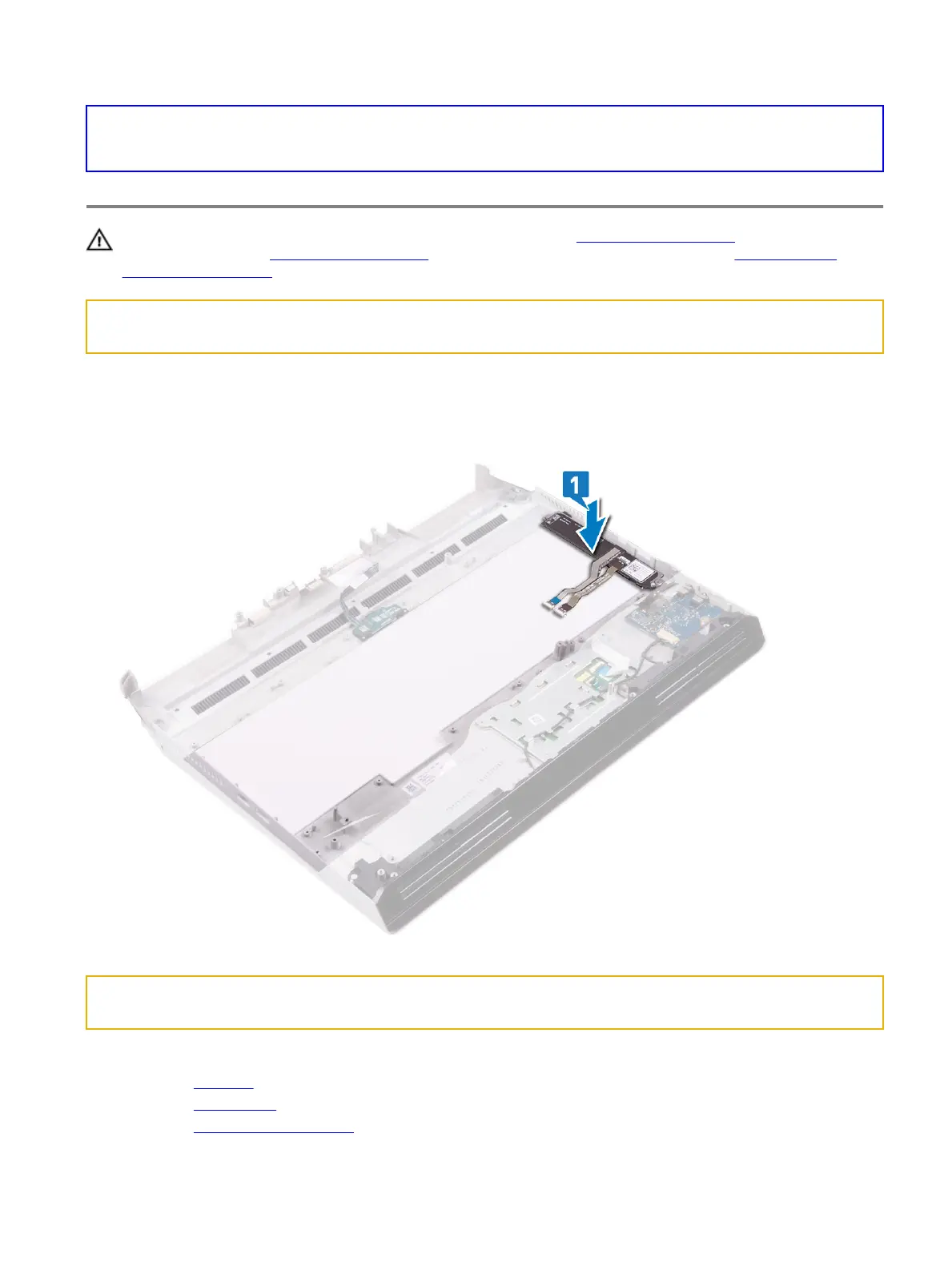
Insert the tabs on the top side of the macro keys into the slots on the palm-rest assembly. Ensure that the openings at the
bottom of the macro keys t into the studs on the palm-rest assembly.
Identifier GUID-3C0CC68A-B19F-4C6F-A7DA-4C362670AAC0
Status In Translation
Post-requisites
1 Replace the keyboard.
2 Replace the system board.
3 Replace the right power-adapter port.
105















 To Next Page