Identifier GUID-08EA64DA-0940-45B5-9DEF-7609F5E6BB53
Status Translated
装回处理器
警告: 拆装计算机内部组件之前,请阅读计算机附带的安全信息,并遵循拆装计算机内部组件之前中的步骤。拆装计算机
内部组件之后,请遵循 拆装计算机内部组件之后中的说明。有关其他最佳安全操作信息,请参阅 www.dell.com/
regulatory_compliance 上的 Regulatory Compliance(管制标准)主页。
小心: 如果处理器或散热器已更换,请使用套件中提供的导热油脂,以确保达到良好的导热效果。
注: 新处理器在包装中附带一个散热垫。在某些情况下,处理器可能附带一个与其安装在一起的散热垫。
Identifier GUID-0AA47469-8135-4DA0-8EAF-660866CDD798
Status In Translation
Procedure
1 Align the triangle on the processor with the triangle on the processor socket.
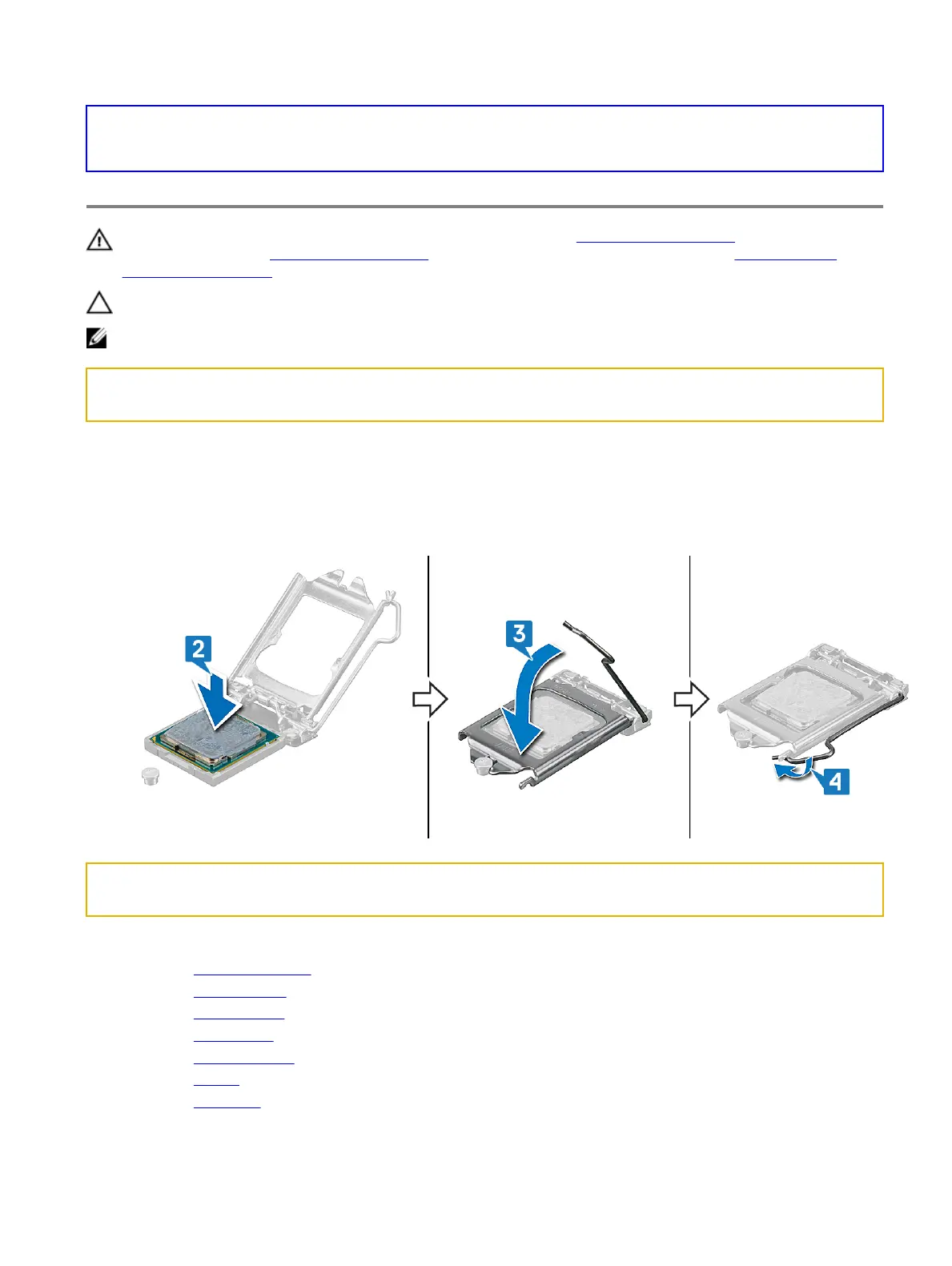
2 Place the processor in the processor socket on the system board.
3 Close the processor cover.
4 Push the lever on the processor cover and lock it in place to secure the processor.
Identifier GUID-E0DEA059-3E44-466A-B878-6D89FAF73AF8
Status In Translation
Post-requisites
1 Replace the heat-sink assembly.
2 Replace the computer base.
3 Replace the rear I/O cover
4 Replace the wireless card.
5 Replace the solid-state drive (in SSD1 slot).
6 Replace the battery.
7 Replace the base cover.
81















 To Next Page