Identifier GUID-85E7AB5E-5B58-4B6A-BA91-521F6BC65CFA
Status In Translation
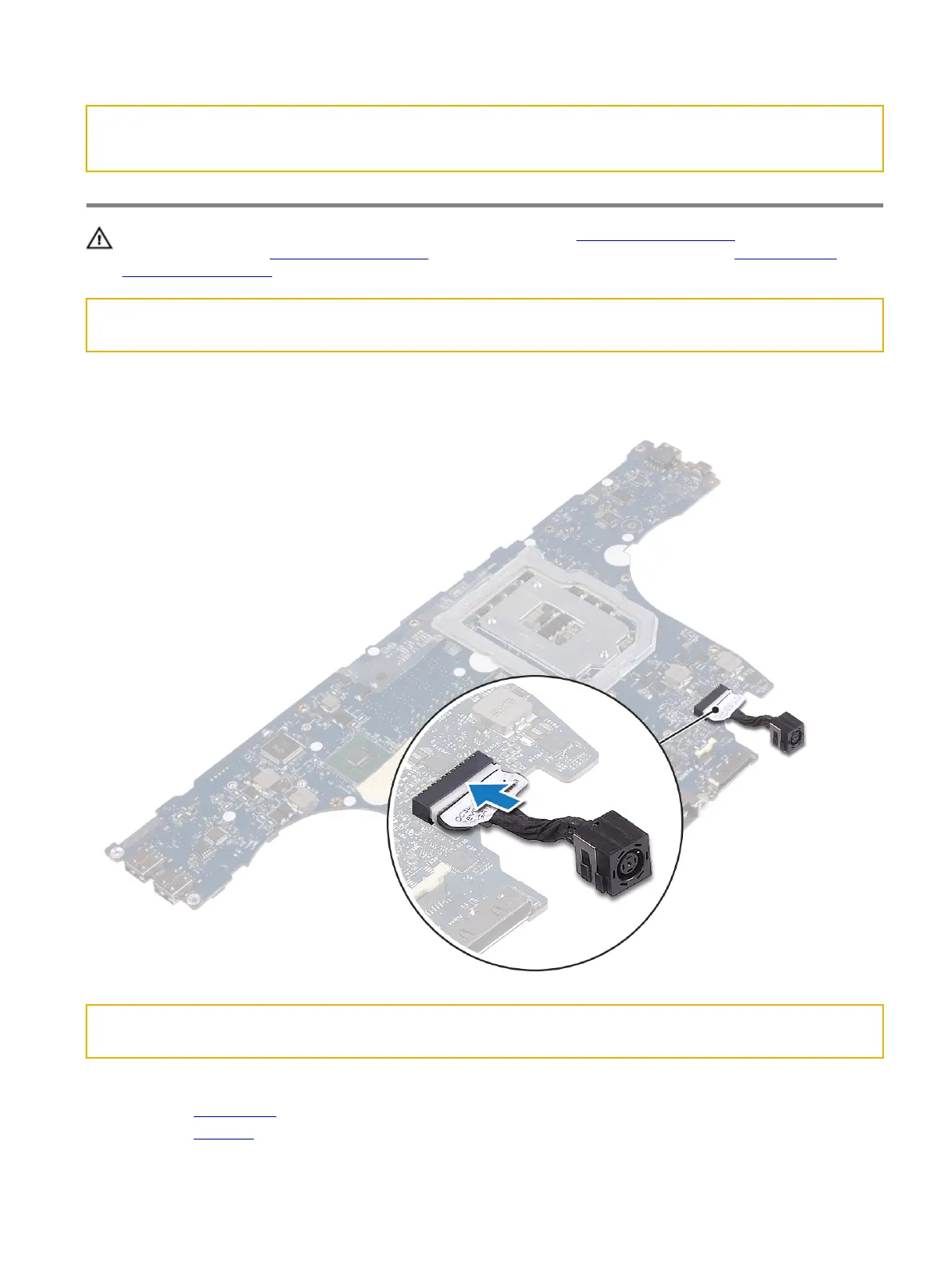
Replacing the right power-adapter port
警告: 拆装计算机内部组件之前,请阅读计算机附带的安全信息,并遵循拆装计算机内部组件之前中的步骤。拆装计算机
内部组件之后,请遵循 拆装计算机内部组件之后中的说明。有关其他最佳安全操作信息,请参阅 www.dell.com/
regulatory_compliance 上的 Regulatory Compliance(管制标准)主页。
Identifier GUID-6CF65C2D-40FD-45D8-821D-F4F10471424F
Status In Translation
Procedure
Connect the left power-adapter port cable to the system board.
Identifier GUID-2F4DBDDF-E188-4A8D-922C-8F84C85087E4
Status In Translation
Post-requisites
1 Replace the system board.
2 Replace the processor.
96















 To Next Page