Installation & Systems Manual RUBIDIUM SERIES
Page 79
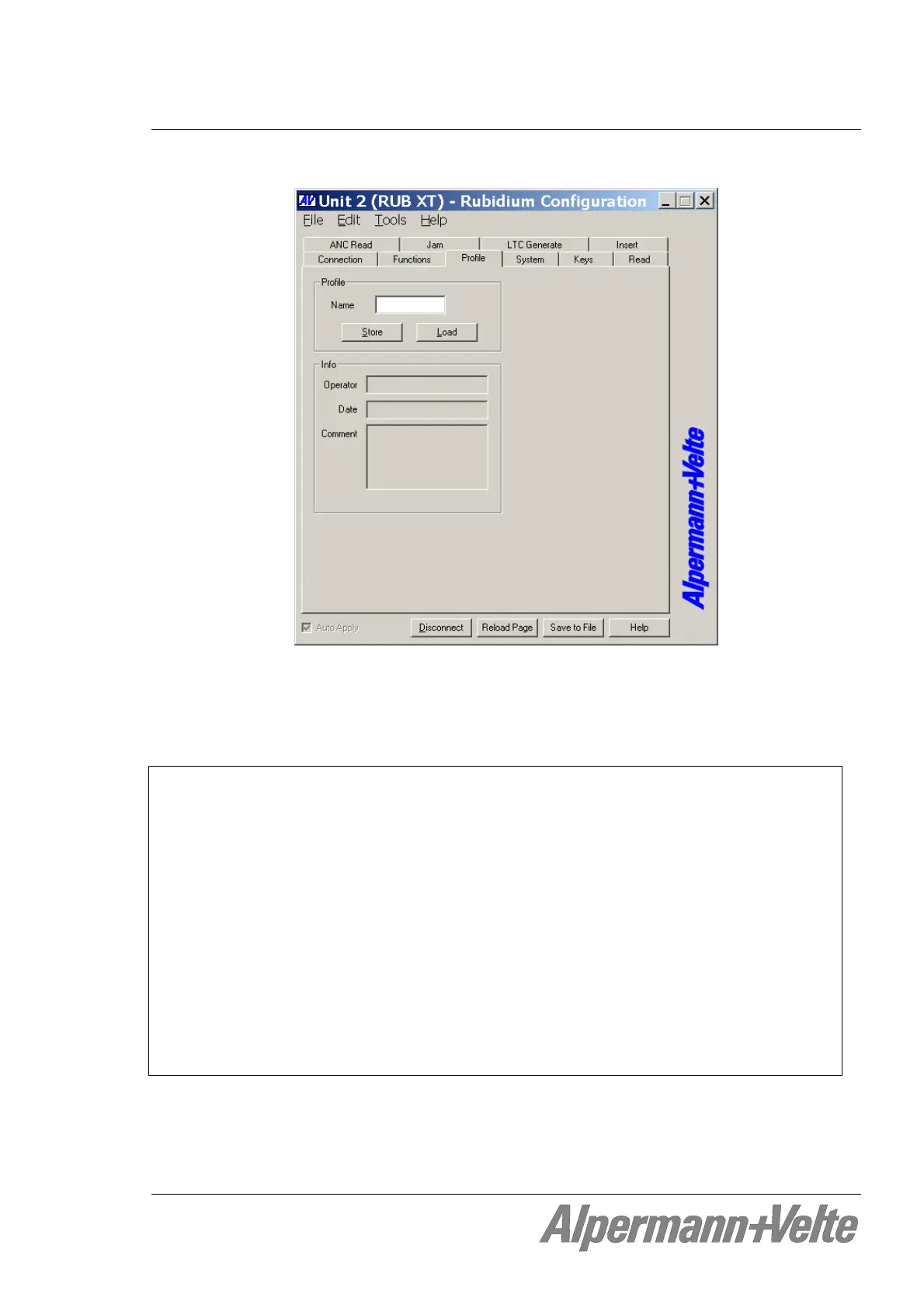
4.1.7 The “Profile” Tab: Store and Load a Complete Set-Up on the Module
Standard modules have a flash memory to store different set-ups. A complete set-up stored to
the module is called a “profile”. You can identify different profiles by a number or a name. If a
module has one or more keys or GPI programmed with “Load Profile“ function, you can
change the current set-up during normal operation and without using the PC program.
Profile
Name If you want you can enter a name to identify the profile.
Store A click on this button opens the “Store Profile“ window. Select a number or a name
from the “Profile“ drop-down list, if you want you can add more information at the
“Info” field, then click on the “ok“ button to store the set-up. Now the complete
set-up of the module will be stored to internal memory of the module.
Load A click on this button opens the “Load Profile“ window. Select a number or a name
from the “Profile“ drop-down list, then click on the “ok“ button to load the profile.
This will interrupt the operating mode of the module. The current set-up of the
module will be replaced. The new set-up of the module will be automatically
transferred to the PC program (automatic “Reload”), now you can verify and check
this set-up.
Selecting “Factory Settings“ from the “Profile“ drop-down list sets the module in the
default state.


 To Next Page