26
Installation, Operation and Maintenance Manual
OXYvisor Optical Oxygen Analyzer
4.5.1 Orientaon of the Juncon Box - ONLY IF NECESSARY
OPTICAL BUSHING / MAIN ENCLOSURE - The optical bushing going into the upper main
enclosure should not be removed nor turned. There is a locking screw (4 mm Hex) to prevent
this.
OPTICAL BUSHING / JUNCTION BOX - If the installation requires re-orientation of the junction
box, this can be performed in the eld. To maintain the safety aorded by this analyzer the
instruction found in Section 4.5.1, Orientation of the Junction Box must be followed closely.
UNUSED ENTRIES - Unused entries shall be closed with suitable certied Ex db blanking
elements with a minimum IP66 rating.
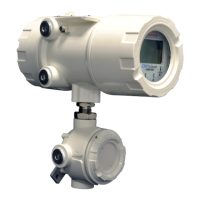
The Junction Box is tted and located at the bottom of the analyzer with a front-forward orientation as shown in
Figure 4. The orientation is locked into position via a Jam Nut and the 3/4” NPT threads (mating to Fiber Optic
Bushing) are sealed with a thread-sealant. In most cases it will not be necessary to re-orientate the Junction
Box, however if it is required follow Section 6.4.2.
The Junction Box has been tted and secured at the factory. These removal and installation
instructions related to the Junction Box are only necessary if the installation required the
Junction Box to be re-orientated (turned).
Section 4
Installation


 To Next Page