44
Installation, Operation and Maintenance Manual
OXYvisor Optical Oxygen Analyzer
All programming of the OXYvisor analyzer can be accomplished either through the keypad or through
the OXYvisor software provided with the unit. This portion of the instruction manual will provide the basic
operation of the keypad and related menus as well the menu owcharts for review. Each menu item will then
be described in-depth in the related Menu Descriptions.
ESC
ENTER
Oxygen
01/06/2017 10:55 AM
850.9 mBar
67.9°F
Err: 0
20.946
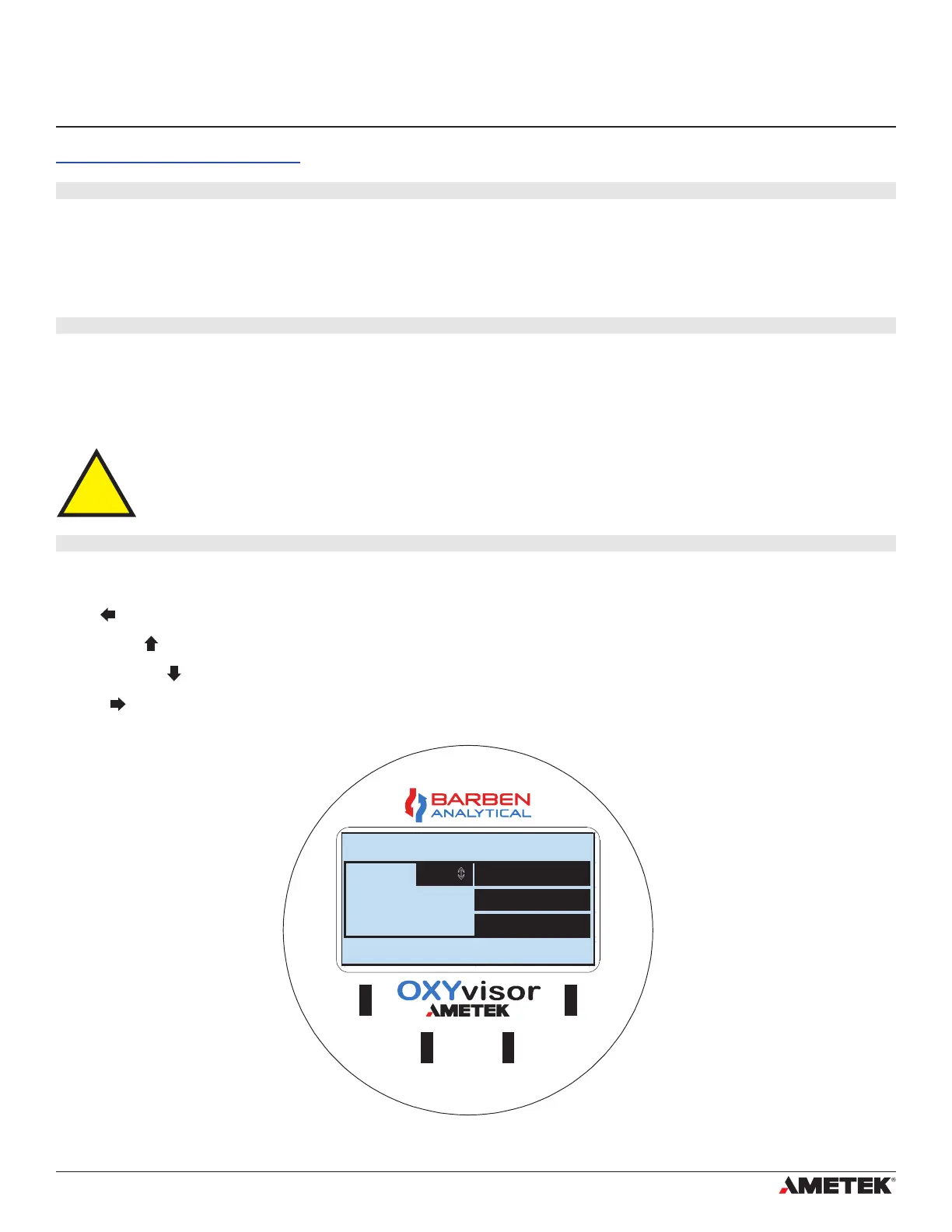
OXYvisor KEYPAD & LED DISPLAY
: Access sub-menus from main display. Moves digit to left when changing numeric values.
: Moves backwards in sub-menus. Scrolls up in list. Increases numeric values.
: Moves forward in sub-menus. Scrolls down in list. Increases numeric values.
: Accepts entered values. Moves digit to right when changing numeric values.
Rotates through the Main Display viewing options
Esc
Up Arrow
Down Arrow
Enter
Keypad functions are as follows:
The infrared buttons are not activated nor interfered with, from sunlight. However, if mounting
outdoors, the use of a sun-shade, or other device, to keep direct sunlight away from the keypad,
is highly recommended, to ensure long life and great action.
Section 5 - Operations
5.1 Operaons Overview
5.2 HMI - Keypad Overview
5.3 HMI - Keypad Overview
Infrared buttons are used to access the OXYvisor display, menus and sub-menus. These unique buttons
accurately detect a nger or other object through the display window of the analyzer. While the buttons are
easy to adapt to, users may practice placing their nger in front of the button then moving it back slightly to get
the best results.
Figure 27 - OXYvisor HMI Keypad and LED Display
Section 5
Operations


 To Next Page