SPN110FMI10
HIGH COOLANT TEMP
HIDE
1 of x
MORE
396021
GO TO 1 - UP DISPLAY
LANGUAGES
STORED CODES
ENGINE CONF
SETUP 1 - UP DISPLAY
SETUP 4 - UP DISPLAY
SELECT UNITS
396023
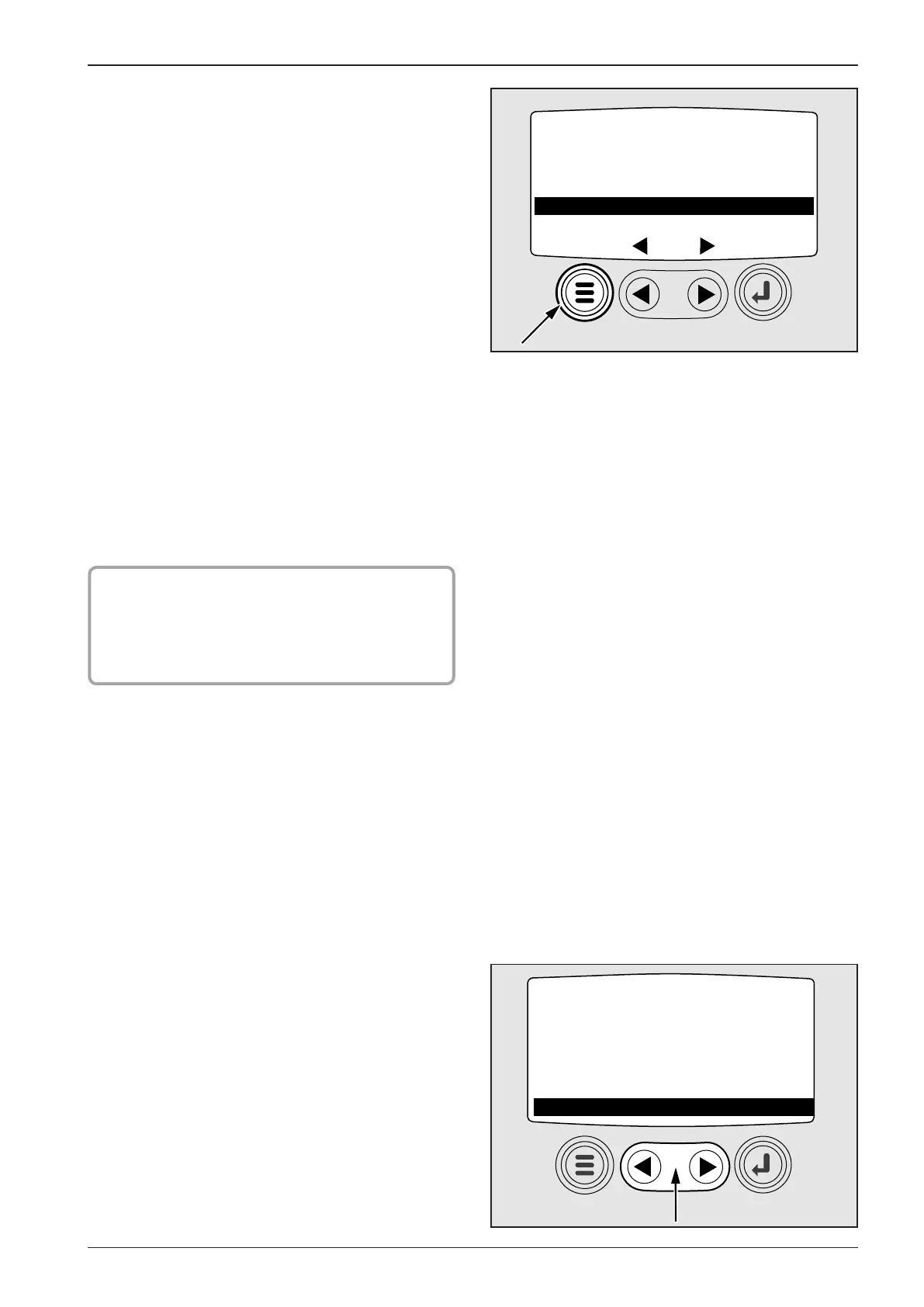
Press Menu to return to main menu.
ENGINE CONF - menu to scan engine parameters, refer to CAU-
TION.
SETUP 1 - UP DISPLAY – press Enter to have various modica-
tions of parameter display available.
CUSTOM SETUP – possible to select from displayed number of
parameters, and to set the sequence in which parameters will be
displayed (Number of engine operating hours, engine rpm, wir-
ing voltage, battery voltage, engine load during actual engine
speed in %, cooling liquid temperature, oil pressure, etc.). The
following parameters have been set by the machine manufac-
turer.
1) ENG RPM
2) COOL TEMP
3) BAR OIL PRES
4) % LOAD@ RPM
5) VDC SYS VOLT
6) ENG HRS
7) FUEL LEVEL
8) FUEL RATE
AUTOMATIC SCANNER – set parameters are displayed automati-
cally one by one in time interval.
! CAUTION !
Roller manufacturer does not permit to alter the
set parameters in CUSTOM SETUP. Parameters set
up are the most appropriate optimum of set engine
function check.
In main menu, with cursor to SELECT UNITS - selection of meas-
urement unit for parameters displayed.


 To Next Page