FIRE BRIGADE RESPONSE GUIDE
Disabling a Zone / Device
Zone Disablement:
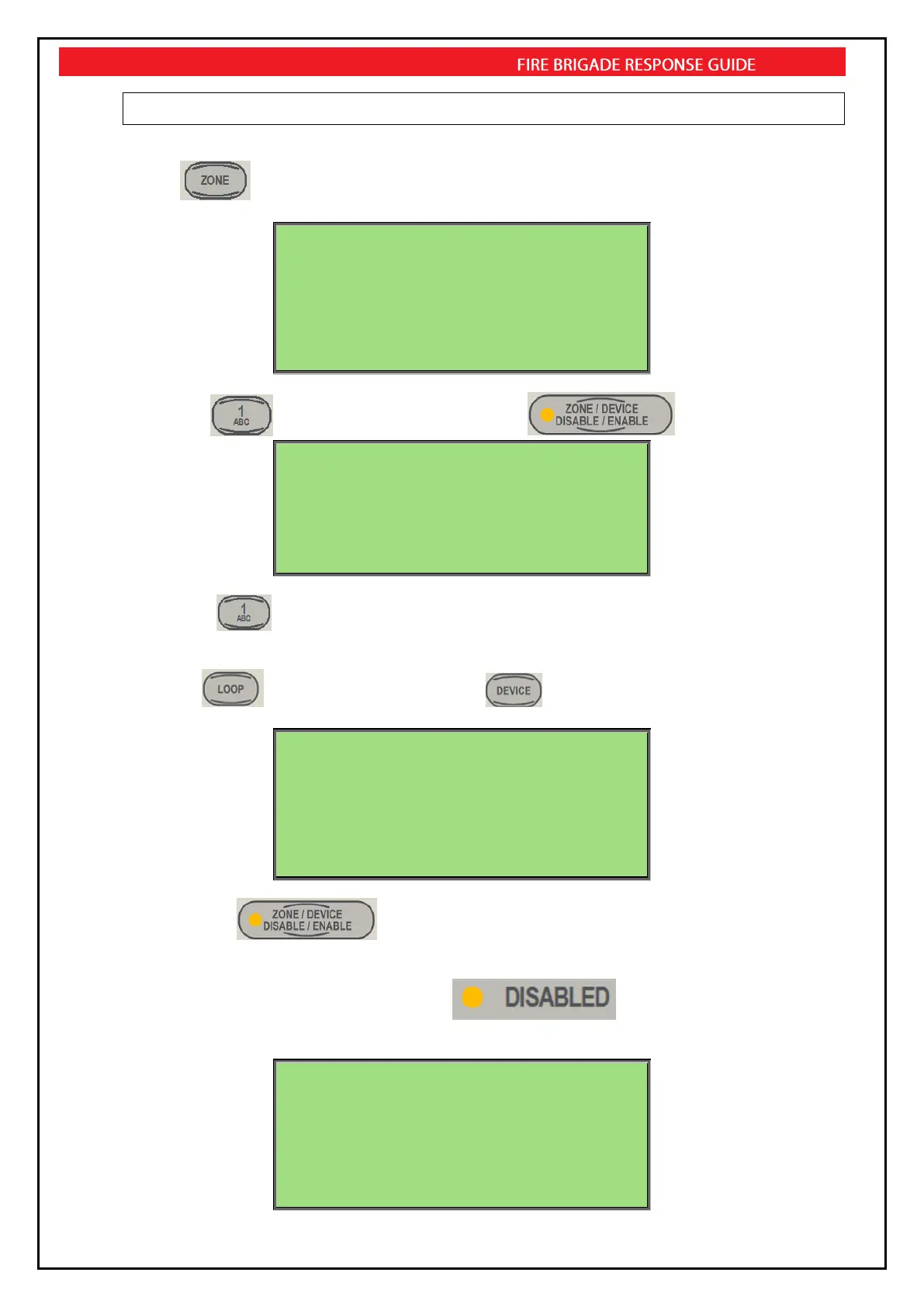
Press
FIREFINDER 17/10/2013 09:00:00
ZONE:______
SELECT ZONE NO. THEN TO OR DISPLAY OR
ZONE/DEVICE DISABLE/ENABLE KEY
AC:2Z ALM:0 PALM:0 FLT:0 DIS:0
then Press for Zone 1 selection. Now Press the .
FIREFINDER 17/12/2012 09:00:00
ZONE:1
0:FULL ENABLE 1:FULL DISABLE
AC:2Z ALM:0 PALM:0 FLT:0 DIS:0
Then select to Disable the Zone.
Device Disablement:
Press the then enter Loop number, Press then enter device number.
FIREFINDER 17/10/2013 09:00:00
LOOP:1 DEVICE:1
SELECT DEVICE NO. THEN TO OR DISPLAY OR
ZONE/DEVICE DISABLE/ENABLE KEY
AC:2Z ALM:0 PALM:0 FLT:0 DIS:0
Now Press the .
In either case the Disable LED will illuminate and the screen will display the
disabled information
Loop 1 Sensor 1 MCP
L1 D1 Z1
STAT:NORMAL /DISB
ZONES DISABLES 1 of 1
AC:2Z ALM:0 PALM:0 FLT:0 DIS:1



 To Next Page