Page 56
11 Modem / Programming / Debug Interfacing
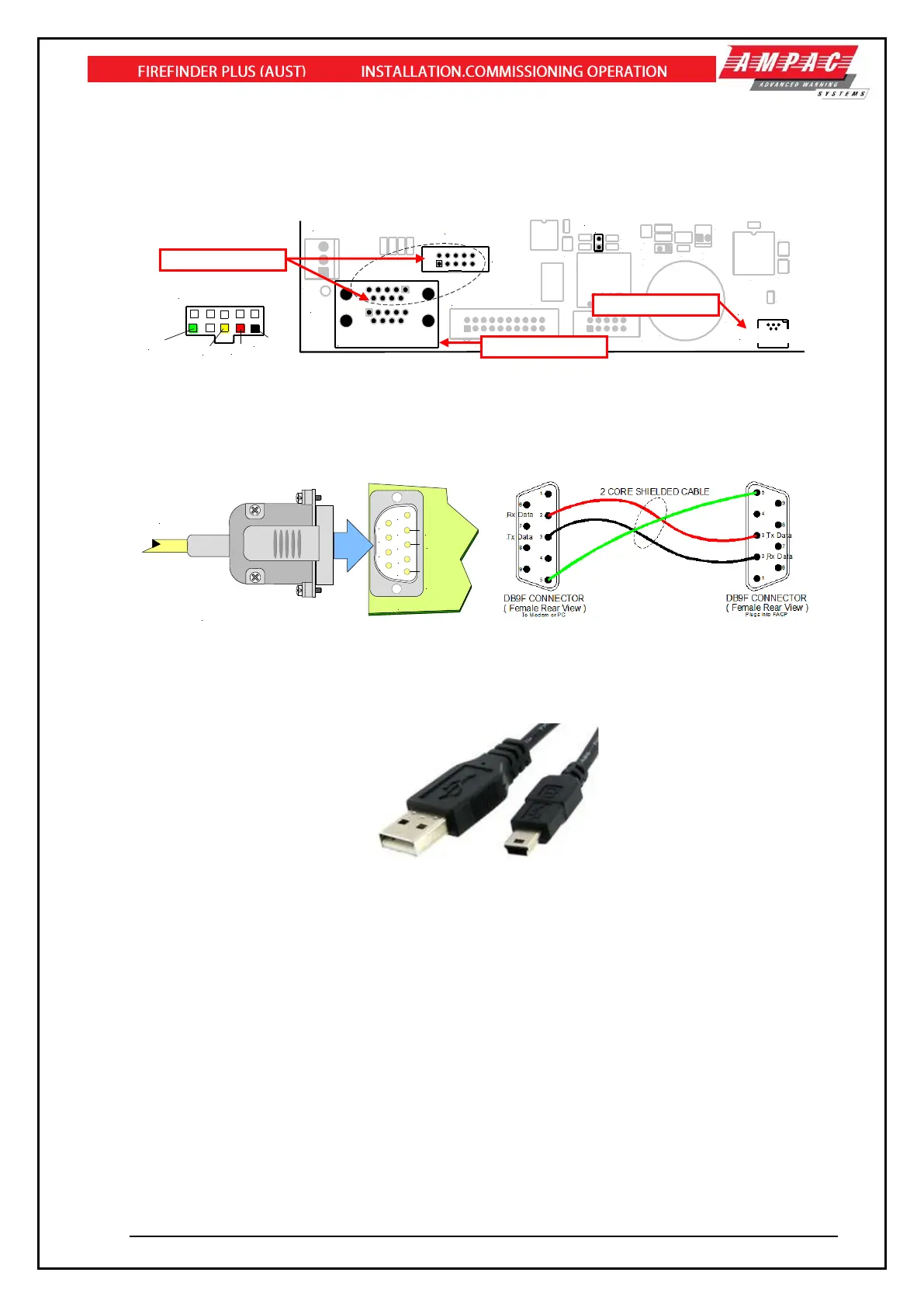
The modem I/O port is a Dual DB9 connector (CN8 situated on the lower left hand corner of the Main
Board BRD86MBA) that is normally used for programming of the FACP via the serial port of a PC or
Laptop. There is also a USB connector (CN25) provided to allow programming of the FACP from a
USB port of a PC.
The Controller also has the required hand shaking to support connection to a Modem, thus allowing
the FACP to be programmed from a remote site that has an established telephone connection. This
allows the system software to be upgraded by simply transmitting a file via the serial port of the PC or
Modem external to the FACP. Diagnostic facilities are also available via the same connection.
Figure 79: FireFinder PLUS Debug Cable Connections
Figure 80: FireFinder PLUS Debug Cable Connections
Note: the DB9F to DB9F cable is not sensitive to which end is plugged in to the FireFinder PLUS
or serial port of the PC or vice versa.
The connections between the PC/Modem and the panel are crossed. i.e. TD connects to RD.
Make sure the ConfigManagerPlus program is set to use the port you have connected the cable to
and set up the configuration as follows:
Bits per second: 115200
Data bits: 8
Parity: None
Stop bits: 1
Flow Control: None



 To Next Page