(Yellow) Illuminated when the “Reserve Agent” is selected.
Local Control Panel Inhibit
The agent inhibit switch has an internal lamp fitted with yellow lens. Illuminated when the inhibit switch
is activated at the FACP or any of the LCS’s.
Buzzer (located at the FACP)
The Buzzer sounds;
➢ Under all fault conditions and can be silenced by using the appropriate FACP buzzer
silence control.
➢ When the LCS Inhibit control is activated – after 8 hours – treated as an isolate condition.
➢ When the service inhibit is activated - after 8 hours – treated as an isolate condition
Connecting the LCS to the Agent Termination Board
1. ISOLATE THE AGENT
2. Check the FACP is functioning correctly then power down
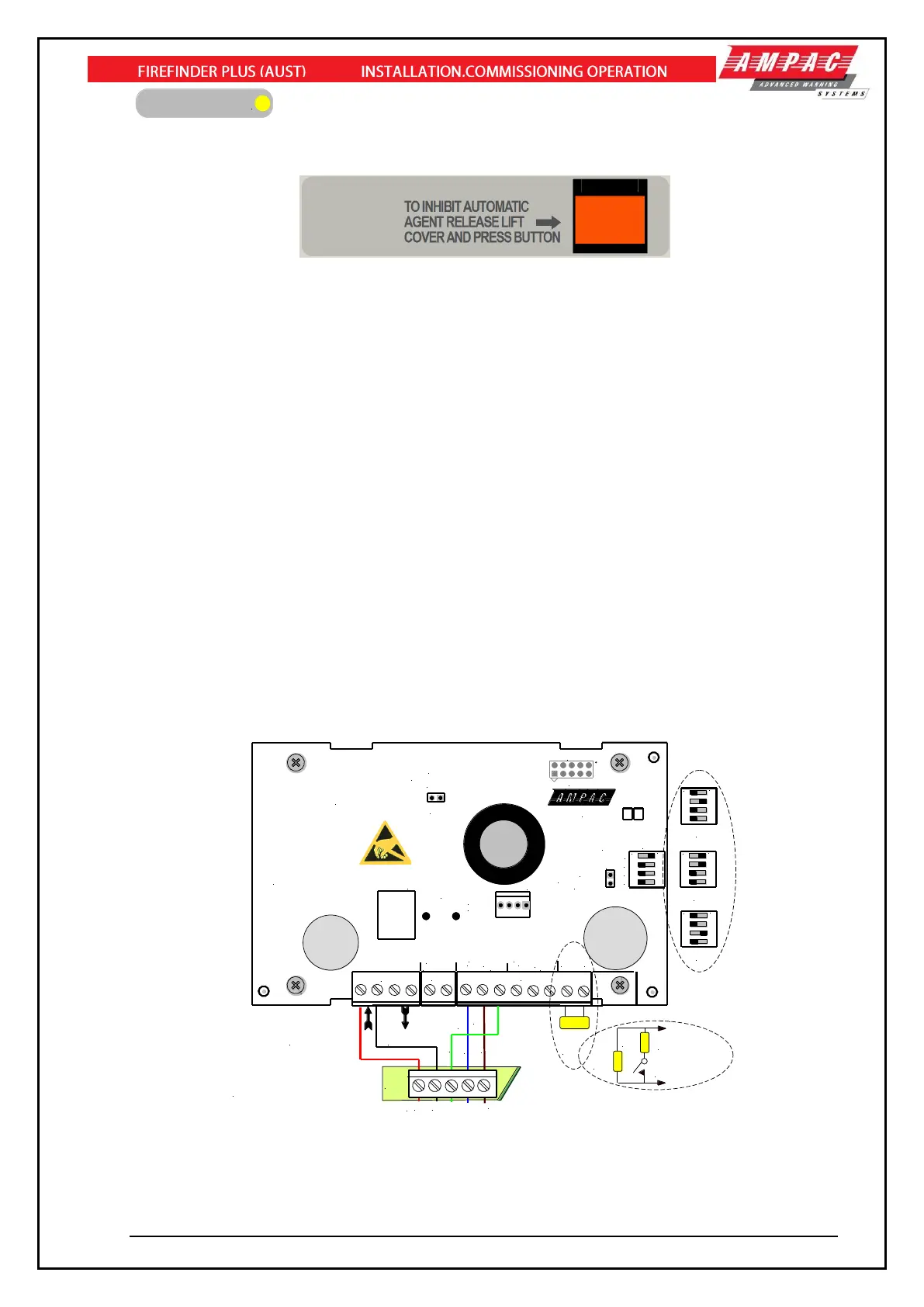
3. Connect the LCS to the Agent Termination Board within the Fire Alarm Control Panel and
Interlock as shown below. If applicable take into consideration warning signs at this point
4. Insert the link LK1 onto the last LCS in the chain. If un-used place the link onto one of the LK1
pins
5. Set the address of the LCS,
6. Power up the system and program the FACP for the addition of the LCS
7. Check the FACP is functioning correctly and test
8. De-isolate the Agent
CAUTION - TO PREVENT ACCIDENTAL AGENT RELEASE DO NOT DE-ISOLATE THE
AGENT UNDER ANY CIRCUMSTANCES UNTIL THE SYSTEM AS A WHOLE IS FUNCTIONING
CORRECTLY
Figure 106: PCB Layout & Cabling Details
Note 1: Dipswitch No 4 on SW2 when set to “ON” activates the alternate buzzer feature where the
buzzer will sound for 5 seconds every 30 minutes when the LCS Inhibit button is activated.



 To Next Page