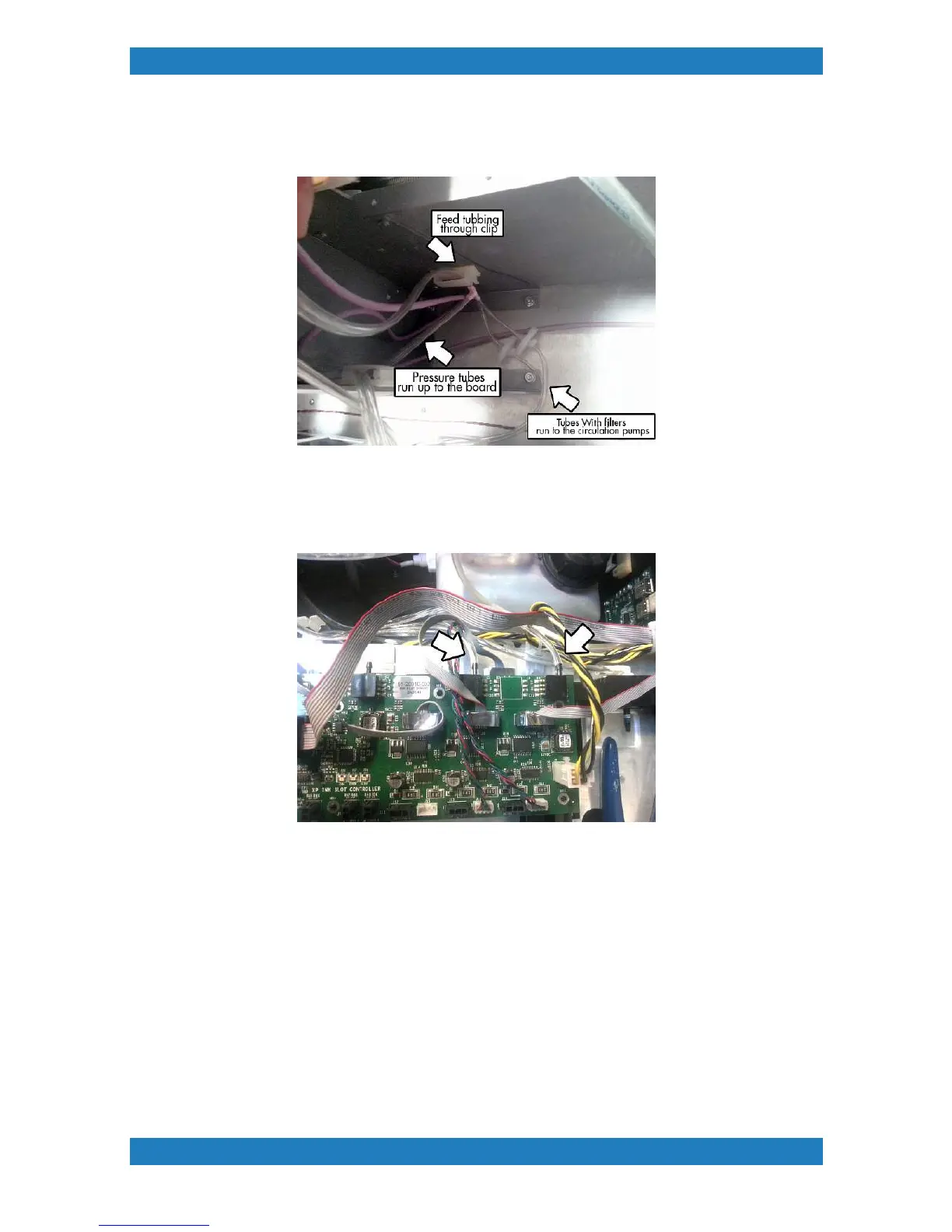
Route your purge tubes to the bottom clip see image below. The T splitter should be sticking out.
The tubes split into 2 one side will have a round filter, and the other end will not. See Photo 3.2.17
Photo 3.2.17
Find the piece of tubbing that does not have the filter. These tubes will connect to the pressure sensor on the
back Ink slot board. The board will have 3 pressure connections. We will only be using the back 2.
Connect the tube to the pressure sensor. See photo 3.2.18
3.2.18
Now grab the remaining tube with the filters and we will connect them to the circulation pumps. The
circulation pumps will have two sides. We will be connecting the filter tubes to the right hand side if you are
facing the pumps. See photo 3.2.19



 To Next Page