32
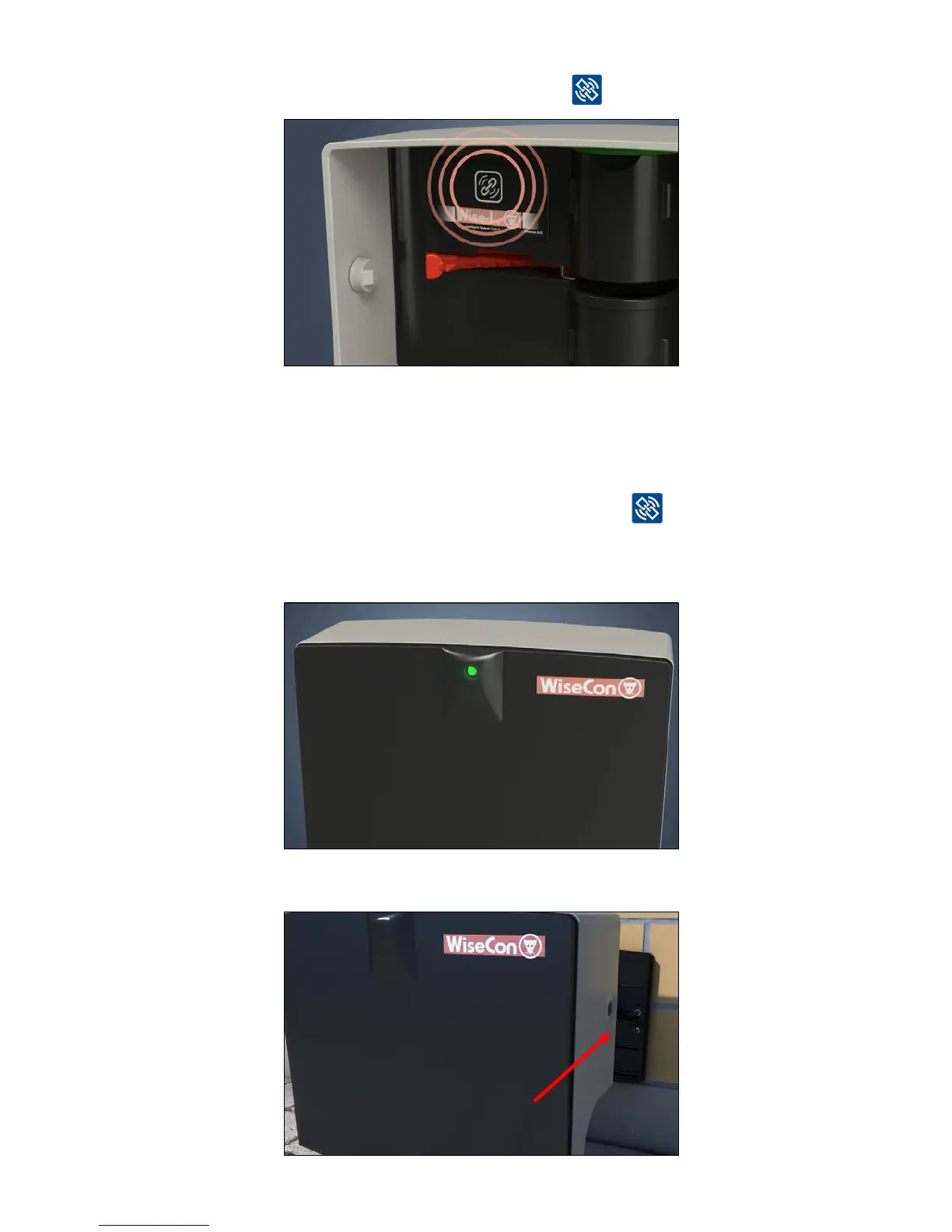
5.ConrmthattheSmartCatchisemptiedbypressing
6. The LED light on the front of the Smart Catch lights steady green for about 10 seconds and
thengreenandyellowasheseveryhalfsecond.Thismeansthatthedeviceislinkedand
have data connection.
Note: If the LED light is red, it is an indication that the two shields with mirrors inside that are not
installed correctly. Try to put them into place properly and press
and check if the LED
light starts to blink green. The LED light can only be red if you are NOT in Service mode. Be
AWARE - ifyouremovebothshieldsandthetrapisloaded-itwillre-astheServicemodes’
safety features are not on!
7. Click the trap onto the mounted back plate. The trap is installed correctly when you hear a
click.



 To Next Page