35
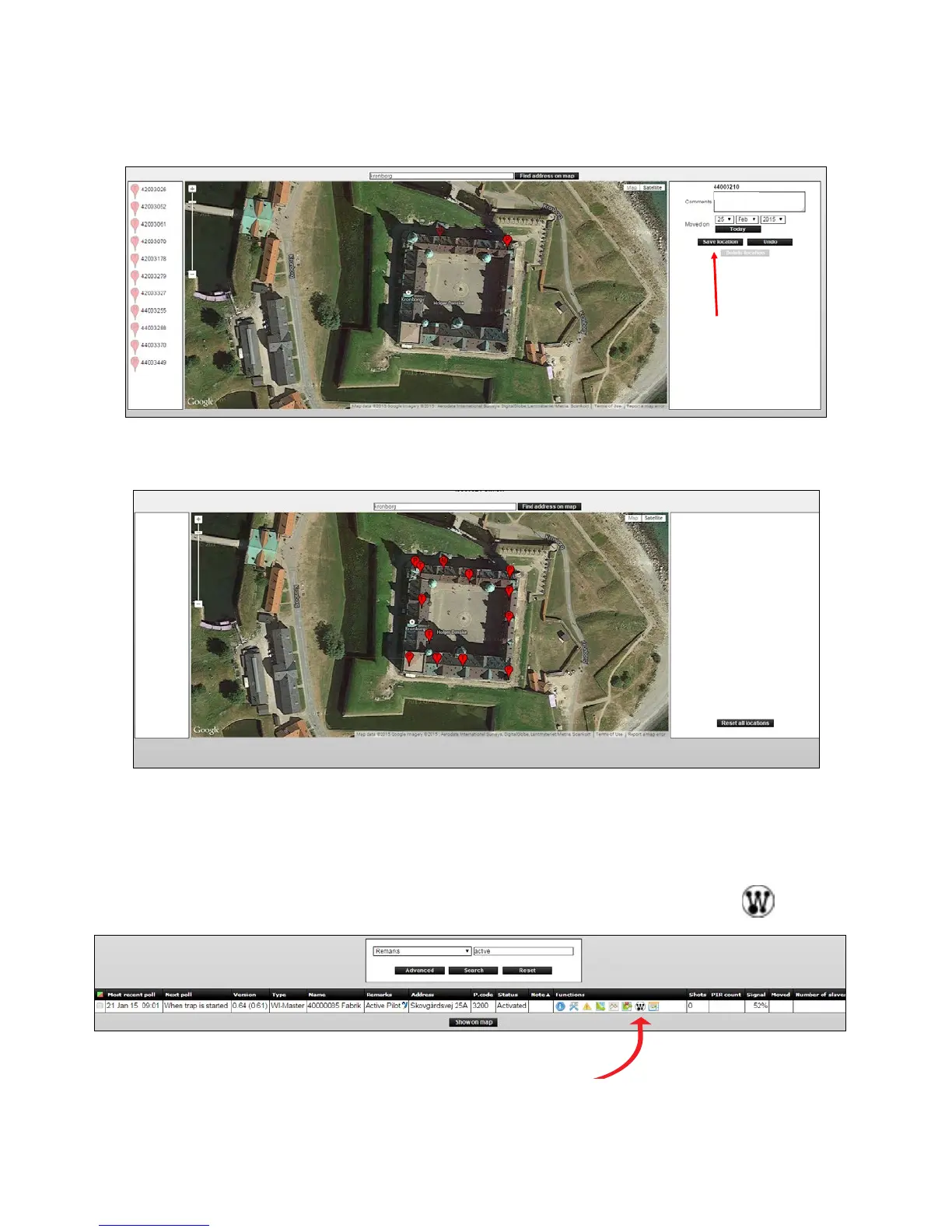
6. Now Smart Catches and Smart Eye can be placed on the map. The order is unimportant.
WhenaSmartConnectdeviceisplaced,llininformationaboutitslocationinthe
commenteldontheright.
Press [Save Location].
By staircase
7. Keep placing Smart Connect devices until all devices have the correct location.
Connect the PIR sensor on Smart Catch and Smart Eye
1.AllPIRsensorsareturnedobydefault,soyoumustconnecttheSmartConnectdevices
that should be active as follows. Click the icon linked Smart Connect devices
.
2.YouwillseethedevicelistwithSmartEyeandSmartCatches.
Here it is possible to see serial number, comments, operation status, time of last status,
number of shots, active since and PIR status on all devices.



 To Next Page