42
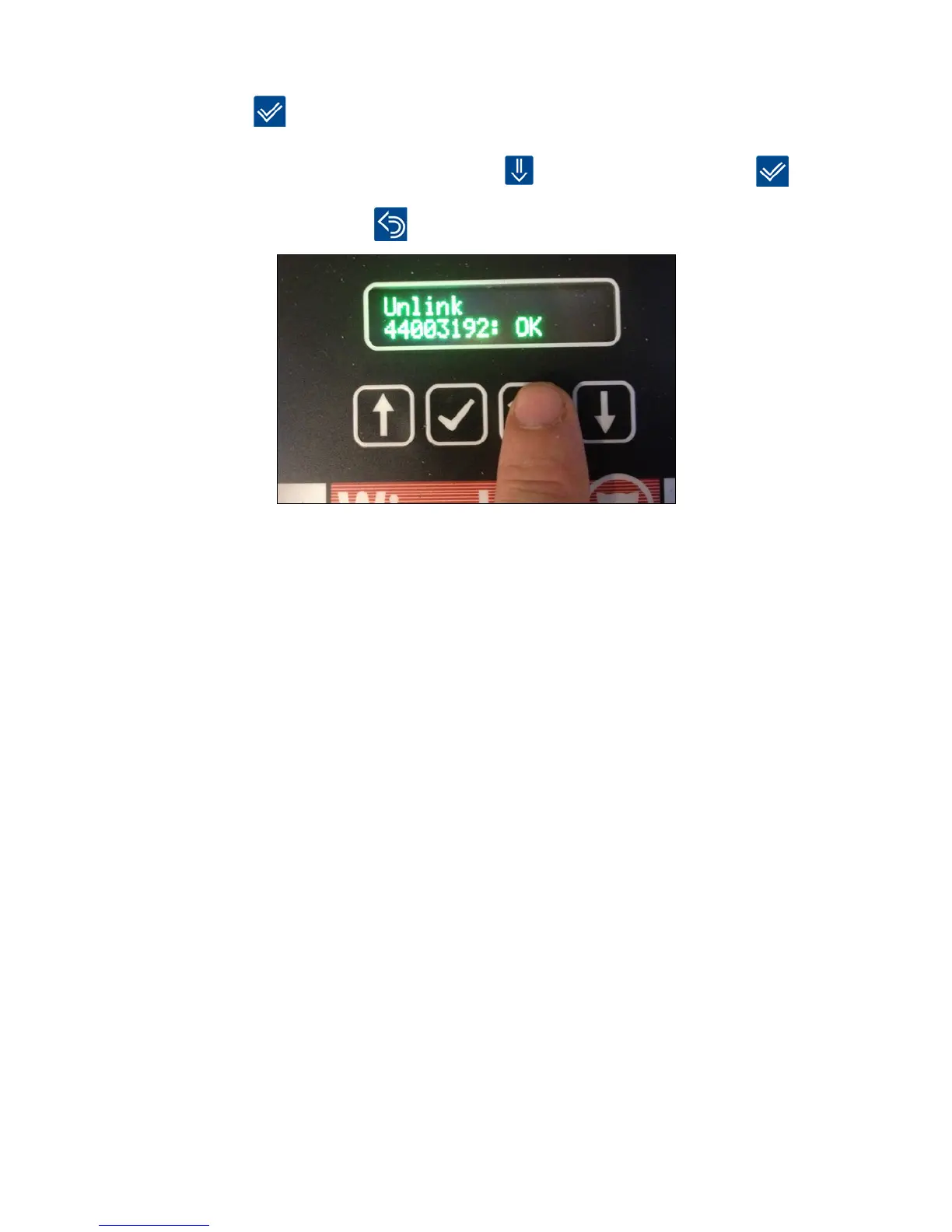
5.Youwillnowbeaskedtoconrmthatyouwanttoremovethedevicewithserialnumber
42003397.
Press [OK]
toconrmtheremoval.
The device will be removed (Unlinked) and the next device can be removed by scrolling to
the correct serial number with [down arrow]
and thereafter pressing [OK]
6. Finish by pressing [Return] . Hereafter WisePlan is also updated with new informations.
When a device is removed from the Smart Connect it is reported to the device and to
WisePlan. This removes the device from its current Smart Connect, and it can thereafter
be linked to another Smart Connect, when desired.
It is important that a device is removed correctly otherwise it cannot be linked to another
Smart Connect. This is a safety measure to ensure that the devices are not moved involuntarily
to other systems.
Note: Be aware that if a device that acts as a repeater for other Smart Connect devices is removed,
there is a risk that the signal is lost. Therefore it is recommended to always install and link a
new device, BEFORE the old device is removed and uninstalled.
Test the signal strength (LQI mode)
LQI mode (Link Quality Information) is used to test the signal strength in larger installations,
in order to determine the possible need for extra devices to amplify the radio signal.
WhenaSmartConnectisputinLQImodethedevices’LEDlightsashesyellow/redto
indicate good quality of the signal.
Yellow/red = Good signal
No light = No signal
LQI mode can ONLY be used with devices that are already linked to the Smart Connect.



 To Next Page