58
Appendix 1
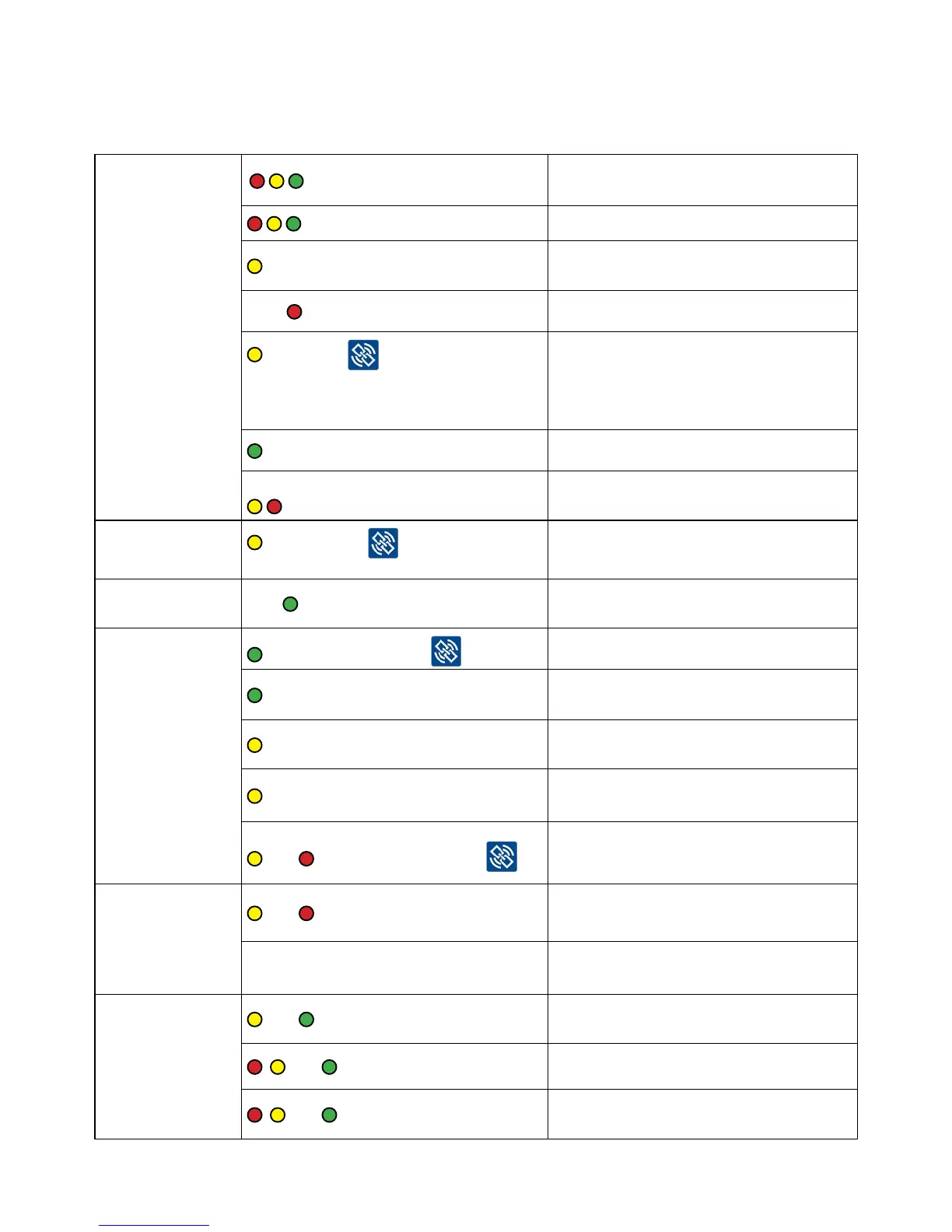
LED light explanation for Smart Catch / Smart Eye
General
ashessimultaneously.
Smart Connect devices’ power is
turned on.
in sequence. Smart Connect device is updating.
asheswithbreaks
Catch in Smart Catch or activity in
Smart Eye on-box.
Brief
ashes. Low battery.
light, after has been held
down on the Smart Connect device.
Functions in both running and Service
mode.
The Smart Connect devices’ counter is
reset.
light after battery change. Smart Connect device operating.
The Smart Catch will not link.
ashesacoupleoftimes.
Smart Catch can only link if the lure box
and lower shield are mounted correctly.
Reset Smart
Connect device
asheswhen is held down,
while the power is being plugged in.
Smart Connect device is resetting.
Service mode Fast
ashes.
Smart Connect device is in Service
mode.
Link / unlink
ashesafterpressing
Smart Connect device is linking.
light. Successful link.
asheswhenlinkissuccessful.
Smart Connect device has data
connection.
ashes.
Smart Connect device has unlinked
from the Smart Connect.
and asheswhenpressing
Smart Catch lure box and/or lower
shield is missing.
LQI-mode
and ashesconstantly.
Good signal – the Smart Connect
device can be installed.
No light.
Not enough signal – the Smart Connect
device cannot be installed here.
Update
and ashes.
Smart Connect device must be
updated.
, and ashesinstaggeredpace. Smart Connect device is updating.
, and ashessimultaneously.
The Smart Connect device’s update is
done and it restarts automatically.



 To Next Page