34
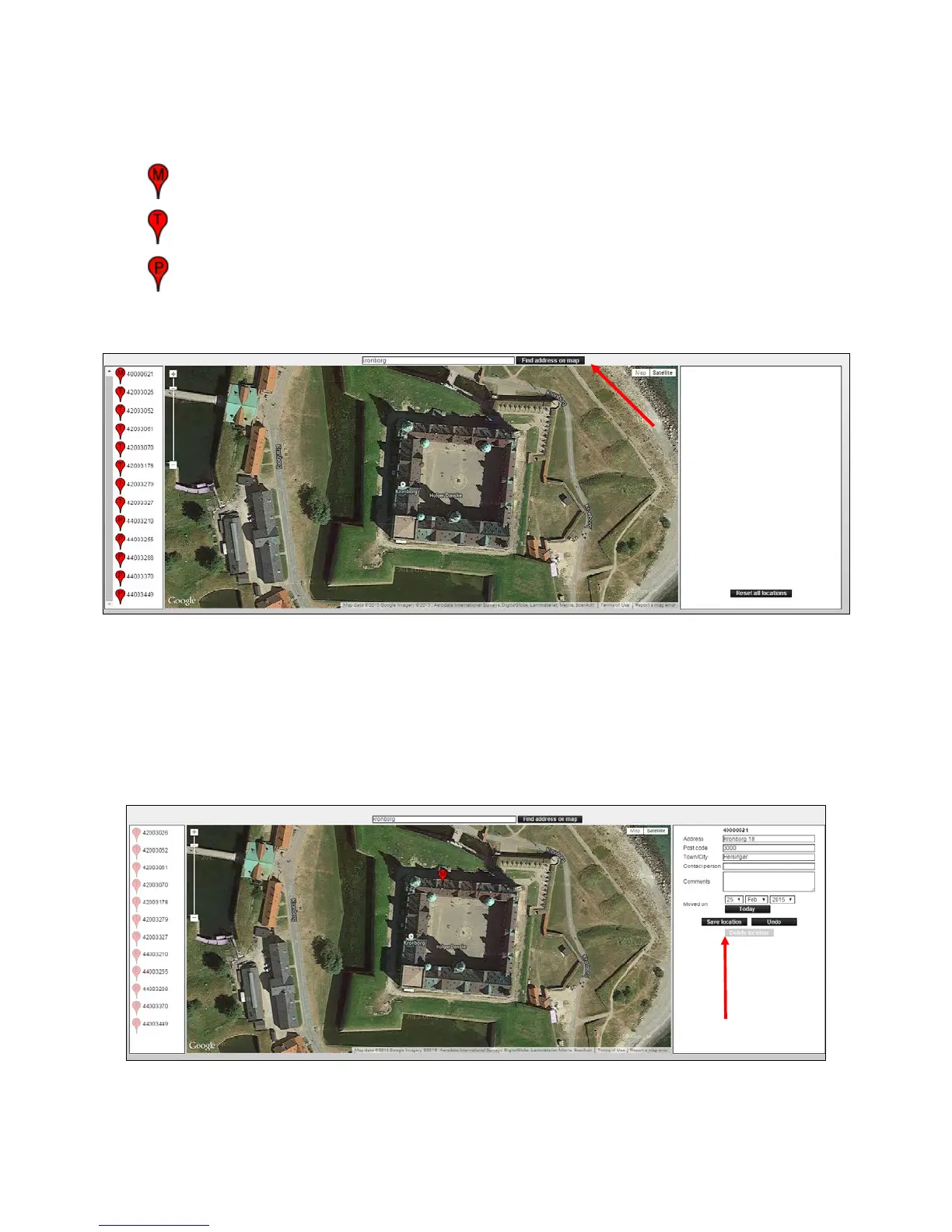
3. The Smart Connect and the Smart Connect devices apear on the left side (see image
below).
Thedierentdevicesaremarkedwithasingleletter,soitispossibletoseewhatkindofunititis.
= Smart Connect
= Smart Catch
= Smart Eye
4. Enter the address of the Smart Connect’s location and press [Find address on the map].
5. Drag Smart Connect to the current location on the map by holding your mouse over M and
then move it.
SmartConnect’slocationisrememberedforfutureusebyllingincommenteldsonthe
right page.
Finish by pressing the [Save Location].



 To Next Page