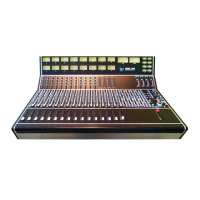
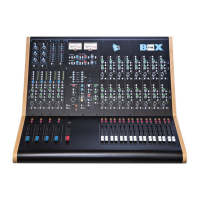
Legacy AXS API
Channel Signal Path Architecture
From top to bottom, the following channel bucket components described above make up a complete
Legacy AXS channel strip:
• Upper 200 slot: preamp
• Lower 200 slot: signal processing
• 624 Bus Assignment Module
• 500 Series Slot: EQ
• 968 Input Module
• 948 Fader Module
The Legacy AXS is a “dual-channel” or “in-line” console. Each channel strip provides two independent,
discrete audio paths for multitrack recording. One path routes microphones to a multitrack recorder and
the other path is for mixing the multitrack return. After recording, both audio paths can be routed to
the program buses to provide additional inputs during mix-down. On the Legacy AXS these audio paths
are referred to as the Small Fader path and the Large Fader path.
Channel Input Selection
There are two primary choices of input sources, Preamp output and Line In, and one Alternate Line In.
Preamp: This is the output of the preamp installed in the upper 200 slot. There are two modules
available to serve as a preamp:
212 Mic Preamp
205 Direct Input
Feeds the Small Fader Path by default
Line In: This is the output from the multitrack recorder interfaced with the console.
A -6 dB TAPE PAD can be engaged at the Line In
Feeds the Large Fader Path by default
Alt Line In: This is an alternate line input for the Small Fader path, replacing the Preamp output.
Feeds the Small Fader path input when the ALT button is engaged
The default input for the Large Fader path is Line In and the default input for the Small Fader path is
the Preamp output. Each input source cannot feed both paths simultaneously, so the Preamp, Line In,
or Alt Line In can only feed one path at a time.
Engaging the FLIP button will swap the input sources between fader paths, so the Preamp will feed the
Large Fader path and the Line In will feed the Small Fader. Engaging the ALT button will switch the
Small Fader path input to the Alt Line In for recording or mixing additional line level sources. If the ALT
and FLIP buttons are engaged, the Alt Line Input will feed the Large Fader path.
There is a FLIP button in the Master Section to reverse the inputs between the Small and Large Fader
paths on a global basis. There is also a master SM ALT LINE button that routes the Alternate Line Input
(ALT LINE INPUT) to the Small Fader input console wide. The master ALL CLR button clears all FLIP
and ALT buttons globally and restores normal channel inputs.
Channel Output Routing
The Small Fader and Large Fader paths have access to all output assignment possibilities. The output
possible assignments are:
Direct Output
Multitrack Buses 1-24
Stereo Mix Bus A, B, and C
Direct Output
Only one path can be assigned to feed the Direct Output at a time
The Large Fader will normally feed the Direct Output.
The Small Fader will feed the Direct Output when the DIR SM switch is engaged. This will defeat
the Large Fader signal to the Direct Output.
The pre-EQ and Insert signal of the selected fader path will feed the Direct Output when the DIR
PRE switch is engaged.


 To Next Page