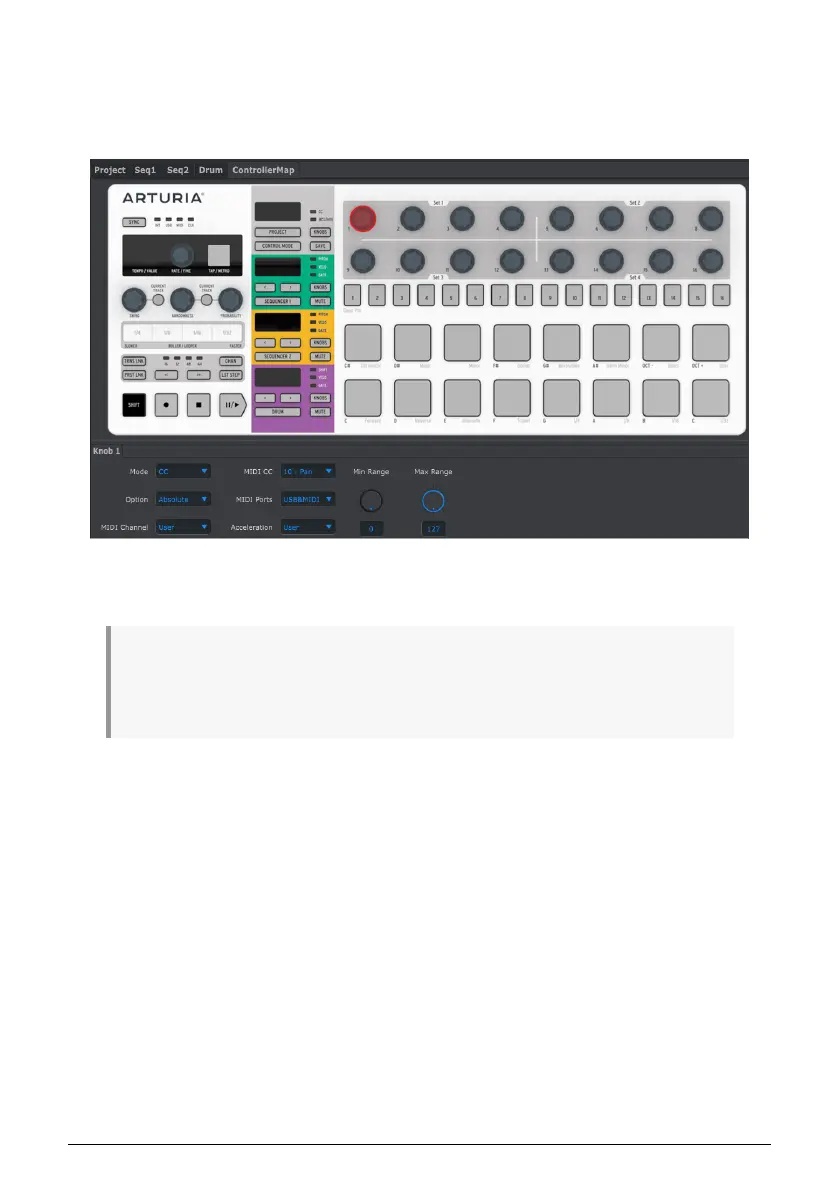
10.5.4. Controller Map Tab
The Controller Map tab shows the entire set of BeatStep Pro controls. From here you can
select one of the 16 encoders, Step buttons, or Pads and map them to the MIDI parameters
you need to control your system.
We’ll go through some examples of MIDI mapping in the Controller Window [p.110] section
of this chapter.
♪: If Scene Mode [p.82] has been enabled the assignments made to the Step buttons in the MIDI
Control Center will not be available from the front panel of the BeatStep Pro. They will be remembered,
however, so if Scene Mode is disabled the Step buttons will again be able to transmit the specified MIDI
commands.
Arturia - User Manual BeatStep Pro - MIDI Control Center 96












 To Next Page