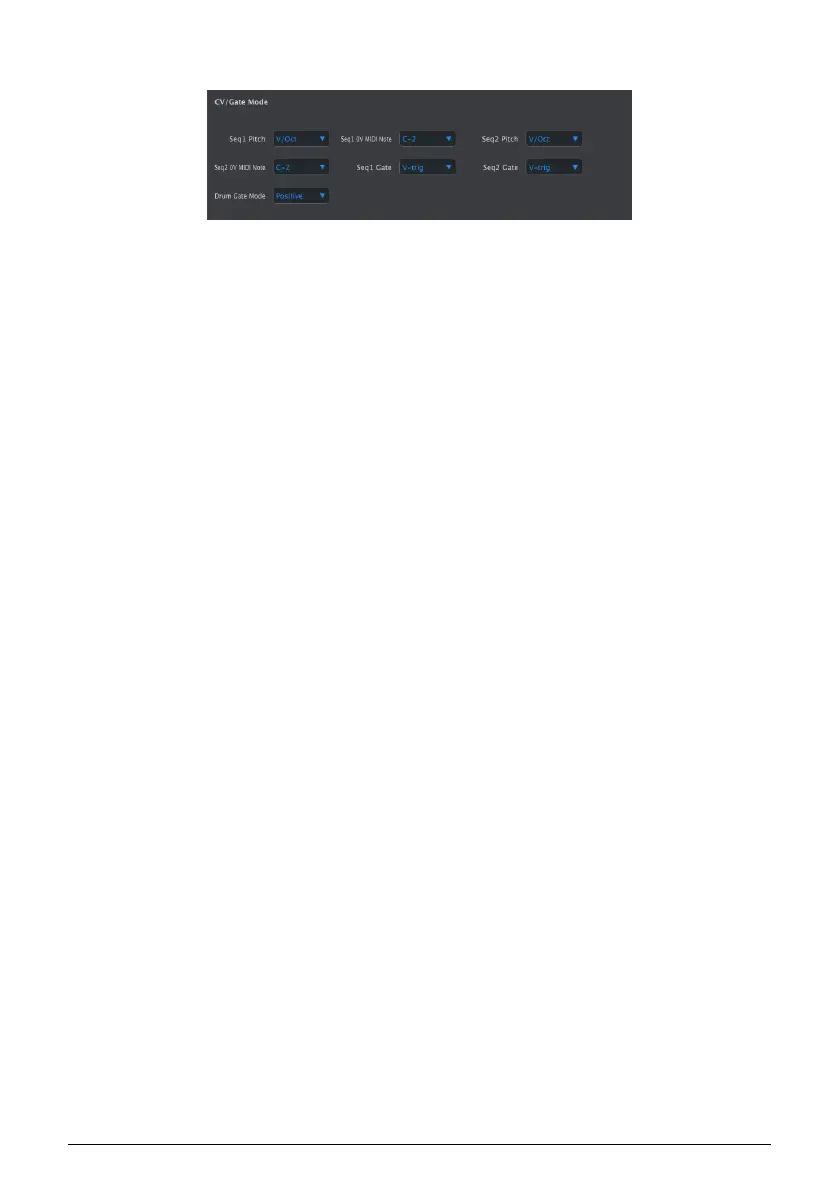
10.9.6. CV/Gate mode
This is where you select the electrical behavior for each sequencer. The various settings are
described in the CV/Gate Functions [p.76] chapter: see the CV/Gate specifications [p.77] for
SEQ1/SEQ2 and the Drum Gate specifications [p.78] for DRUM.
• Seq1 Pitch (Range: V/Oct, Hz/Volt)
◦ With V/Oct selected: Seq1 0V MIDI Note (range: C-2 to G8; default:
C-2)
◦ With Hz/Volt selected: Seq1 1V MIDI Note (range: C-2 to G8; default:
C0)
• Seq2 Pitch (Range: V/Oct, Hz/Volt)
◦ With V/Oct selected: Seq2 0V MIDI Note (range: C-2 to G8; default:
C-2)
◦ With Hz/Volt selected: Seq2 1V MIDI Note (range: C-2 to G8; default:
C0)
• Seq1 Gate (Range: V-trig, S-trig)
• Seq2 Gate (Range: V-trig, S-trig)
• Drum Gate Mode (Range: Positive, Negative)
Arturia - User Manual BeatStep Pro - MIDI Control Center 120












 To Next Page