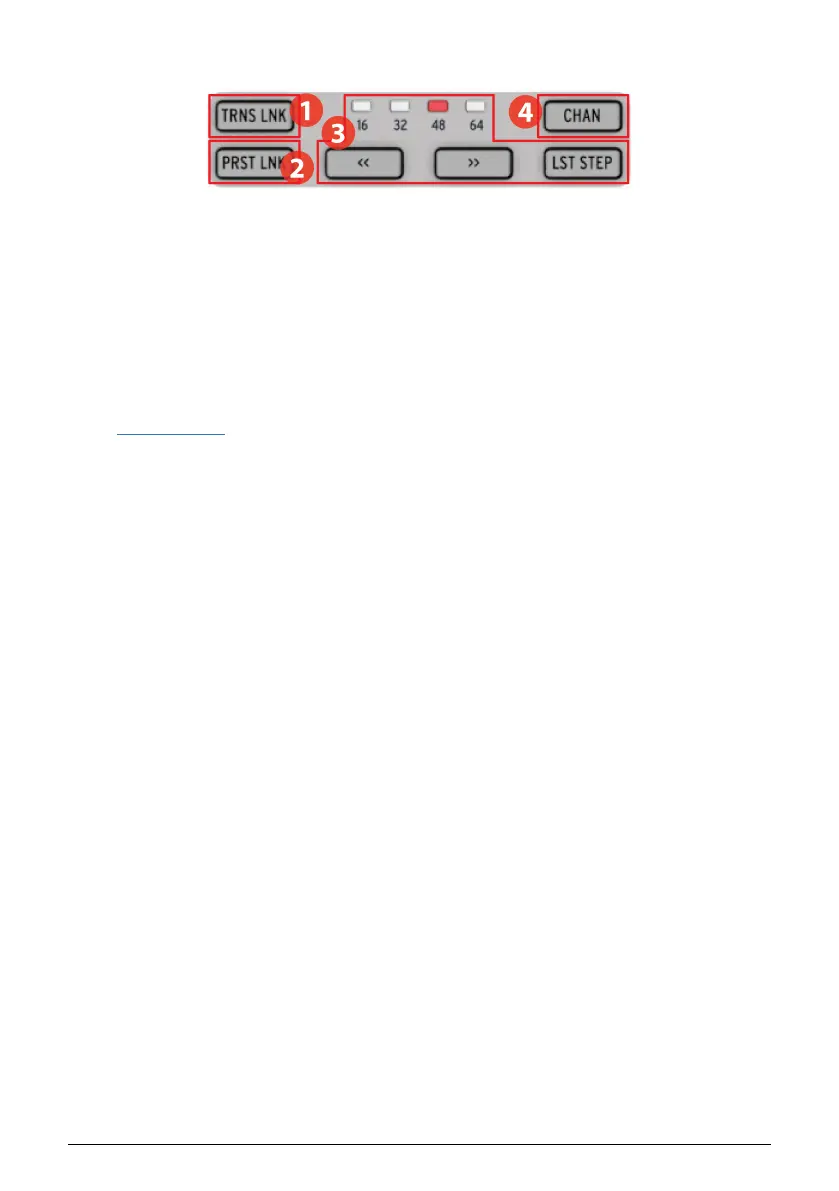
1.2.2. Preset/Project utility
1. Transpose Link [p.55]
2. Preset Link [p.56]
3. Preset Length section [p.9]
4. MIDI Channel [p.57]
1.2.2.1. TRNS LNK button
TRNS LNK enables Sequencer 1 and Sequencer 2 to be transposed simultaneously; when the
pitch of one is changed, the other will follow. There's more information about this feature in
the Transpose Link [p.55] section of the Projects [p.49] chapter.
1.2.2.2. PRST LNK button
PRST LNK allows the three sequencers to have their preset patterns linked so they can be
changed with a single action.
The operation of these features is described in the Preset Link [p.56] section of the Projects
[p.49] chapter.
1.2.2.3. Preset Length section
BeatStep Pro sequences can be up to 64 steps long, consisting of up to four 16-step
subdivisions that play one after the other. Those are called the Step Groups.
The four LEDs above the double arrow buttons (<< and >>) are used to indicate the pattern
length and which Step Group is currently playing.
The LST STEP button is used with the Step buttons and the << >> buttons to change the length
of the current sequence.
For a complete description of these features, see the Sequence Length [p.31] section of the
Step Sequencers [p.24] chapter or the Pattern Length [p.43] section of the Drum Sequencer
[p.38] chapter.
1.2.2.4. MIDI channel button
Each of the sequencers can be set to its own MIDI channel using this button. For information
on how to do this, see the section Selecting MIDI Channels [p.57] in the Projects [p.49]
chapter.
9 Arturia - User Manual BeatStep Pro - BeatStep Pro Overview












 To Next Page