10.7.4. Track length (Polyrhythm On)
The Polyrhythm [p.63] feature was explained in the Advanced Features [p.59] chapter. In this
section we will focus on how to utilize that feature from with the Pattern window of the MIDI
Control Center.
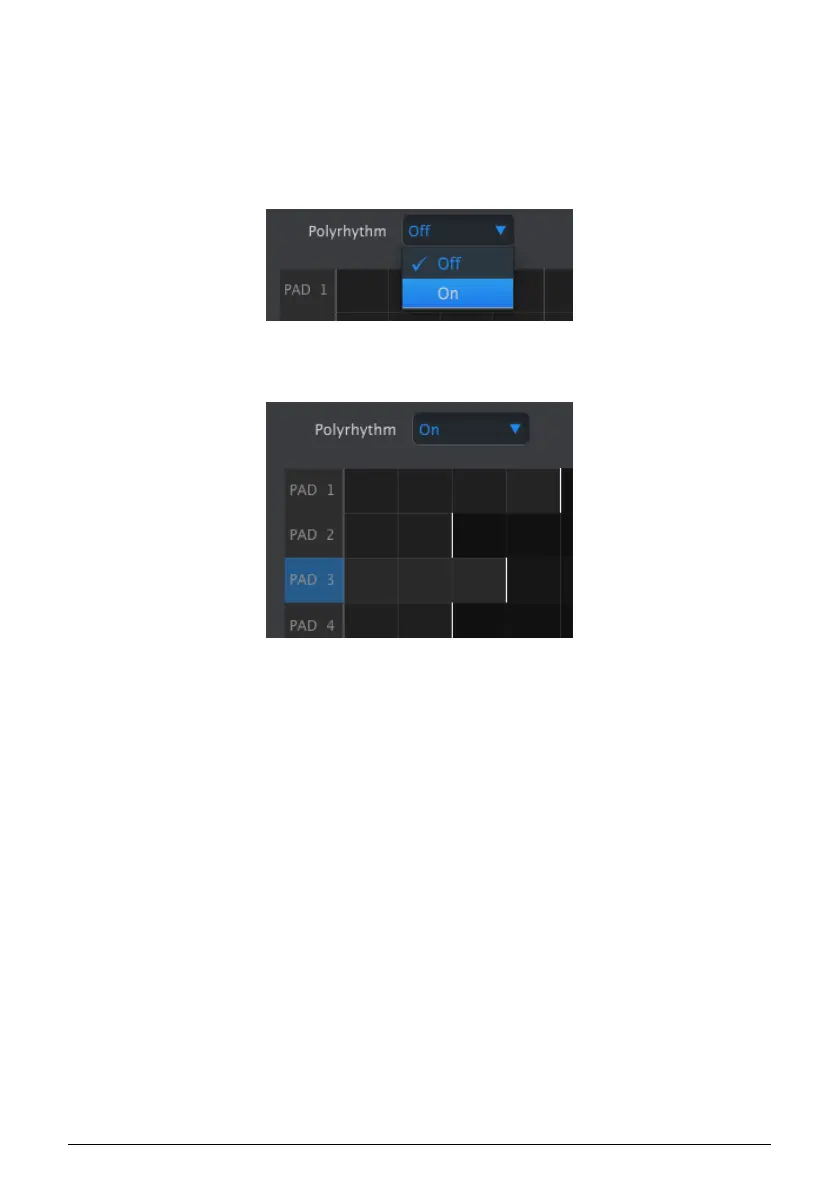
To toggle the Polyrhythm feature on and off, use the pull-down menu in the Pattern tab
window:
When the Polyrhythm feature is active, you can click on the white line at the end of the
pattern length boundary and drag it left or right for any Drum track independently.
In the image above the Pad 1 track has been extended from 2 steps to 4, the Pad 3 track
has been extended to 3 steps, and the tracks for pads 2 and 4 remain at 2 steps.
To return all tracks to the same pattern length value, select the Off value in the Polyrhythm
pull-down menu. The length of all tracks will jump to match the length of the longest Drum
track, and the entire pattern will now be 4 counts long.
Arturia - User Manual BeatStep Pro - MIDI Control Center 106












 To Next Page