10.8.2. Toggle MIDI CC values with a pad
One popular musical effect is to take an audio loop, filter it heavily for one section of a song,
and switch it back to the full-open sound later. You can configure one of the BeatStep Pro
pads to send those commands to a filter module inside your DAW.
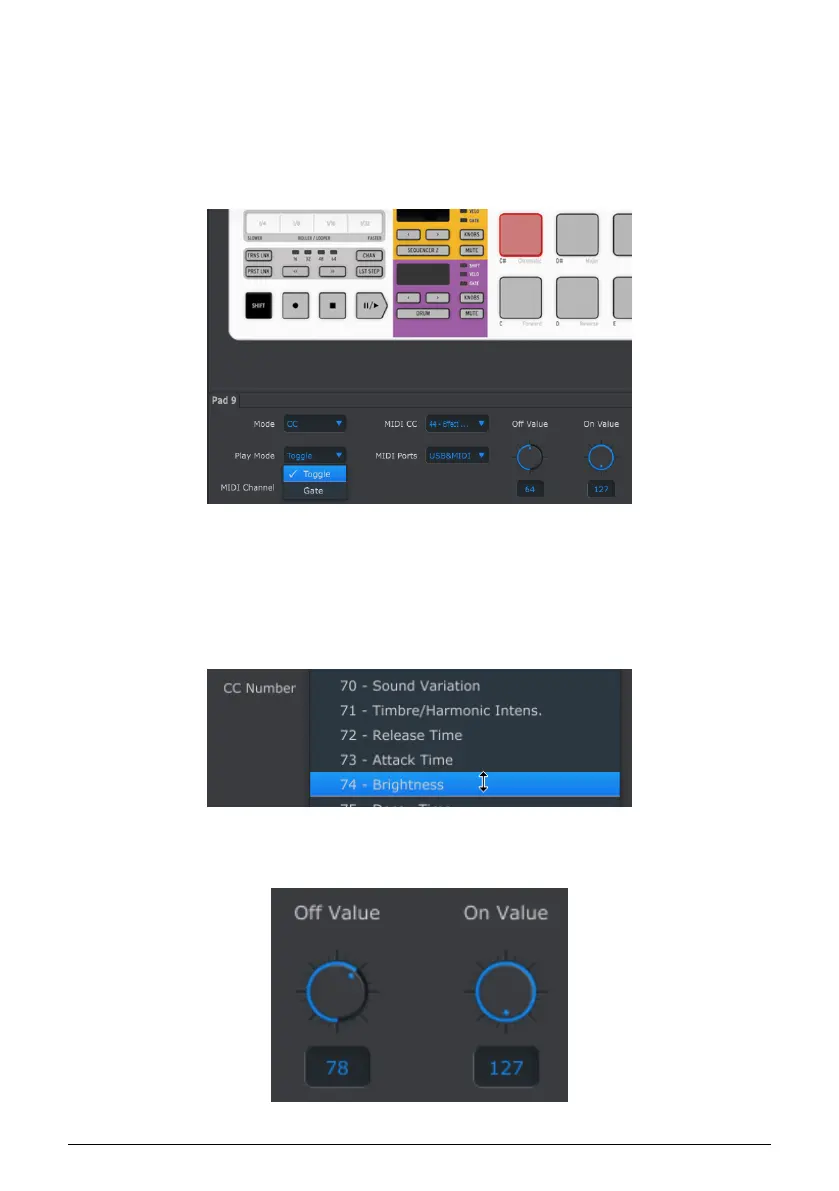
We’ll use Pad 9 for this example. Select it and then use the pull-down Mode menus to select
“CC” and “Toggle”:
These settings will allow you to send two different values of a particular MIDI CC number
each time you press the pad.
There are a couple of MIDI CC numbers that have been assigned the task of controlling filter
brightness (CC# 74) or harmonic content (CC# 71). We’ll use CC# 74 for this example.
Click on the MIDI CC number field and select the Brightness controller number as shown:
Next we’ll set some minimum and maximum values that might work (adjust them to suit the
audio source):
Arturia - User Manual BeatStep Pro - MIDI Control Center 112












 To Next Page