10.1.3.2. Potential issues: Mac OS X
If the cable between your Mac and the BeatStep Pro is connected properly and the Mac is
having trouble detecting the unit, your Mac is experiencing what is known as a "USB port
enumeration issue." Here is one potential solution.
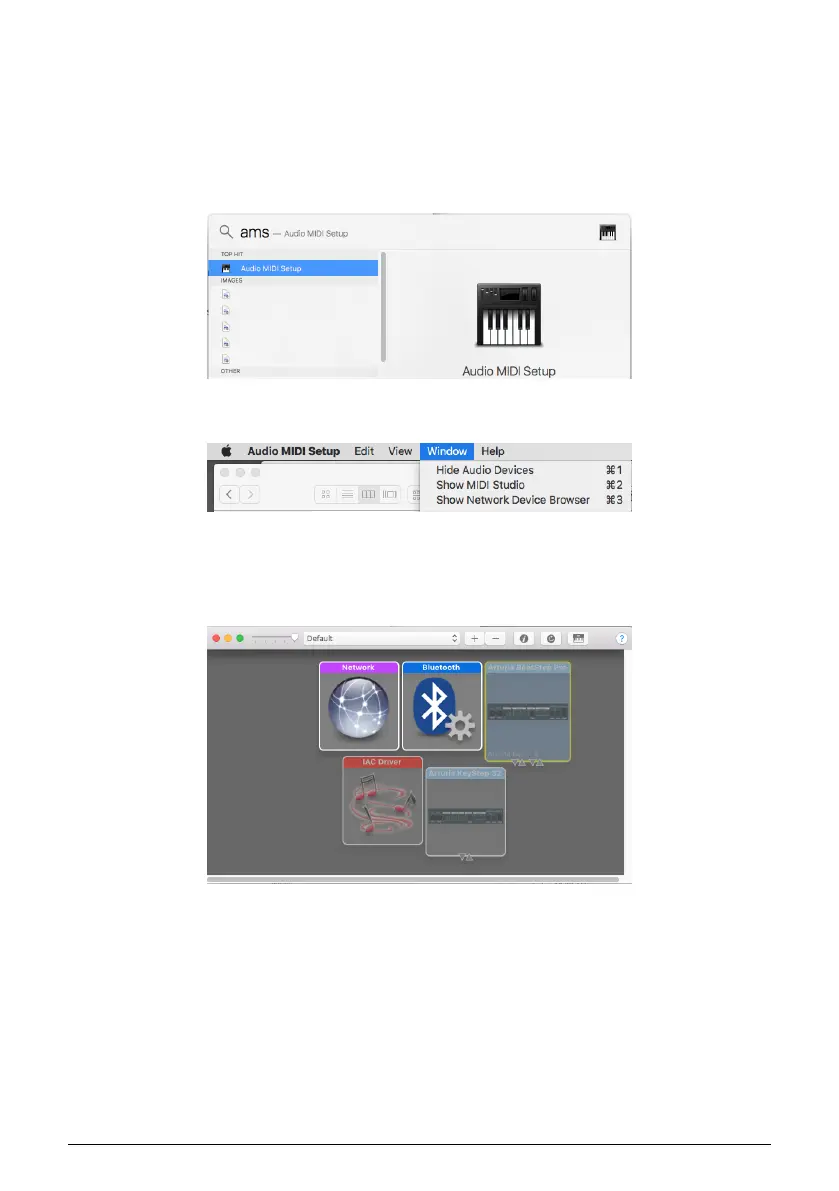
1. Launch the Audio MIDI Setup utility. The fastest way to do this is usually to hold the
Command key, press the space bar, and type in the letters AMS.
2. If you do not see the MIDI Studio window, hold the Command key and press 2.
3. Turn the unit off or disconnect its USB cable. You should see the related device icon turn
grey.
4. Select the greyed-out BeatStep Pro image and delete it.
5. The BeatStep Pro also might be labeled "MIDI Device" or something else, so you may
need to delete all MIDI Device images and restart any connected devices. First you must
disconnect any units or turn them off, or else you will not be able to delete the icons.
Arturia - User Manual BeatStep Pro - MIDI Control Center 86












 To Next Page