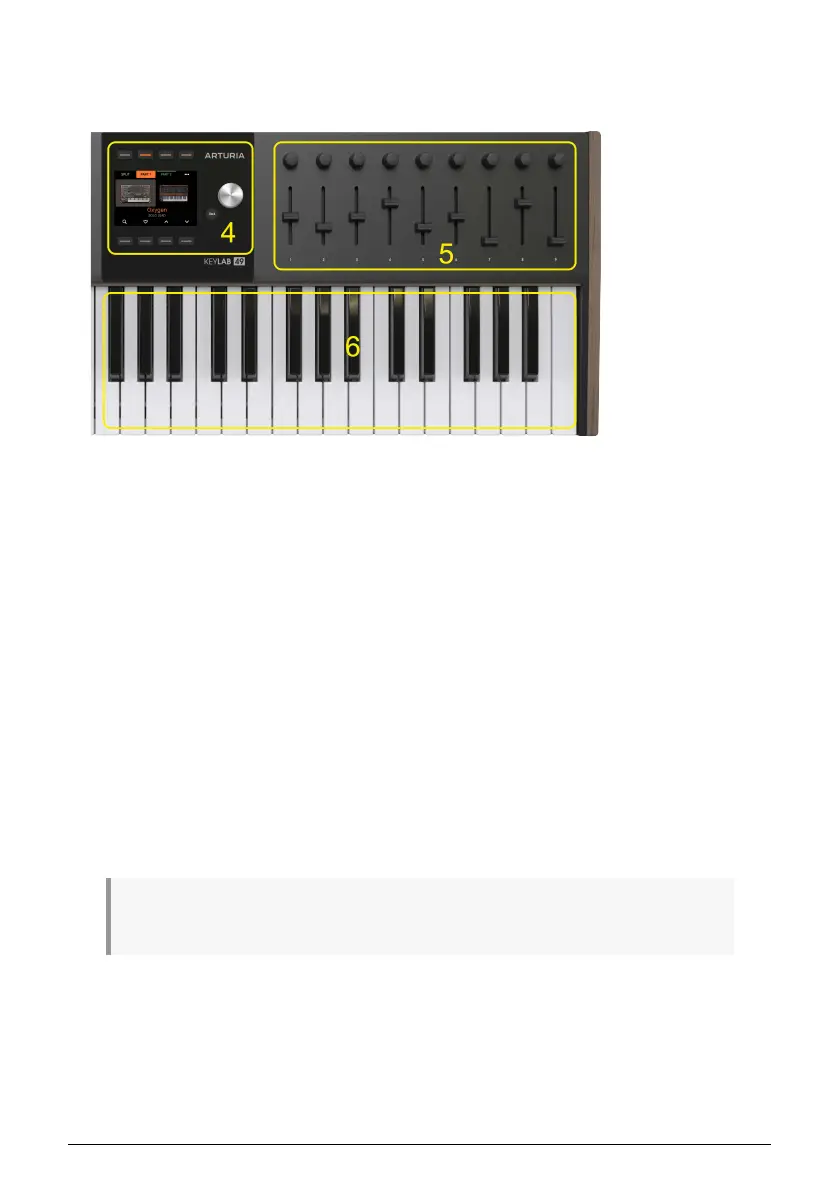
1.5. Front Panel, Right Side
Let's move on to right side of KeyLab mk3.
4. Contextual buttons. These 8 buttons are used to navigate the Display content. The
functionality of each button is determined by the text in the Display.
Display. A useful screen helps you find your way through all the menus and functions
in KeyLab mk3.
Main Encoder. This is the control you'll use the most. You turn it to navigate between
parameters and change values. You press it to perform various tasks and press + turn to
send MIDI CC.
Back. The Back button helps you navigate KeyLab mk3. It will typically take you back to
the previous page.
5. Encoders. The rotary knobs are used to control software instrument parameters, track
pan within your DAW, and many other tasks in various software, hardware, and DAW
applications.
Faders. The faders are used to alter software instrument parameters, change the
volume of tracks within your DAW, and many other tasks in various software, hardware,
and DAW applications.
6. Keyboard. 49 or 61 velocity sensitive keys with aftertouch.
♪ Most controls on the KeyLab mk3 can be assigned to custom MIDI commands in User Edit mode
or by using the MIDI Control Center [p.2].
Arturia - User Manual KeyLab mk3 - Getting Started 6



 To Next Page