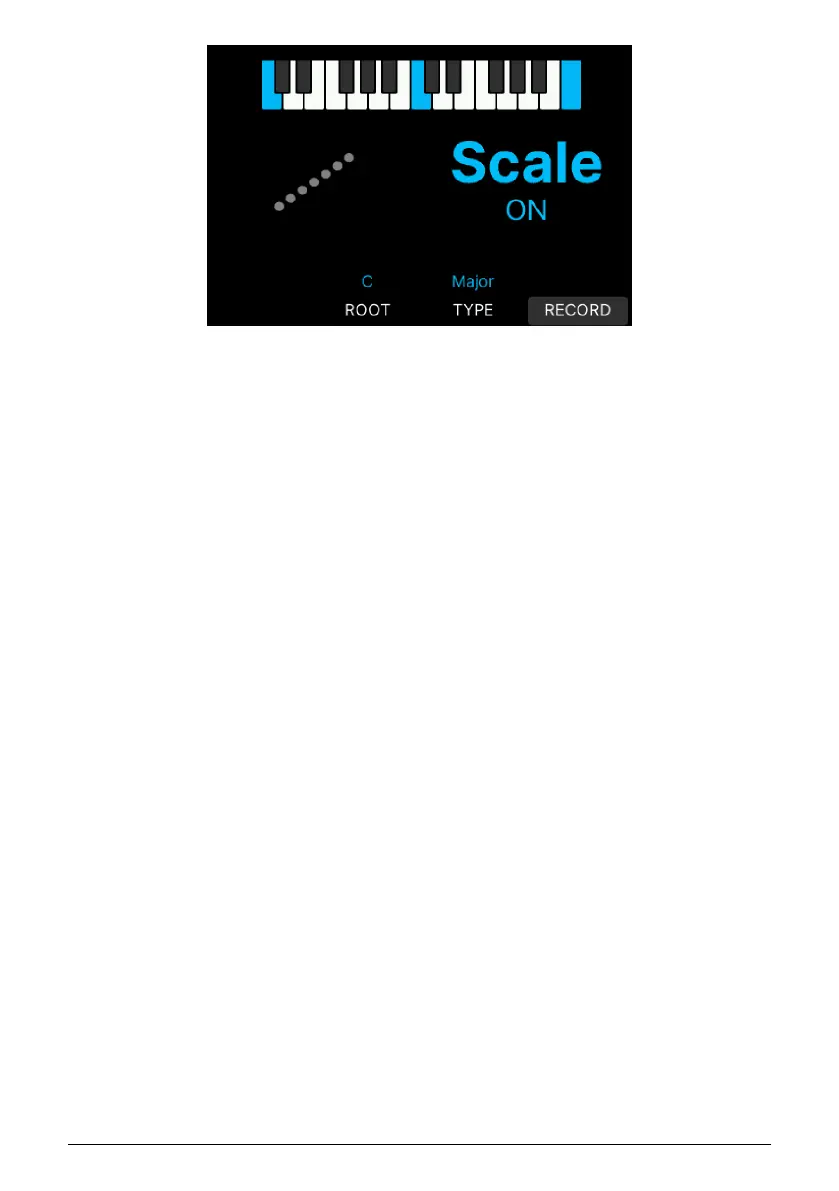
Pressing the contextual button directly below Root lets you decide what key you want to use
(for example C, D, or G#). The Root note will be shown in blue in the image directly above.
Selecting Type takes you through a number of scales to choose from:
• Major: Major scale.
• Minor: Natural minor.
• Dorian: Dorian (or doric) mode.
• Phrygian: Phrygian mode.
• Lydian: Lydian mode.
• Mixolydian: Mixolydian mode.
• Locrian: Locrian mode.
• Harmonic Minor: Harmonic minor.
• Blues: Blues scale with only 6 notes.
• Pentatonic Major: 5 note pentatonic scale.
• Pentatonic Minor: 5 note pentatonic, also a simplified blues scale.
• Japanese: Another 5 note pentatonic scale.
• Gypsy: One of several Gypsy scales.
• Arabic: Arabic or double harmonic scale.
• Freygish: Freygish or Phrygian dominant scale.
• User: You can create a Scale of your own. See below.
When Scale is not active, KeyLab mk3 defaults to Chromatic, the standard scale used on
every western keyboard instrument.
2.13.2. Create Your Own Scale
It's easy to create a scale of your own. When in the Scale menu, press the Record button
(the lower right button below the Display under the word Record).
Arturia - User Manual KeyLab mk3 - Overview 20



 To Next Page