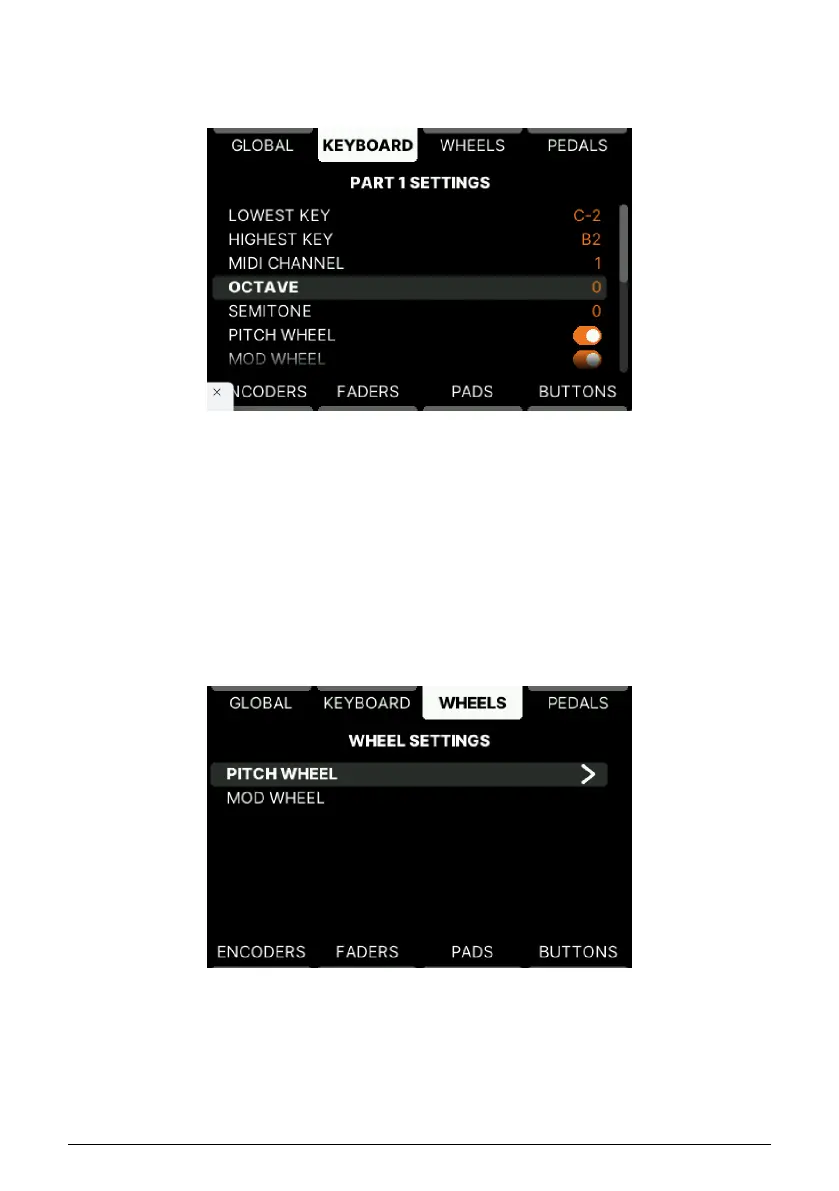
5.4.7.1. Part 1/2 Settings
These two edit pages are identical. Select the Part you want to edit.
Here you can set what Note Range, MIDI Channel, Octave, and Semitone (Transpose) values
that KeyLab mk3 defaults to when you create Presets.
Pitch and Mod Wheel, Aftertouch, Sustain, Expression, and Aux Pedals can de active by
default too.
Finally, you can set the default state of the MIDI effects (Hold, Chord, Arp, and Scale).
5.4.8. Wheels Settings in User Program
Pitch Wheel and Modulation Wheel behavior is specified on this page. You can access it by
pressing Settings followed by Wheels.
• Pitch Wheel: Select what MIDI channel this Wheel transmits on and on what
Parts the Wheel should be active: Selected Part, Both, Part 1 or 2 only, or None.
• Mod Wheel: Like for the Pitch Wheel (above), set MIDI channel and Part behavior
here. Type can be set to Off, Control (sending Modulation or any MIDI Control
Change number), and RPN/NRPN. The range for RPN and NRPN can also be set.
Arturia - User Manual KeyLab mk3 - User Program 56



 To Next Page