2. OVERVIEW
This chapter will guide you through the different functions and MIDI effects of KeyLab mk3.
Some topics – working with Analog Lab, User Programs, DAW mode, and MIDI Control
Center – are fully described in separate chapters.
2.1. Selecting Program at Startup
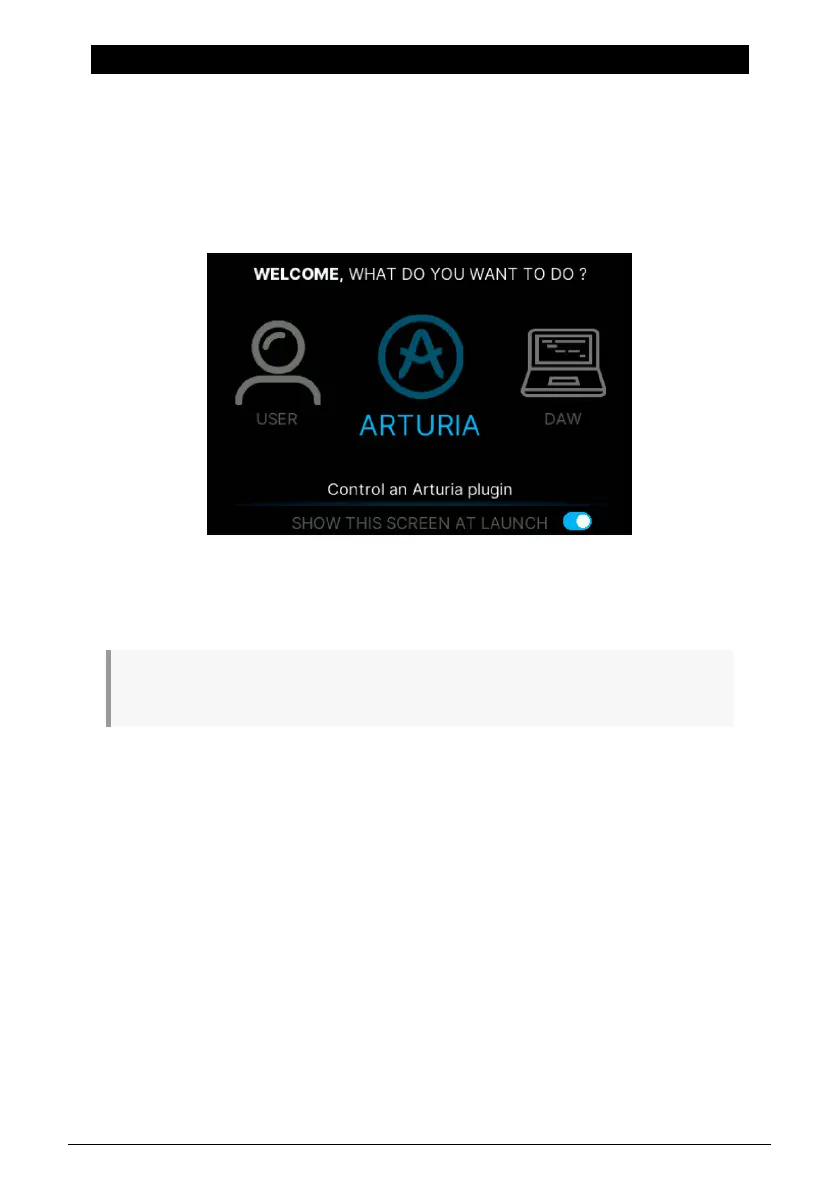
When first powering on KeyLab mk3, you are greeted by the Welcome page.
• User lets you create specific User Programs for different jobs.
• Arturia is the mode where you control Analog Lab or V Collection plugins.
• DAW lets you control your Digital Audio Workstation directly from KeyLab mk3.
♪ You can skip this startup page by unticking the blue switch in the lower right corner of the Display
(press the 8th contextual button under the screen).
We'll get further into the details later on in this manual. For now, we suggest you select
Arturia mode to start playing some sounds. You select Presets by turning the Main Encoder
and pressing it to confirm. You can also use the Up and Down buttons at the lower right
below the Display.
If a virtual instrument like Analog Lab is active as a standalone on your computer, make
sure the Audio MIDI Settings are set up with KeyLab mk3 as a MIDI controller.
Arturia - User Manual KeyLab mk3 - Overview 8



 To Next Page