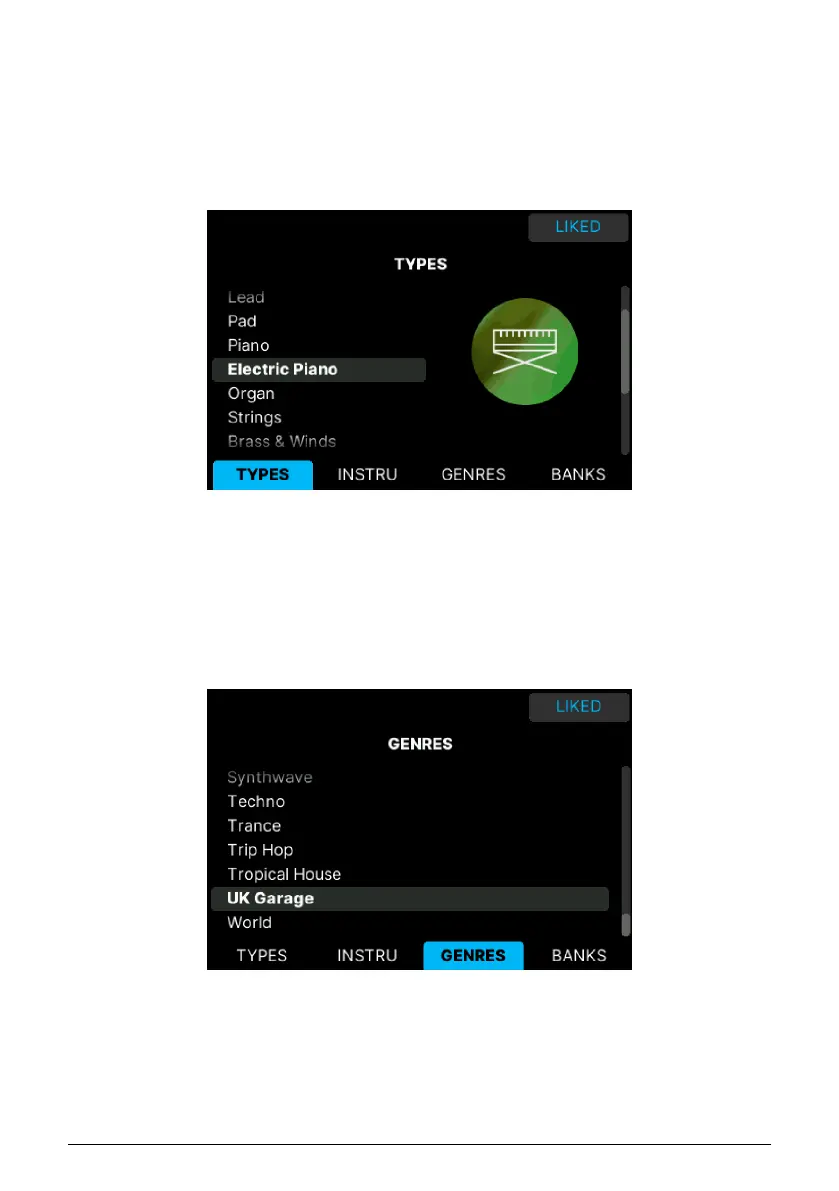
3.2.1. Filtering Presets
With Arturia Program mode selected, the center section and the Filter buttons work together
to streamline the process of selecting presets.
There are times during the creative process when you know the type of sound you want:
an acoustic piano, a lead, or a sequence, for example. Press the contextual button with the
magnifying glass to bring out the Filter page.
Presets can be filtered by 5 categories:
• Type: These can be Bass, Piano, Strings, et cetera. After selecting a Type, you can
navigate through numerous Sub-types.
• Instruments: Korg MS-20, Piano, Vocoder or any of Arturia's huge collection of
Instruments.
• Genres: Sort by Genres like House, Latin, or Synthwave.
• Banks: Factory Sounds and other Banks you may have purchased in the Arturia
Store are listed here.
• Liked: Presets you find especially useful can be marked with a Heart symbol. You
may want to filter only those or use Liked in conjunction with any combination
of filters.
Arturia - User Manual KeyLab mk3 - Arturia Program 36



 To Next Page