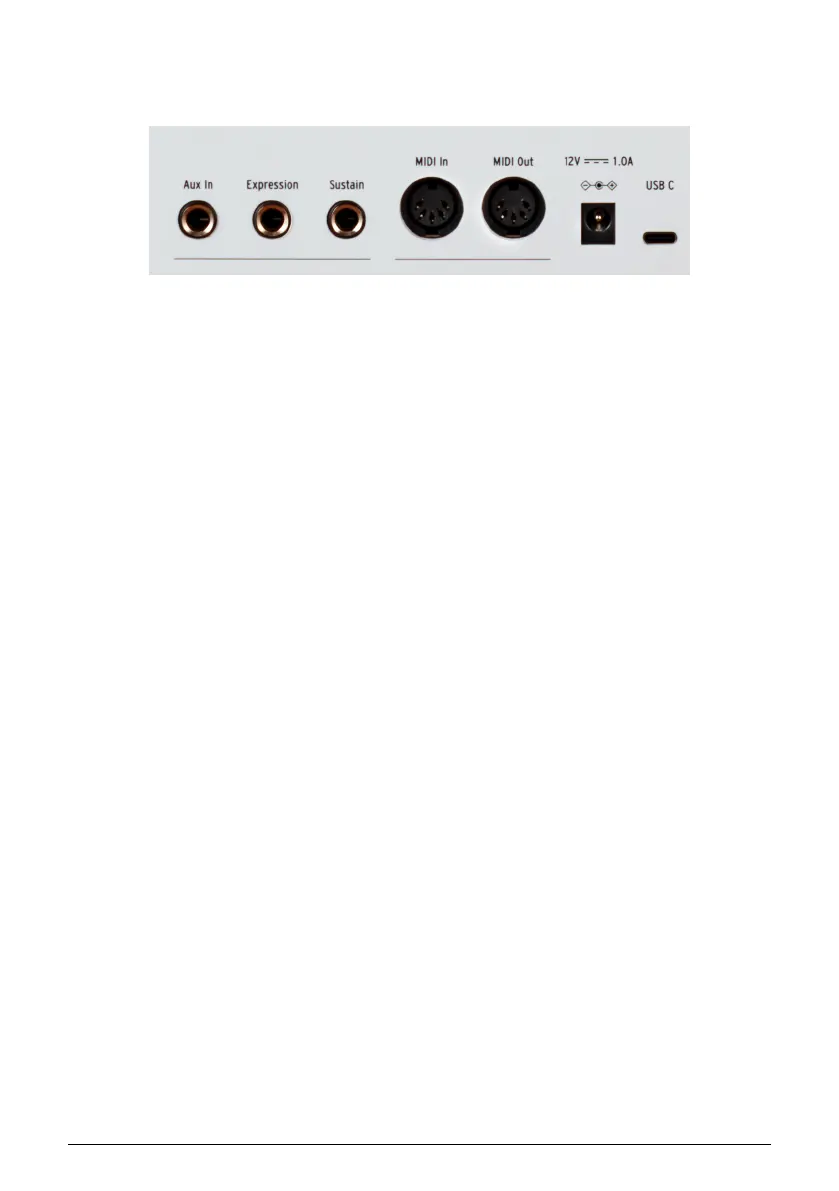
1.6. The Rear Panel
The backside of KeyLab mk3 contains these sockets.
• Aux, Expression and Sustain Pedal inputs.. Any pedal can be assigned to any
MIDI CC number or tasks like Program Change, Note commands and other
controls or switched controls. Expression is primarily for a continuously variable
pedal, and Sustain primarily for on/off changes.
• MIDI In/Out. KeyLab mk3's MIDI Out connector will send USB/MIDI data to
external devices, and can do so without a computer when KeyLab mk3 is
powered by an optional power supply. The MIDI In connector receives MIDI data
from external devices, and also serves as a MIDI/USB converter for your DAW.
• Power and USB Connections. If you'd like to use KeyLab mk3 without a computer
attached, connect an optional 12V DC 1.0A power supply here. When working
with a DAW, use the USB-C port to connect KeyLab mk3 to your computer. This
port provides both power, MIDI data, and control information.
7 Arturia - User Manual KeyLab mk3 - Getting Started



 To Next Page