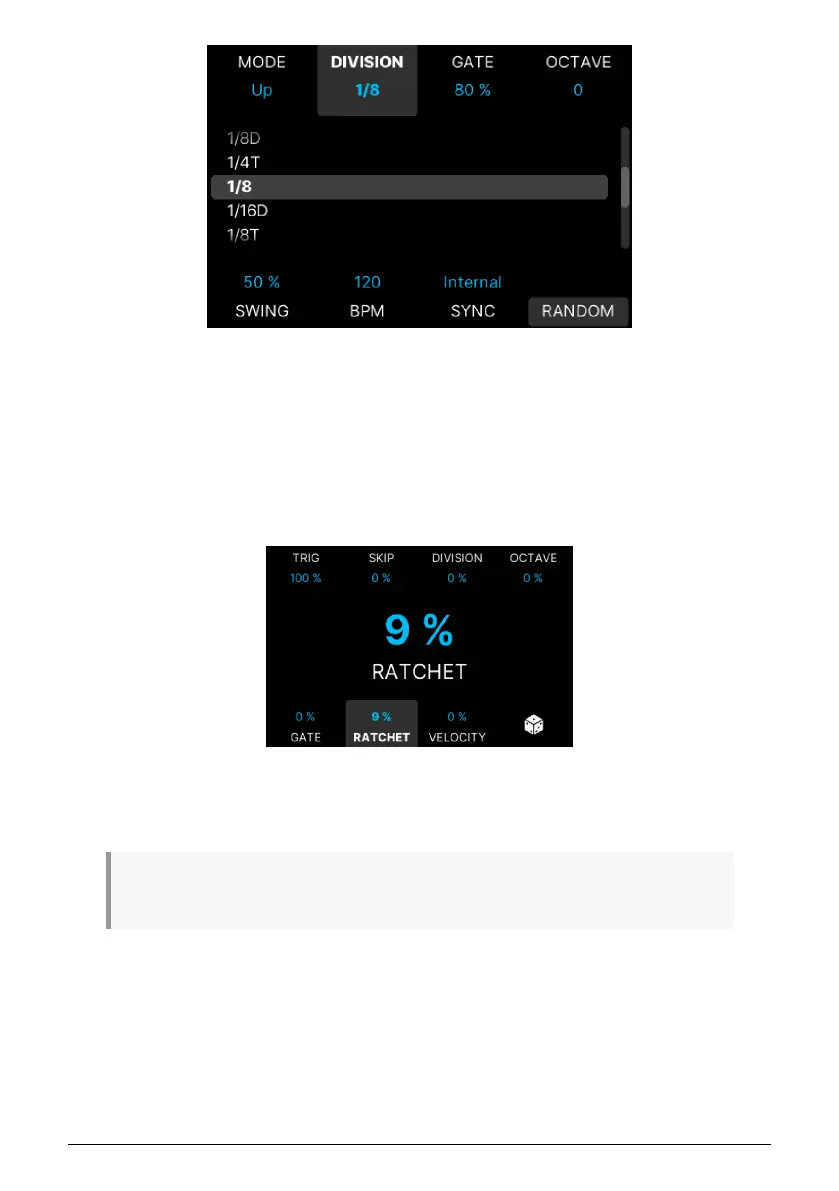
• Octave: Probability that the note is transposed an octave up (positive) or down
(negative).
• Gate: Probability that the step has a Gate length longer (positive) or shorter
(negative). If the original gate length is more than 80% and the Random amount
type is positive, the Gate length is limited to a maximum of 200 %. If the original
gate length is less than 20%, Gate time is kept to 1% of the minimum value.
• Ratchet: Probability that this step is played twice in the same time division (so
twice as fast, like a stutter). The pattern is not offset.
• Velocity: Probability that the step has a velocity harder (positive) or softer
(negative). The behavior when approaching the extremes (velocity 1 or 127) is the
same as for the Gate.
♪ If your Note On velocity is high (close to 127), you won't hear much randomization at positive
random levels.
• Random (the die symbol): This will apply fine-tuned random values to the 7
parameters on this page and create new sets of randomness without having to
tweak any parameter at all.
To reset any change applied on the edit page, long-press the associated contextual button.
Long-pressing the Die button resets all random values.
You leave the Random page by hitting the Back button.
Arturia - User Manual KeyLab mk3 - Overview 24



 To Next Page