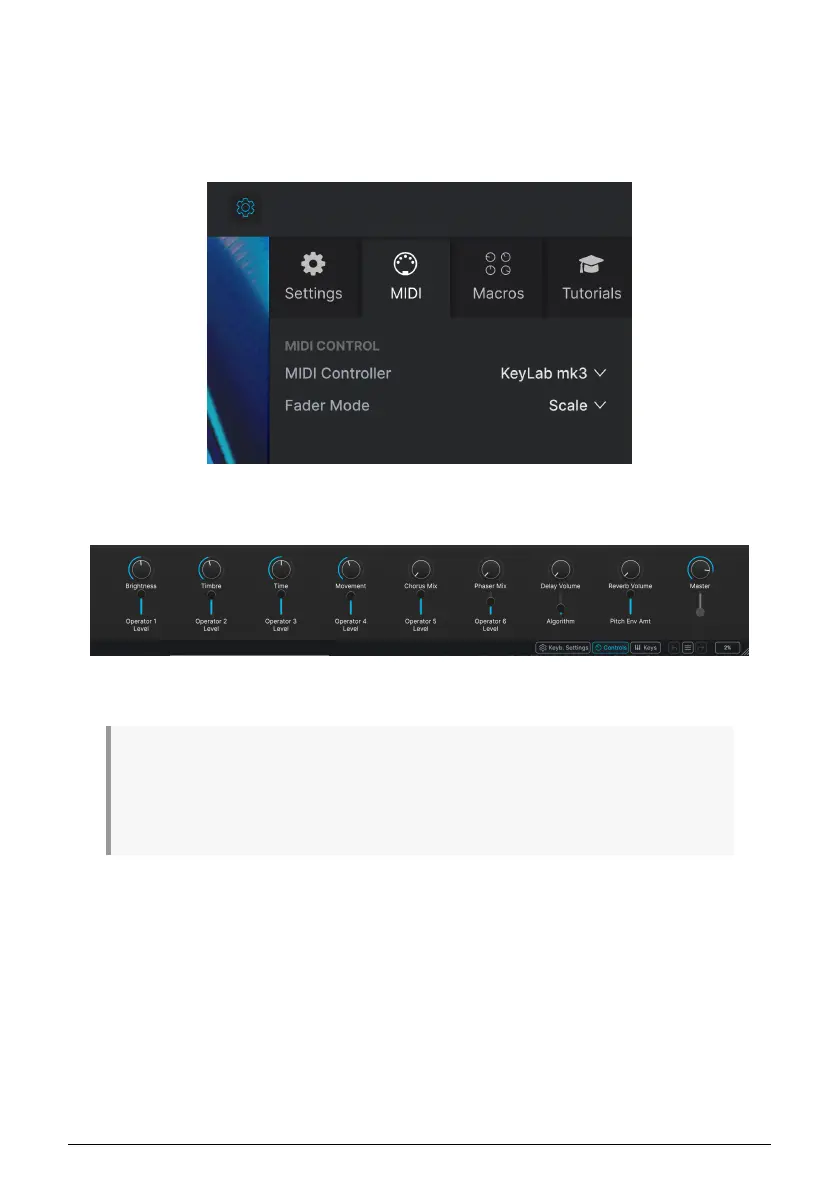
After this, every time you start Analog Lab it should connect to the KeyLab mk3 on its own.
But if this is the first time you use Analog Lab with KeyLab mk3, you may also need to select
KeyLab mk3 in the MIDI Controller settings.
To access these settings, click the Gear icon on the right of Analog Lab, then click the MIDI
tab and select "KeyLab mk3". This will load the correct mapping configuration for your
keyboard.
To see how your keyboard's controls are mapped to software parameters in Analog Lab,
click the Controls button in the bottom right of the window.
If you've met the conditions listed above, let's begin!
♪ When in DAW mode, you can switch to Arturia mode and do everything described in this chapter, if
the instrument assigned to the current track is Analog Lab. The transport section will continue to function
as they do in DAW mode. But keep in mind that Track selection via the main encoder will not work.
To select different tracks, switch back into DAW mode. ♪ When in DAW Mode, you can jump to Arturia
Program mode easily by clicking the Main Encoder. To go back to DAW Mode, press the Back button.
33 Arturia - User Manual KeyLab mk3 - Arturia Program



 To Next Page