To avoid confusion, Touch Sensitivity will not happen when you're editing a menu.
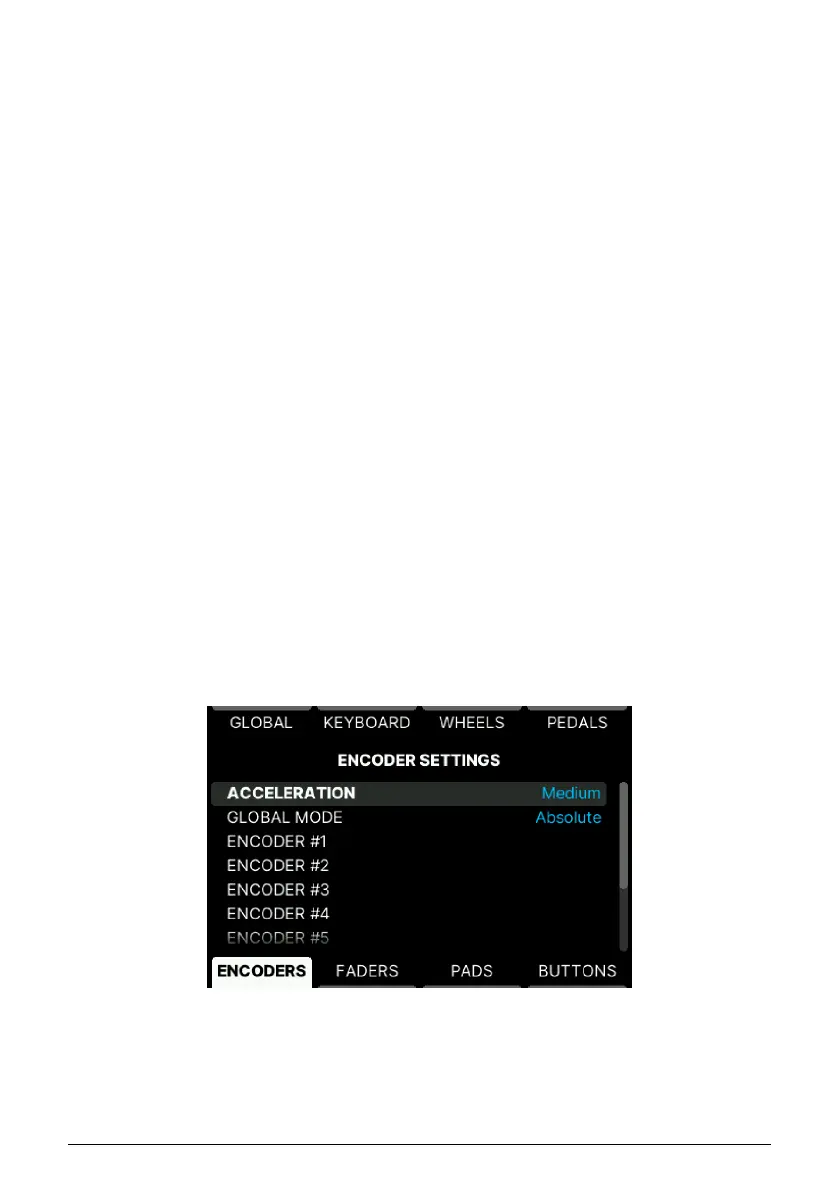
5.4.10.2. Editing Encoders
• Acceleration: Sets how fast values are changed when you turn a controller – slow,
medium, or fast. This parameter is global for all 9 Encoders.
• Global Mode: These are the modes for the Encoders.
◦ Absolute: The Encoder sends a value between 0 and 127. When
KeyLab mk3 boots, the encoder value is initialized to 0. Turning the
Encoder clockwise increases the value if it's less than 127. Turning the
Encoder counter-clockwise will decrease the value if it is higher than
0.
◦ Relative Main: The Encoder sends a value corresponding to a position
change compared to last known position: +1, +2, –1, or –2 for instance.
Technically, the 0 is coded by the value 64, so a change of +1 will
result in a value of 65. Following this logic, a change of –2 will give a
message with the value 62.
◦ Relative Alt 1: This is identical to
Relative Main
but coded in 7-bits
Two's complement. 0 and the positive values are natural and negative
values are 127 for –1, 126 for –2, 125 for –3 et cetera.
◦ Relative Alt 2: Same coding as
Relative Main
but centered around 16
instead of 64. The 0 is coded by the value 16. A change of +1 will send
a value of 17, and a change of –2 will give a message with the value
14.
5.4.10.3. Individual Encoder Settings
There is a clever shortcut that lets you reach the right page for every Encoder and Fader.
Simply long-press Settings and touch any Encoder or Fader.
There are 9 identical slots for editing each Encoder individually.
59 Arturia - User Manual KeyLab mk3 - User Program



 To Next Page