5.4.10.4. Default Values for Encoders
By default, Encoders 1–9 have these CC (Control Change) values when you're in a User
Program:
Encoder CC
1 74
2 71
3 76
4 77
5 93
6 18
7 19
8 16
9 17
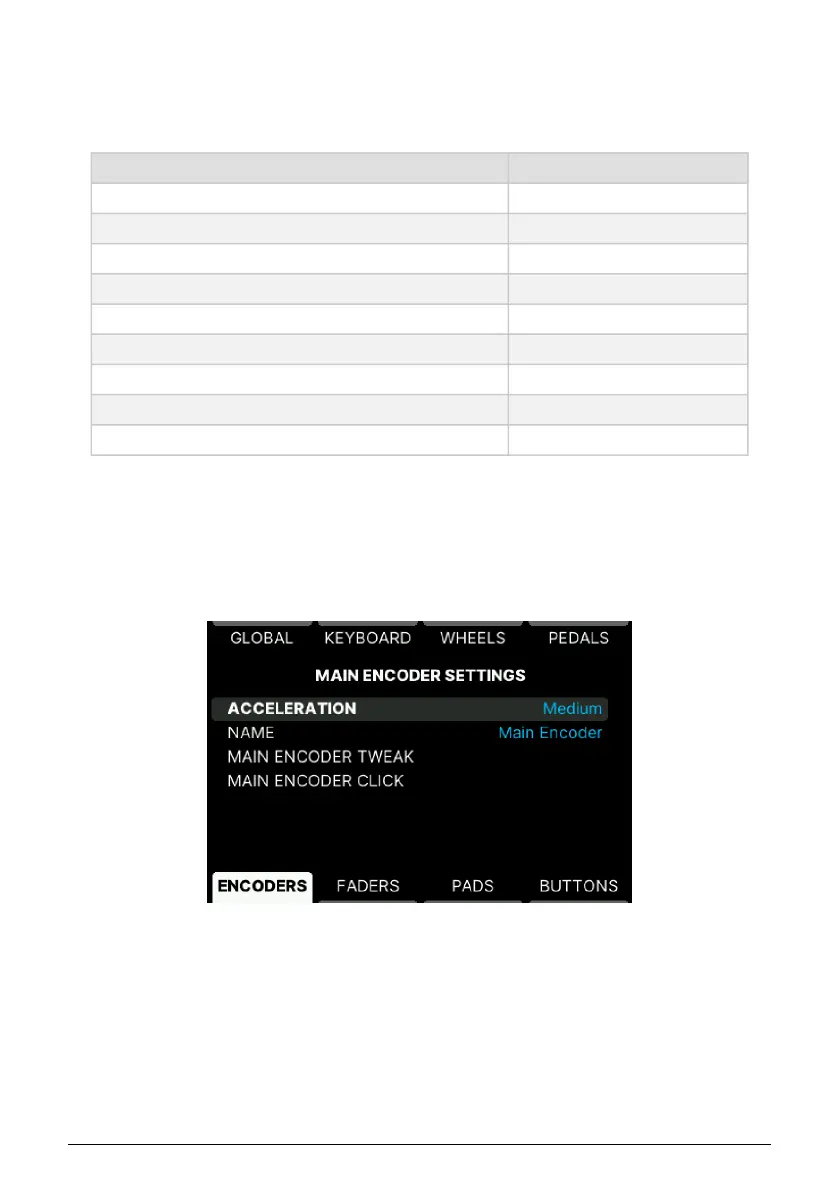
5.4.10.5. Main Encoder
Acceleration time and Name for the Main Encoder can be edited here.
There is a clever shortcut that lets you reach the Main Encoder click and tweak Settings.
Simply long-press Settings and click or turn the Encoder
• Main Encoder Tweak: Set the Main Encoder's MIDI CC number and MIDI channel.
This will only work when you're on a User screen, not when editing a menu.
• Main Encoder Click: Turn the Main Encoder on or off. Edit its MIDI CC value and
MIDI channel. Under Option you can select Gate or Toggle mode and set min and
max values. This will only work when you're on a User screen, not when editing
a menu.
61 Arturia - User Manual KeyLab mk3 - User Program



 To Next Page