Chapter 1
1-2
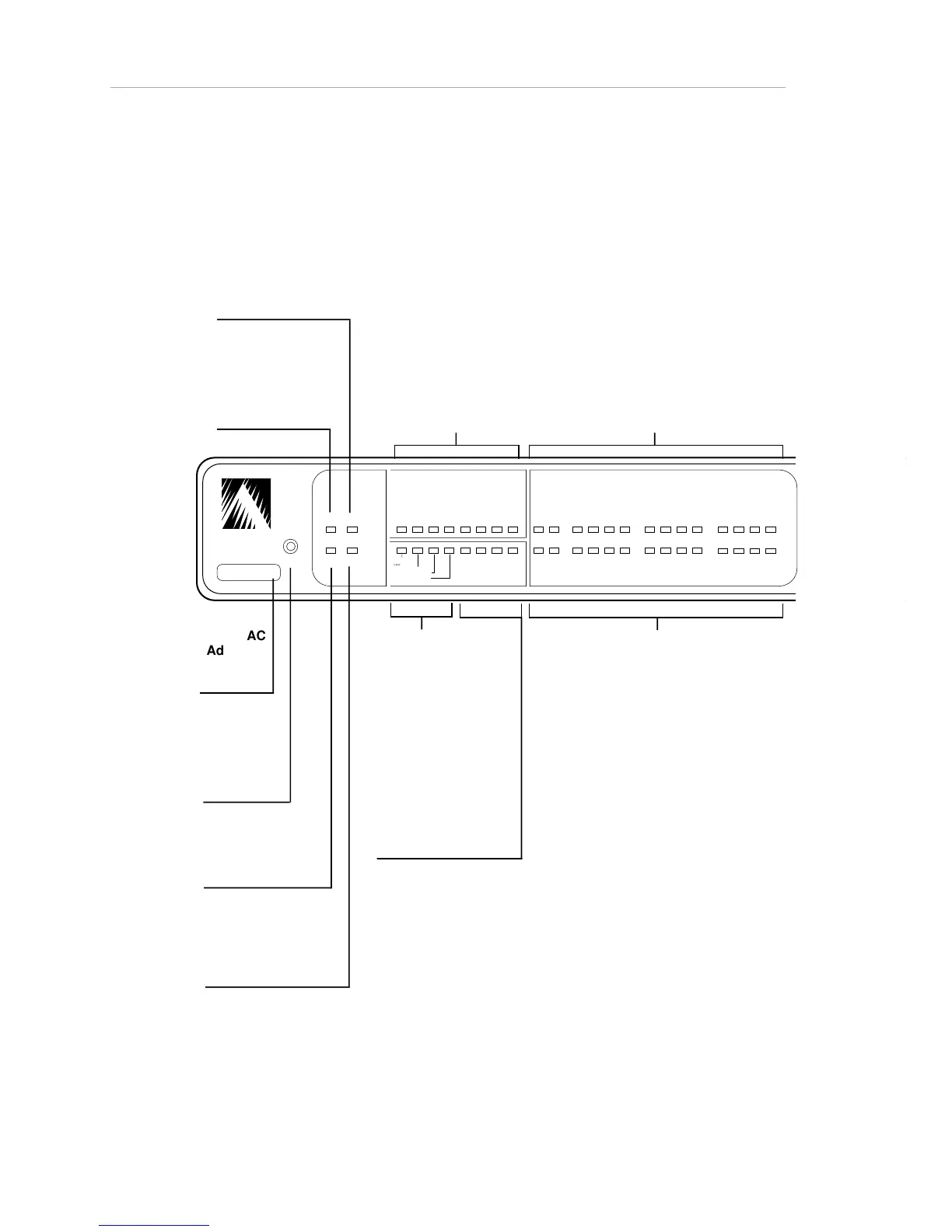
AsantéHub 1012 front panel
Figure 1-2 illustrates the Reset button and the status LEDs on the front
panel.
RESET
Resets hub
and network
management
functions.
PWR (power)
ON = power on.
OFF = power off, or
reset button has been
pressed.
CPU
BLINKING = CPU
functions are normal.
SNMP
ON = SNMP option
is installed.
UTILIZATION %
ON = this percentage of
hub bandwidth is in use.
WARNING
ON = this warning has
occurred: Late
Collision,
Misaligned/CRC error,
Runt/fragmented
packets, or Short
event/missing SFD.
PARTITION
SNMP/Uplink/ Ports 1-12
Individual LEDs indicate partitioning
(automatic or operator-commanded) of
the SNMP, 3-In-1, and 10Base-T ports.
ON = Operator-partitioned
BLINKING = Auto-partitioned
LINK/RECEIVE
SNMP/Uplink/1-12
Individual LEDs indicate link
connection and traffic on the SNMP, 3-
In-1, and 10Base-T ports.
ON = Link pulse detected (or Link
Integrity Test is disabled); no traffic.
BLINKING = Traffic (receiving
activities) present on link.
COLLISION %
ON = this percentage
of packets per .25 or .5
seconds is
experiencing collision.
MSG
ON = Status messages
are waiting; use
AsantéView to read
them.
ASANTE
RESET
PWR CPU
NMP MSG
UTILIZATION
%
1 3 5 10 20305065+
1 3 5 10
COLLISION
%
1 2 3 4
5 6 7 8
9 10 1112
PARTITION
LINK/RECEIVE
SNMP
UPLINK
Late C ollision
Misaligned/CRC error
Runt/Fragmented packets
Short event/missing SFD
I I I I I I I I I I I
Hub MAC
Address
Identical to
Hub ID
Figure 1-2. Front Panel Features



 To Next Page