Chapter 1
1-26
RJ21 10 BASE-T PORTS
IN or
OUT
AU
I
PARTITION
TRAFFIC
RS232
RS485
12
THROUGH
AMS LINK
UP=PC
DOWN=TERMINAL
END
3-IN-1
UPLINK
BNC
Spare Fuse in Fuse Holder
2A/250V Slow Blow Fuse
Replace Only With Fuse of Same Rating
RJ45
DIP Switches
DIN-8
To MAC
AMS LINK EXTENDER (MAC)
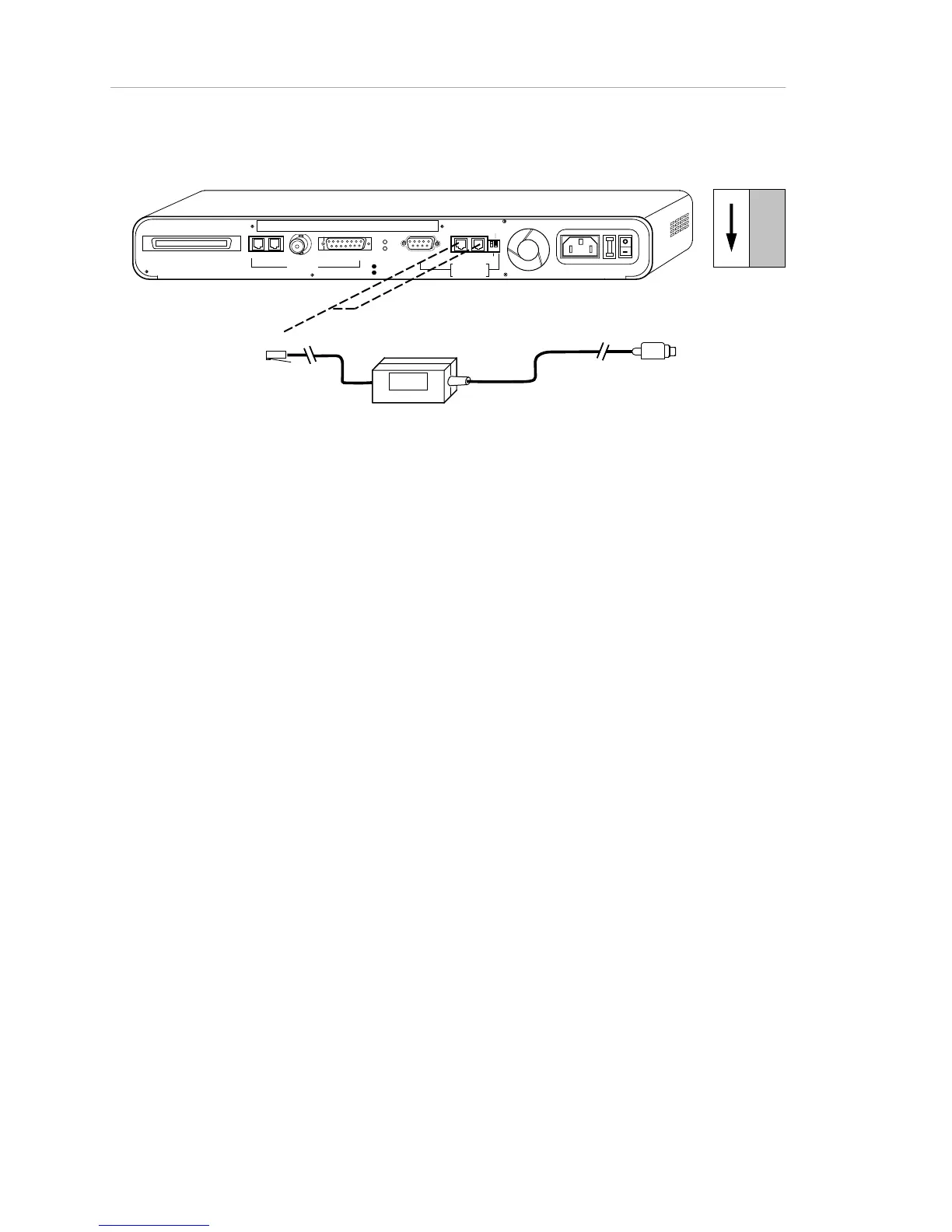
Figure 1-18. Out-of-Band AMS (AsantéView Management System) Link Connections to
Macintosh and Hub
What Next?
If your network consists of a standalone AsantéHub and attached devices,
congratulations! — you are finished installing your network.
If you are installing a multiple-hub network, you have two more steps to
complete.
Step 7. Making Network Connections
If you are adding a second hub to the network, you need to make network
connections between the hubs. There are three basic options for network
connections:
• BNC, which generally connects the AsantéHub to a thin
Ethernet backbone
• AUI, which generally connects the AsantéHub to a thick
Ethernet backbone, or may connect through a transceiver to a
fiber backbone.
• Unshielded twisted-pair, which uses RJ-45 cables to create
tree networks (also known as hierarchical star networks) or to
cascade hubs.



 To Next Page