Hardware Description
2-15
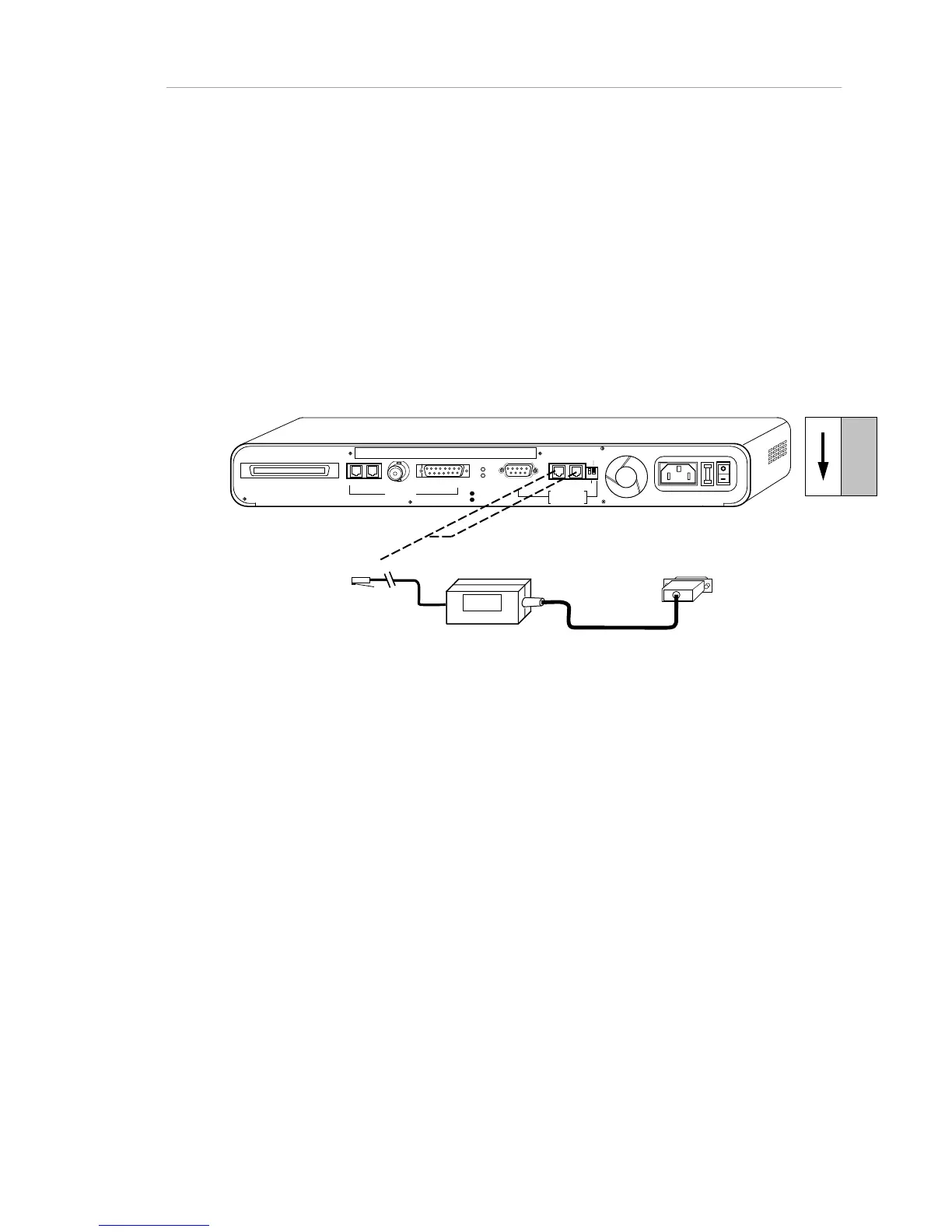
• If you use the RS-232 port, the Through/End switch setting is
irrelevant to the network management station (though not to
the AMS Link). The PC/Terminal switch must be set to PC.
The network management station can be placed anywhere in
the network.
• For a modem, use a cross-over RS-232 cable, rather than the
standard straight-through cable. Otherwise, the configuration is
the same as for a PC. On the RS-232 port, port speed can be
configured in AsantéView or the terminal menu system.
RJ21 10 BASE-T PORTS
IN or
OUT
AU
I
PARTITION
TRAFFIC
RS232
RS485
12
THROUGH
AMS LINK
UP=PC
DOWN=TERMINAL
END
3-IN-1
UPLINK
BNC
Spare Fuse in Fuse Holder
2A/250V Slow Blow Fuse
Replace Only With Fuse of Same Rating
To PC Comm Port
RJ45
DIP Switches
Note: To cable a PC, use a straight-through cable. To cable a modem,
use a null modem (crossover) cable.
RS232
LINK EXTENDER (PC)
Figure 2-9. NMS (PC OOB) Connections to a stand-alone Hub
To connect a Macintosh network management station to the hub, use either of
the rear panel AMS Link ports.
• The PC/Terminal switch setting is irrelevant, since the RS-232
port is not used.
• The Through/End switch must be set to "Through", if both AMS
Link ports will be occupied (the other port occupied by the
AMS link to the next hub), and to "End" if you have a stand-
alone Hub.



 To Next Page