Hardware Description
2-17
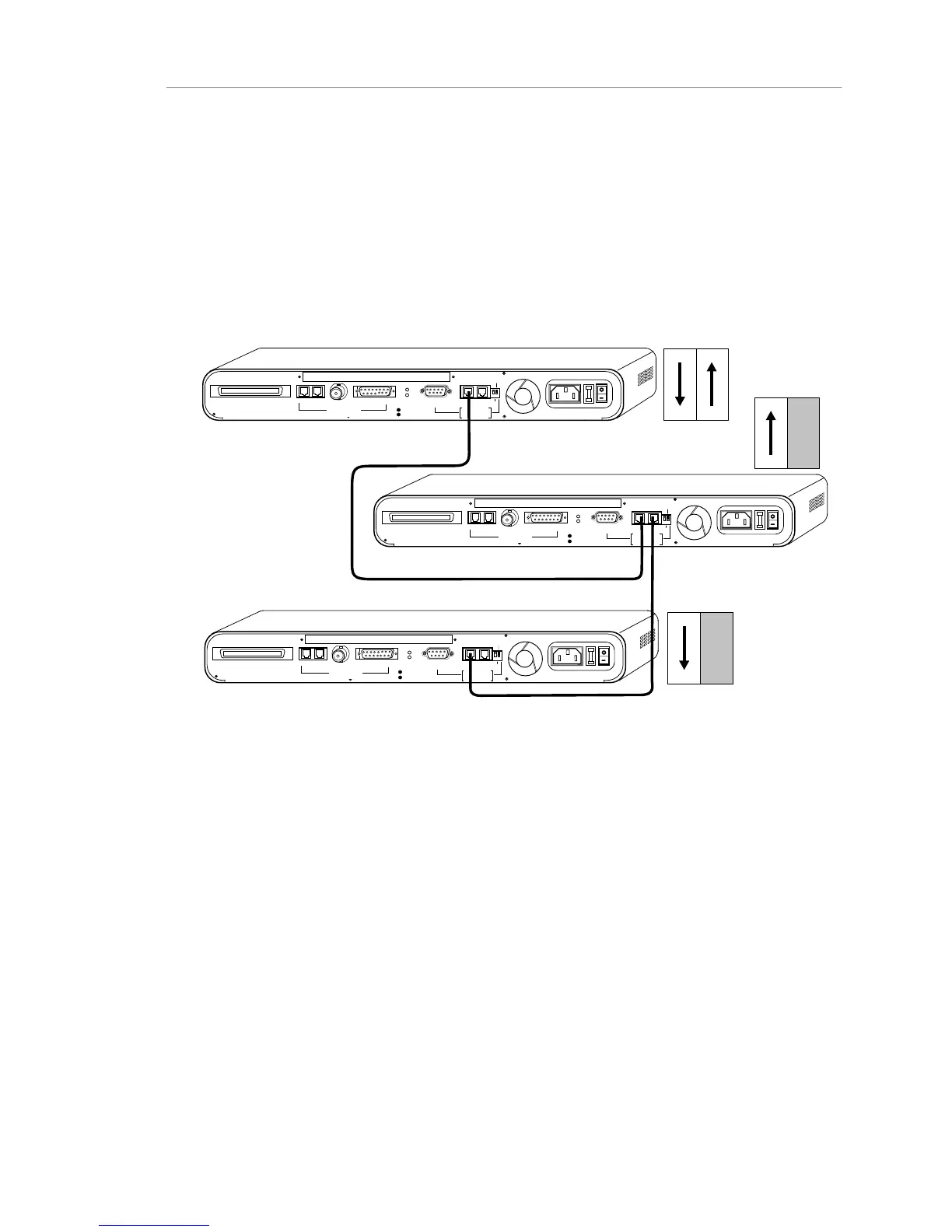
Cabling the AMS Link (Out-of-Band Network
Management Link)
To interconnect hubs for out-of-band network management, use the AMS
(AsantéView Management System) Link ports at the right rear of the hub. If only
one of the jacks is used on a hub, the Through/End switch on the rear panel must
be set to "End" to terminate the AMS Link connection.
RJ21 10 BASE-T PORTS
IN or
OUT
AUI
PARTITION
RS232
RS485
12
THROUGH
AMS LINK
UP=PC
DOWN=TERMINAL
END
3-IN-1 UPLINK
BNC
Spare Fuse in Fuse Holder
2A/250V Slow Blow Fuse
Replace Only With Fuse of Same Rating
TRAFFIC
RJ21 10 BASE-T PORTS
IN or
OUT
AUI
PARTITION
RS232
RS485
12
THROUGH
AMS LINK
UP=PC
DOWN=TERMINAL
END
3-IN-1 UPLINK
BNC
Spare Fuse in Fuse Holder
2A/250V Slow Blow Fuse
Replace Only With Fuse of Same Rating
TRAFFIC
RJ21 10 BASE-T PORTS
IN or
OUT
AUI
PARTITION
RS232
RS485
12
THROUGH
AMS LINK
UP=PC
DOWN=TERMINAL
END
3-IN-1 UPLINK
BNC
Spare Fuse in Fuse Holder
2A/250V Slow Blow Fuse
Replace Only With Fuse of Same Rating
TRAFFIC
DIP Switches
DIP Switches
DIP Switches
Figure 2-12. Cabling the AMS Link
Cabling Hubs for In-Band Network Management
Any hub interconnection (twisted-pair, BNC, or AUI, described in this
chapter) serves as an in-band network management link.
For further information about the in-band network management option,
see the AsantéView manual for your version of AsantéView.



 To Next Page