Chapter 2
2-16
RJ21 10 BASE-T PORTS
IN or
OUT
AU
I
PARTITION
TRAFFIC
RS232
RS485
12
THROUGH
AMS LINK
UP=PC
DOWN=TERMINAL
END
3-IN-1
UPLINK
BNC
Spare Fuse in Fuse Holder
2A/250V Slow Blow Fuse
Replace Only With Fuse of Same Rating
RJ45
DIP Switches
DIN-8
To MAC
AMS LINK EXTENDER (MAC)
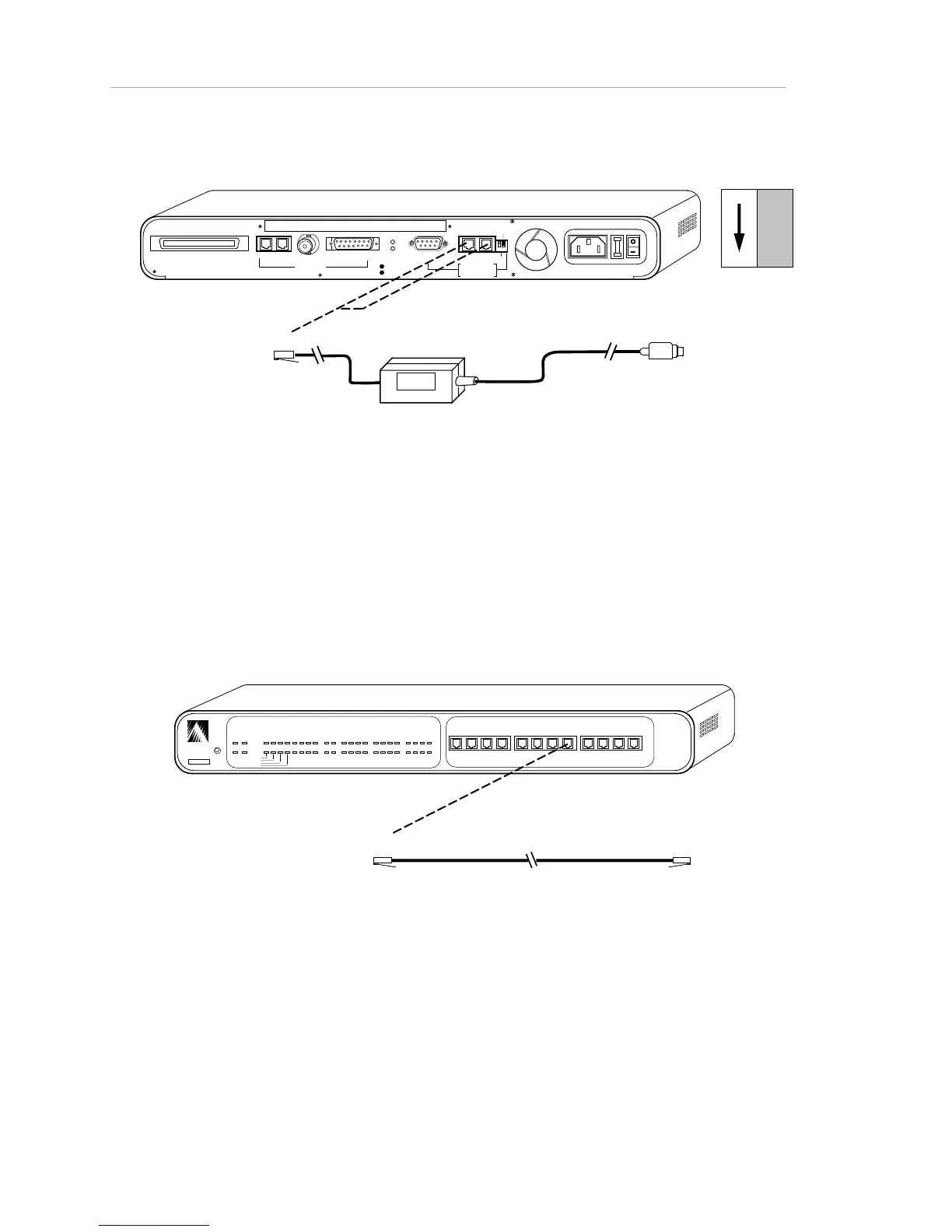
Figure 2-10. NMS (Macintosh OOB) Connections to a stand-alone Hub
Cabling the Network Management Station (NMS) to the
Hub (In-Band)
To connect a network management station to the hub for in-band network
management, use the connections shown in Figure 2-10, below. The network
management station can be connected in any hub in the network. The DIP switch
settings on the rear of the hub are irrelevant to in-band network management.
RJ45 RJ45
To PC
ASANTE
RESET
PWR CPU
NMP MSG
UTILIZATION
%
1 3 5 10 20 30 50 65+
COLLISION
%
1 3 5 10+
1 2 3 4 5 6 7 8 9 10 11 12
PARTITION
LINK/RECEIVE
SNMP
UPLINK
1 2 3 4 5 6 7 8 9 10 11 12
10BASE-T PORTS
AsantéHub 1012
Figure 2-11. Network Management Station Connections to Hub (In-Band)



 To Next Page