TD 92579EN
15 February 2012 / Ver. H
Installation and Operation Manual
IP-DECT Base Station & IP-DECT Gateway (software version 5.0.x)
162
E.2.5 Load Balancing Using Dynamic Connection: DNS Server Settings
The example below shows the settings in Microsoft Windows Server where the DNS server
is installed.
1 From a Microsoft Windows Server with the DNS server installed, open the DNS
management tool.
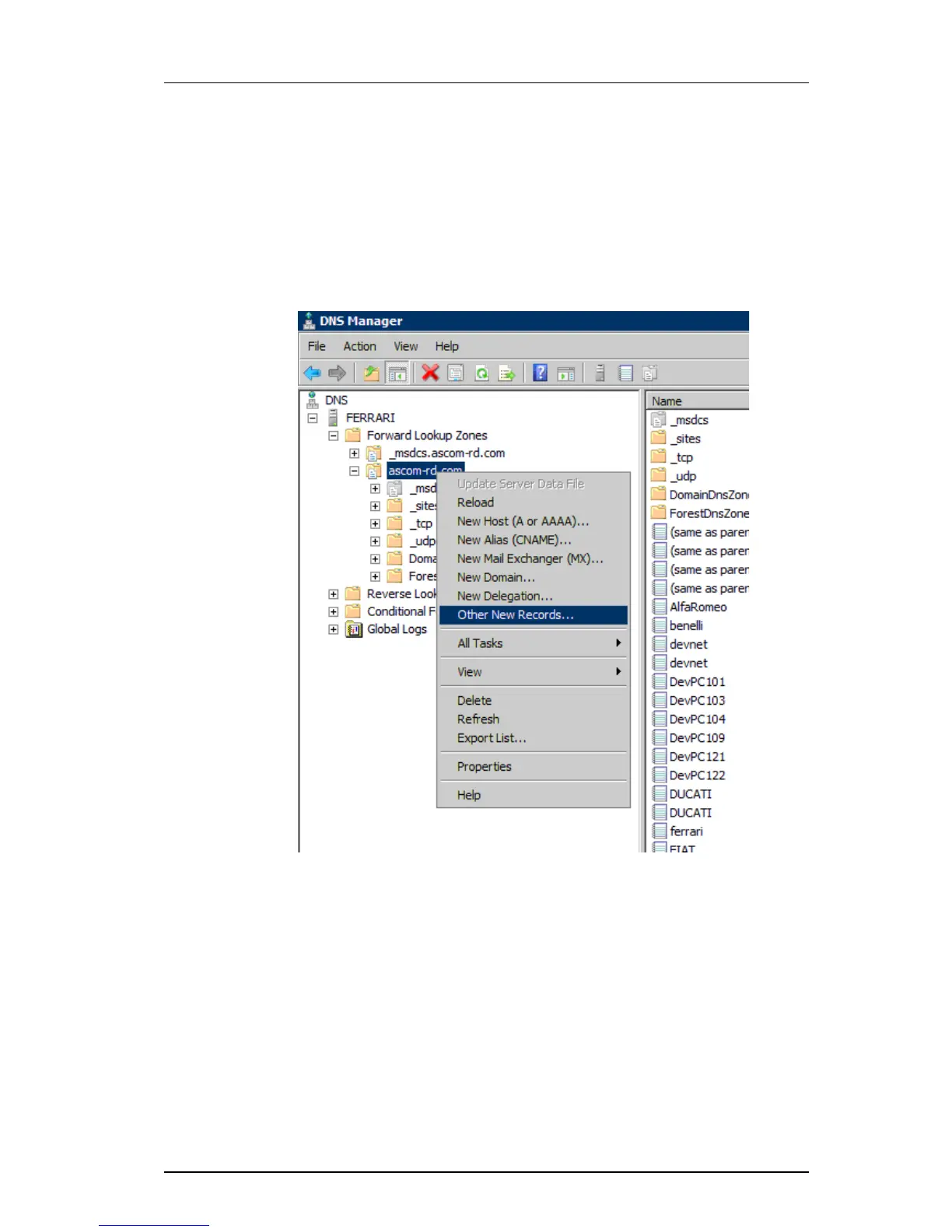
2 Right click the domain (or subdomain) you a
re assigning this service to and select
"Other New Records...".
Figure 4. Select "Other New Records...".
3 Scroll down to Service Location (SRV) in the list.



 To Next Page