Page 99
programmer may be connected to the control PC and its
drivers must be correctly installed. This is confirmed by
the green ON-LINE LED being on.
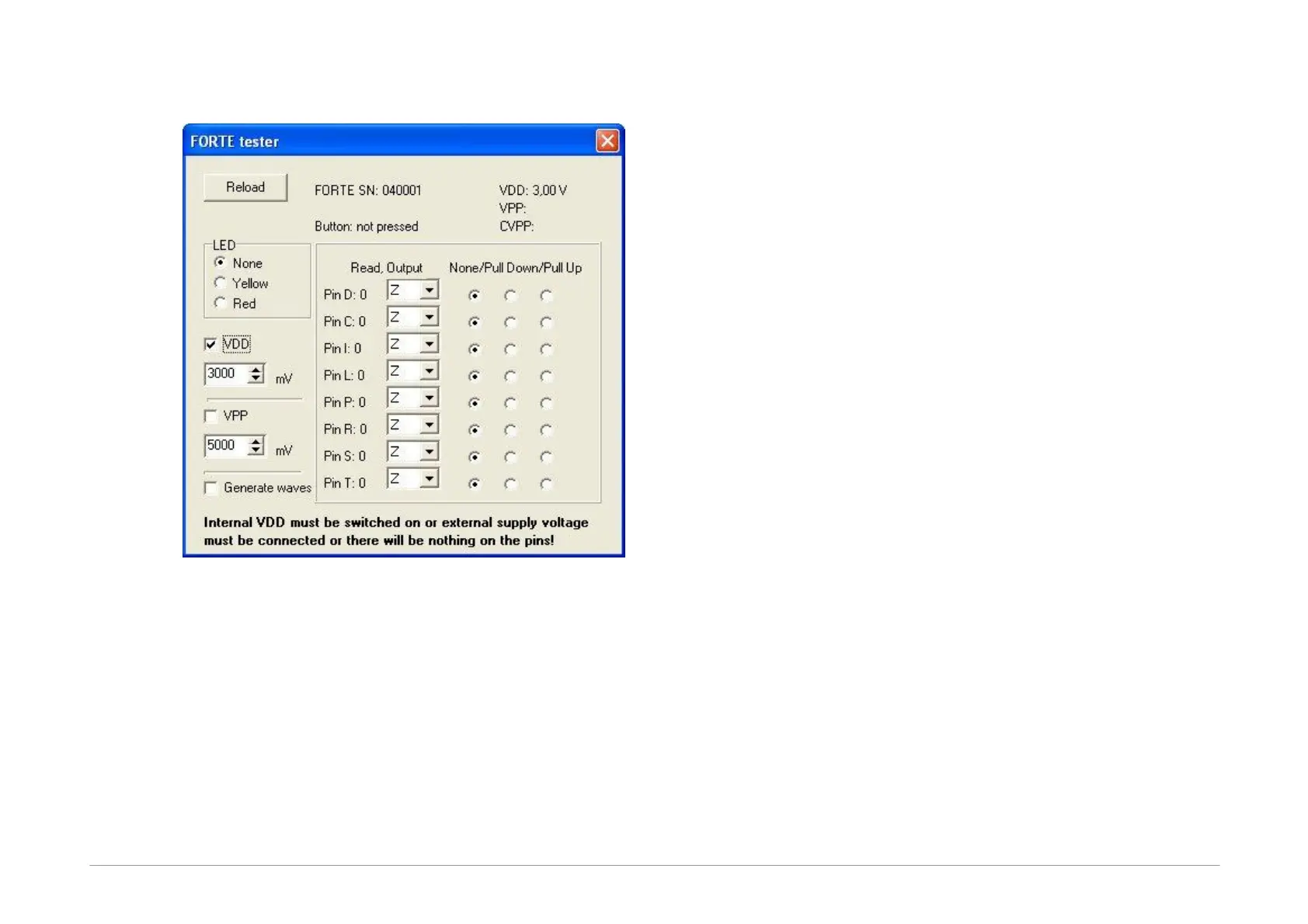
After you start the tester, make sure that the
programmer's output buffers are fed. You can either
switch on the VDD and set its voltage to the required
level or connect an external feeding voltage to the VDD
pin. The level of detected voltage is displayed in the lower
part of the window.
Basic communication with the programmer can easily be
recognized by the Active diode being on. You can choose
its color to be yellow or red.
Programmer's serial number is displayed in the top part of
the window. This number is necessary for any
communication with the service shop. You can also find
this number on the bar code label on the programmer
bottom.
Space for displaying possible error messages concerning
overcurrent or overvoltage detected is provided in the
window under the serial number.
The line below provides information on the GO button.
The programing voltage level on pin P can be verified by
switching the VPP option on and setting the required
voltage level. The detected voltage is displayed in the top
right corner of the window. The level of the current
detected on pin P is displayed immediately below the
voltage. As the P output features a built-in potential
divider of approximately 5kΩ, a non-zero value of the
current is displayed even with the output pin P
disconnected caused by feeding this potential divider.
If outputs are in a state of high impedance (Z),
information on input logical levels at these pins is
displayed. If a pull-up resistor is connected to a selected
pin, the system starts reading log. 1. If a pull-down
resistor is connected, log. 0 is read.
Outputs can be linked individually to log. 1 or log.0.
Output signal quality can be verified by a voltmeter.
The Generate waves option sends a periodical signal of
approximately 1 kHz simultaneously to all outputs.
Neither reading of inputs nor setting of outputs works if
there is no voltage at pin VDD.
If everything seems to be in order, but the device still fails
to get programmed, it is recommended to check the
application connection according to instructions for
connecting a microcontroller to the programmer.
If in doubt as to whether the programmer is in order or
faulty, do not hesitate to contact our technical support.



 To Next Page