4 Operation
20 STERRAD VELOCITY Reader User’s Guide
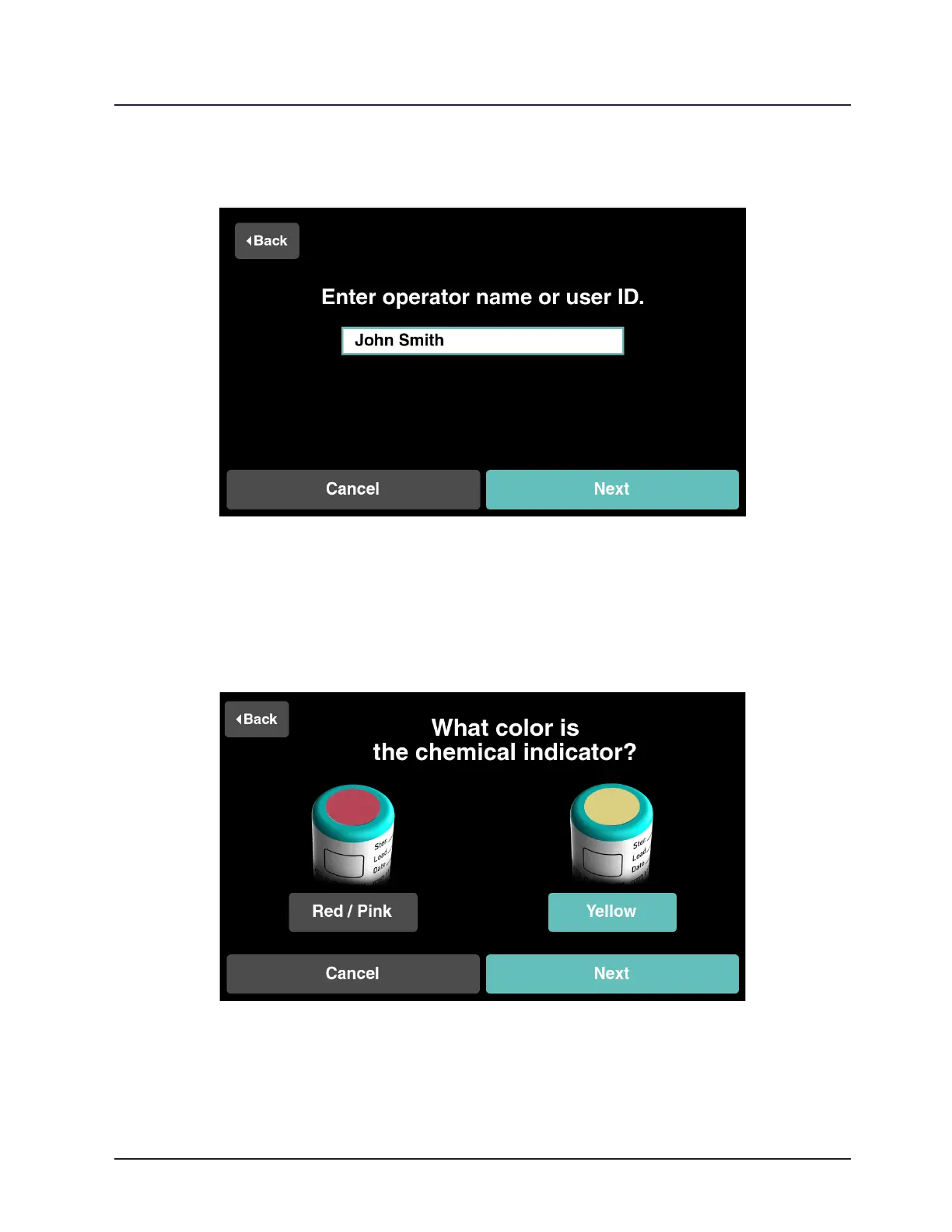
After successful scanning, enter the operator’s name and touch Next.
Figure 11. Enter the Operator’s Name
Touch Yellow if the chemical indicator on the BI cap has changed color, and
then touch Next (refer to the “Chemical Indicator Result” section (Chapter 4) for a more
detailed explanation). If the color has not changed touch Red / Pink and refer to the
“Troubleshooting” section of this guide (Chapter 8).
Figure 12. CI Color Change for a Test BI
9 Note: If activating BI processed in the STERRAD 100S or without ASP ACCESS
continue to “Manual Entry of Cycle Information” (Chapter 4). Otherwise skip “Manual
Entry of Cycle Information” and proceed to “Activate the Test BI” (Chapter 4).



 To Next Page