CHAPTER 5 CUSTOMIZING THE EVOLUTION BACKUP DISPLAY
Page 5-14
091-00027-001 REV A Evolution Backup Display Pilot’s Guide
Page 5-15
091-00027-001 REV A
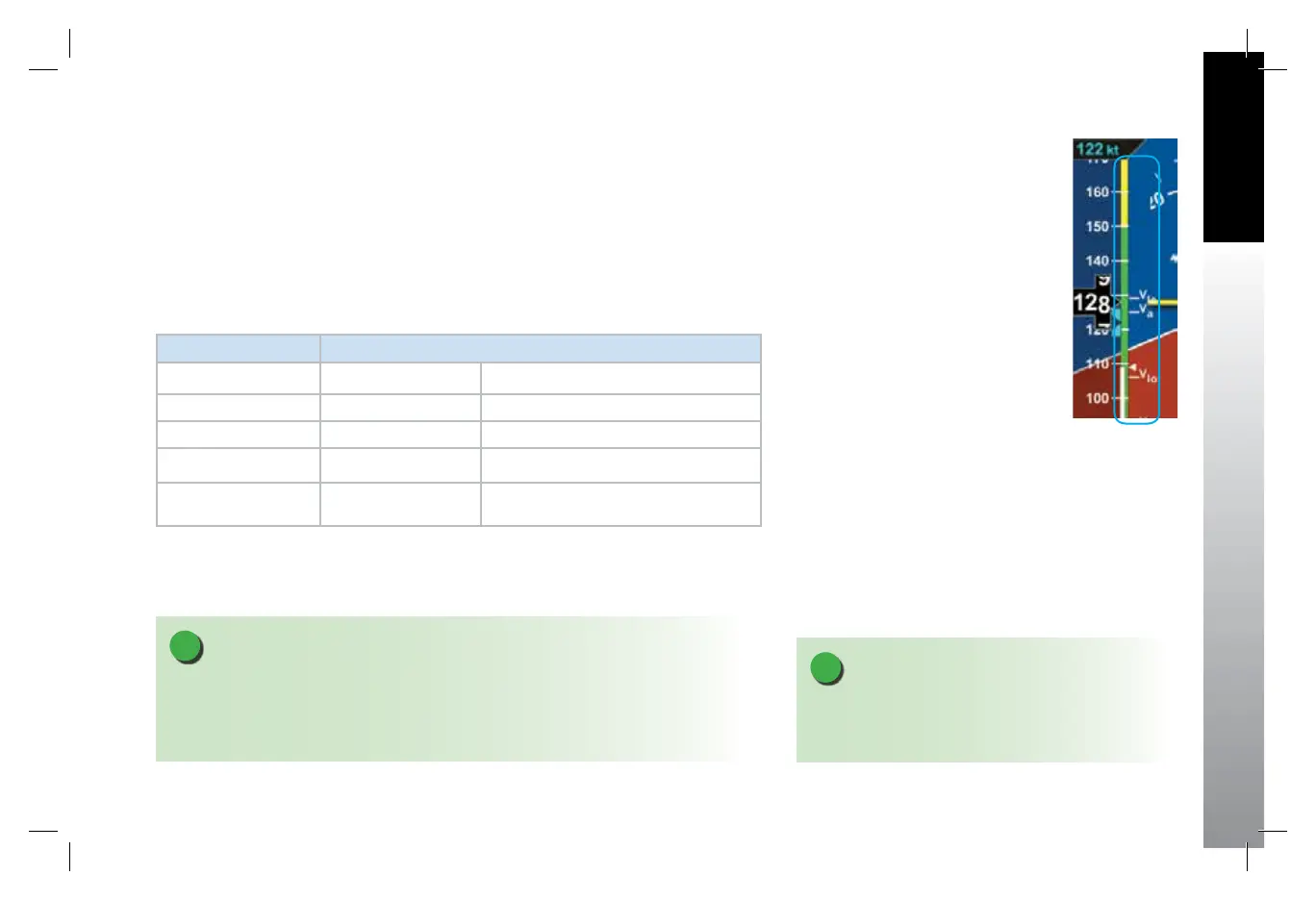
The EBD uses color speed bands, color speed markers, and textual labels to help the
pilot recall Vspeed settings and limits. The speed band markings are determined by the
Federal Regulations and correspond to the aircraft operating speeds that are identied
in the Aircraft Flight Manual. They have a range between two speeds that are pre-set at
installation as outlined in Table 5-21 and shown in Figure 5-23.
Speed markers are also pre-set during installation, indicating important aircraft-specic
speeds, where applicable. The textual Vspeed labels are made pilot adjustable or locked
during the EBD installation.
BAND COLOR SPEED RANGE
Red Band (High Speed) Vne (Top of tape) Never Exceed
Yellow Band Vno – Vne Caution Range
Green Band Vs – Vno Normal Operating Range
White Band Vs0 – Vfe Flap Operating Range
Red Band (Low Speed) Vs0 (Bottom of tape) Disabled on the ground and during takeo
Table 5-21
Speed Band Ranges
Figure 5-23
Speed Bands
NOTE
On aircraft without aps, the white band is disabled, and the green band is shown full
width, as there isn’t an applicable Flap Extend (Vfe) or Full Flap Stall (Vs0) speed. These two
speeds are set to the same speed as the No Flap Stall (Vs) speed. This gives the white band
a value of zero, eectively disabling it.
NOTE
The color speed bands and color speed markers on
the EBD Airspeed Tape are congured to match the
certied mechanical airspeed indicator.
091-00027-001 Rev A EBD Pilots Guide V&H .indb 15 8/27/14 8:51 AM



 To Next Page