CHAPTER 2 CONTROLS AND DISPLAY
Page 2-14
091-00027-001 REV A Evolution Backup Display Pilot’s Guide
Page 2-15
091-00027-001 REV A
Evolution Backup Display Pilot’s Guide
Edit Main Menu Items
1. Press the MENU Button.
2. Navigate to the desired Menu Page.
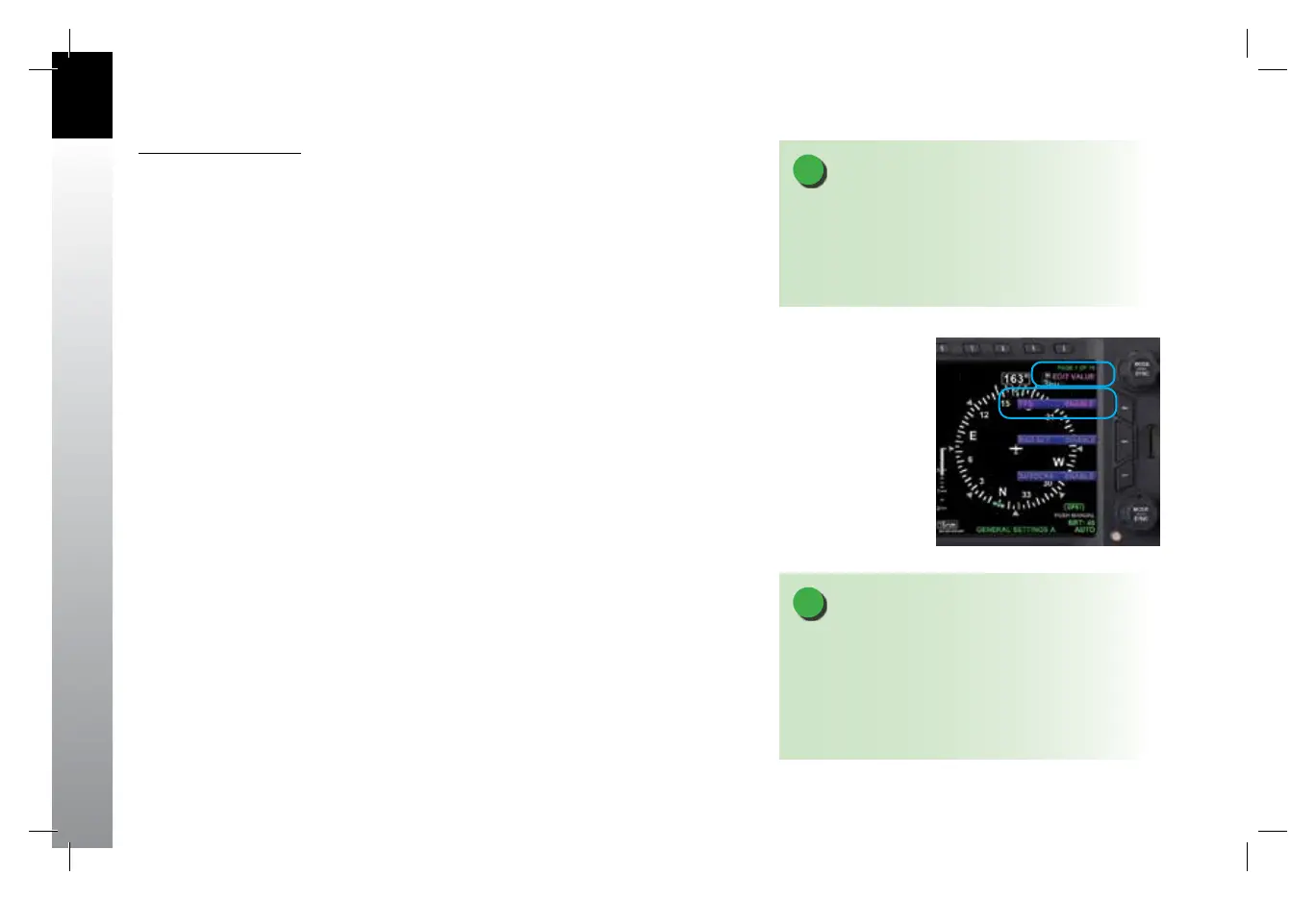
3. Press the Menu Key of the desired option. The Menu label turns magenta, and
the EDIT VALUE label displays to the left of the Top Knob (Figure 2-12).
4. Rotate the Top Knob to the desired value.
5. Press the Top Knob to return to Menu navigation mode.
6. Press the MENU Button to exit.
Figure 2-12
EDIT VALUE Displays to the Left
of Top Knob
NOTE
Upon reaching the end of a list of editable menu
options, continued rotation of the knob will not result in
the continuous wrapping through the available editable
menu options. Spinning the knob fully clockwise will
go to the last menu page, while spinning the knob fully
counterclockwise will go to the rst menu page.
NOTE
Pressing the Top Knob returns to Navigation mode and
allows selection of other menu options on dierent
pages. Pressing another menu key on the current menu
page saves any changes made and activates the newly
selected option for editing.
091-00027-001 Rev A EBD Pilots Guide V&H .indb 14 8/27/14 8:51 AM



 To Next Page