CHAPTER 3 FLYING THE EVOLUTION BACKUP DISPLAY
Page 3-8
091-00027-001 REV A Evolution Backup Display Pilot’s Guide
Page 3-9
091-00027-001 REV A
Evolution Backup Display Pilot’s Guide
Set the Heading Bug
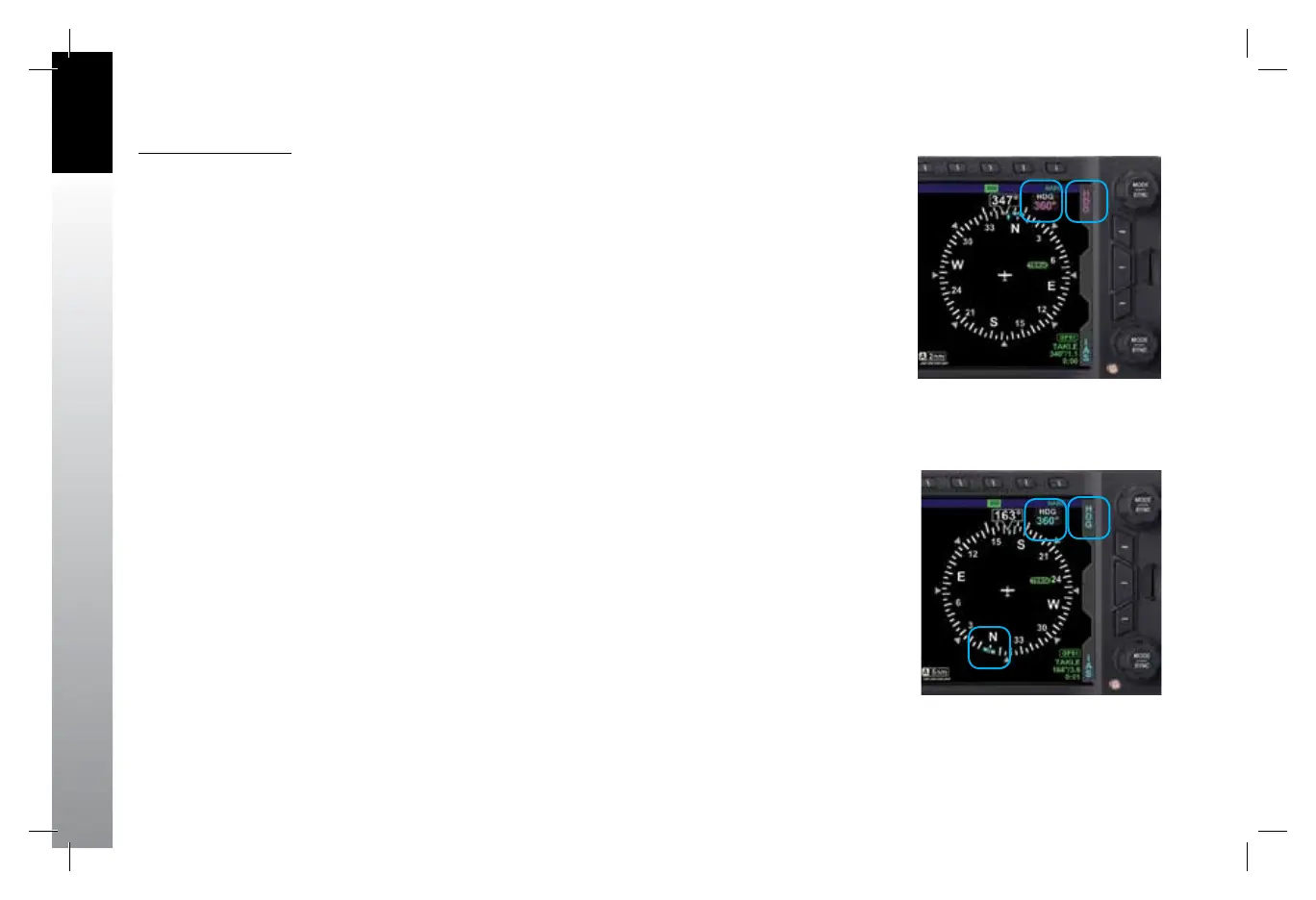
1. Press the Right/Top Knob until HDG displays above the knob and the HDG
eld is enabled for editing, both rendered in magenta (Figure 3-8). The
Heading Bug will also be rendered in magenta, and a dashed magenta line
will extend from the ownship symbol to the Heading Bug to make it easier to
see the bug position.
2. Rotate the Right/Top Knob to change the value of the Selected Heading eld.
Rotate clockwise to increase, or counterclockwise to decrease, the value.
Once the correct heading is selected and after 10 seconds of inaction, the
eld is disabled, and the label and eld are rendered in cyan (Figure 3-9).
Figure 3-8
Selected Heading Field Enabled
Figure 3-9
Selected Heading Field Disabled
091-00027-001 Rev A EBD Pilots Guide V&H .indb 8 8/27/14 8:51 AM



 To Next Page