CHAPTER 3 FLYING THE EVOLUTION BACKUP DISPLAY
Page 3-8
091-00027-001 REV A Evolution Backup Display Pilot’s Guide
Page 3-9
091-00027-001 REV A
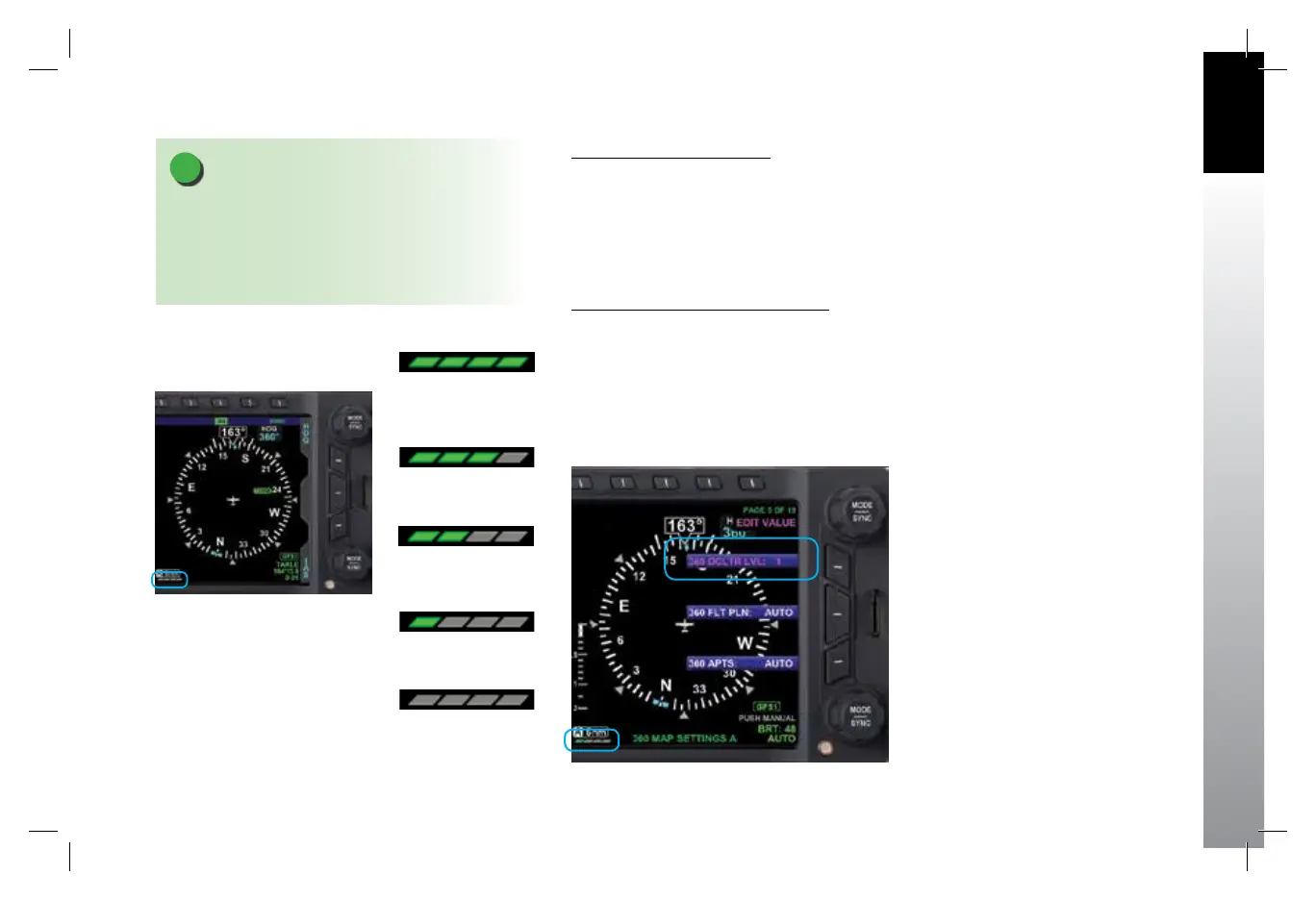
Select Map Declutter Level
The Map Declutter function can be found in the 360 MAP SETTINGS page or in the ARC
MAP SETTINGS page of the MENU (Figure 3-13). The Map Declutter Icon is located
on the bottom left of the Nav Display (Figure 3-13a) The Declutter settings can be
congured to Levels 4, 3, 2, 1, or 0 (Figures 3-13b thru 3-13f) (see Chapter 5, Table 5-9
for more details).
To change the Map Declutter Level
1. Press the MENU Button and rotate the Top Knob to the 360 MAP SETTINGS or
the ARC MAP SETTINGS page.
2. Press the DCLTR LVL Menu Key and rotate the Top Knob to select the desired
declutter level, then press MENU Button to exit.
NOTE
The Basemap symbols and ight plan legs rendered
for each of the map’s declutter levels (4, 3, 2, 1, or 0) are
based on the selected map range. These are manually
congured to display or not in the Main Menu. Detailed
information is provided in Chapter 5, Section 5.2.
Figure 3-13
Changing the Map Declutter Level
Figure 3-13a
Map Declutter Icon Location
Figure 3-13b
Declutter Level 4
Figure 3-13c
Declutter Level 3
Figure 3-13d
Declutter Level 2
Figure 3-13e
Declutter Level 1
Figure 3-13f
Declutter Level 0
091-00027-001 Rev A EBD Pilots Guide V&H .indb 9 8/27/14 8:51 AM



 To Next Page