CHAPTER 3 FLYING THE EVOLUTION BACKUP DISPLAY
Page 3-12
091-00027-001 REV A Evolution Backup Display Pilot’s Guide
Page 3-13
091-00027-001 REV A
Evolution Backup Display Pilot’s Guide
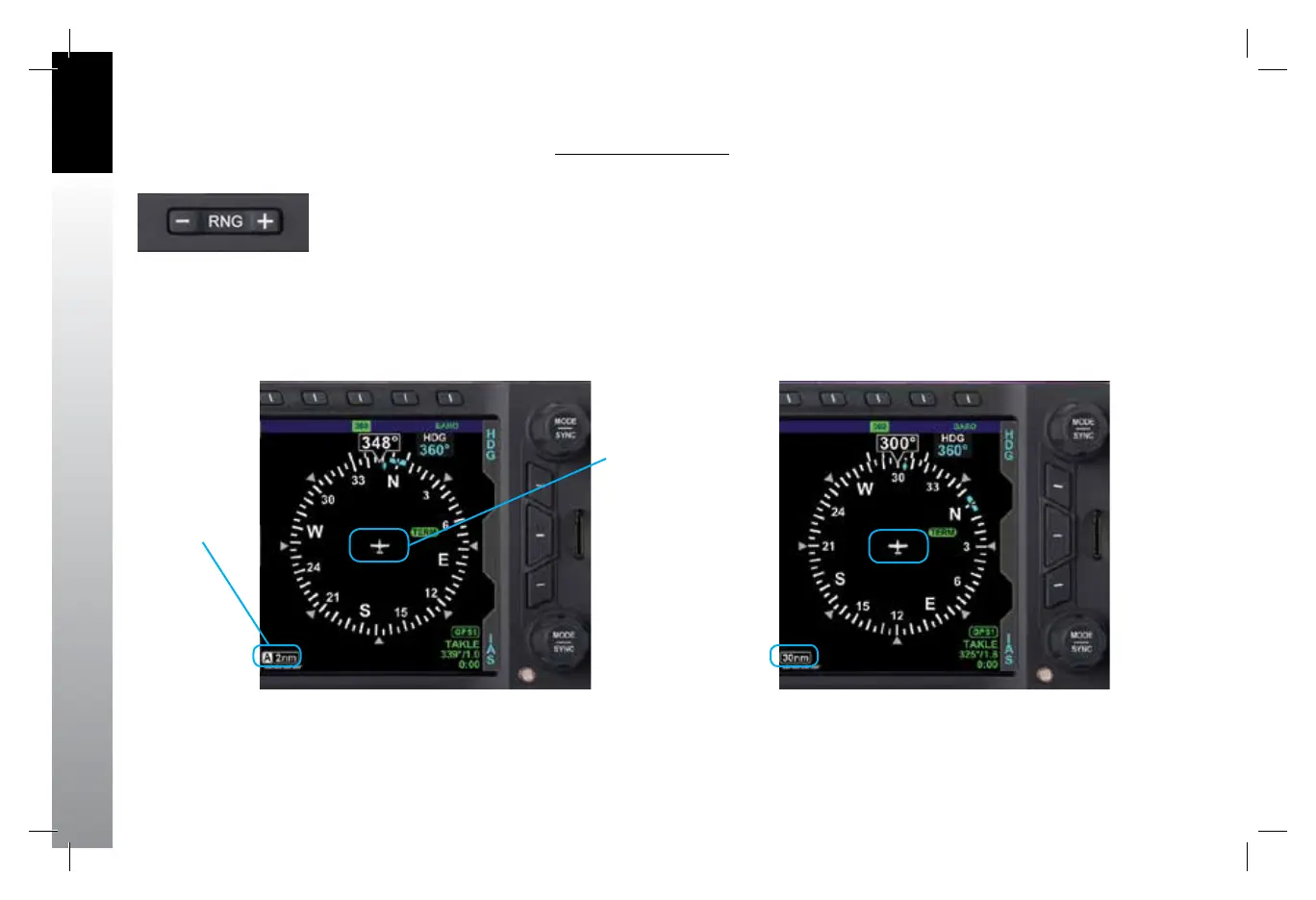
Change the Map Range
• Press the RNG (Range) Buttons (Figure 3-14) UP (+) to increase the range,
or DOWN (-) to decrease the range, until the desired range is shown
(Figures 3-15 and 3-16).
Figure 3-15
Current Range 2nm from Ownship to Edge of Compass Rose
Figure 3-14
Range Button
Figure 3-16
Current Range 30nm from Ownship to Edge of Compass Rose
Current Range
Ownship
Symbol
091-00027-001 Rev A EBD Pilots Guide V&H .indb 12 8/27/14 8:51 AM



 To Next Page