TECHNICIANS' manual 49 of 104
7.14.3 Maintenance cycles
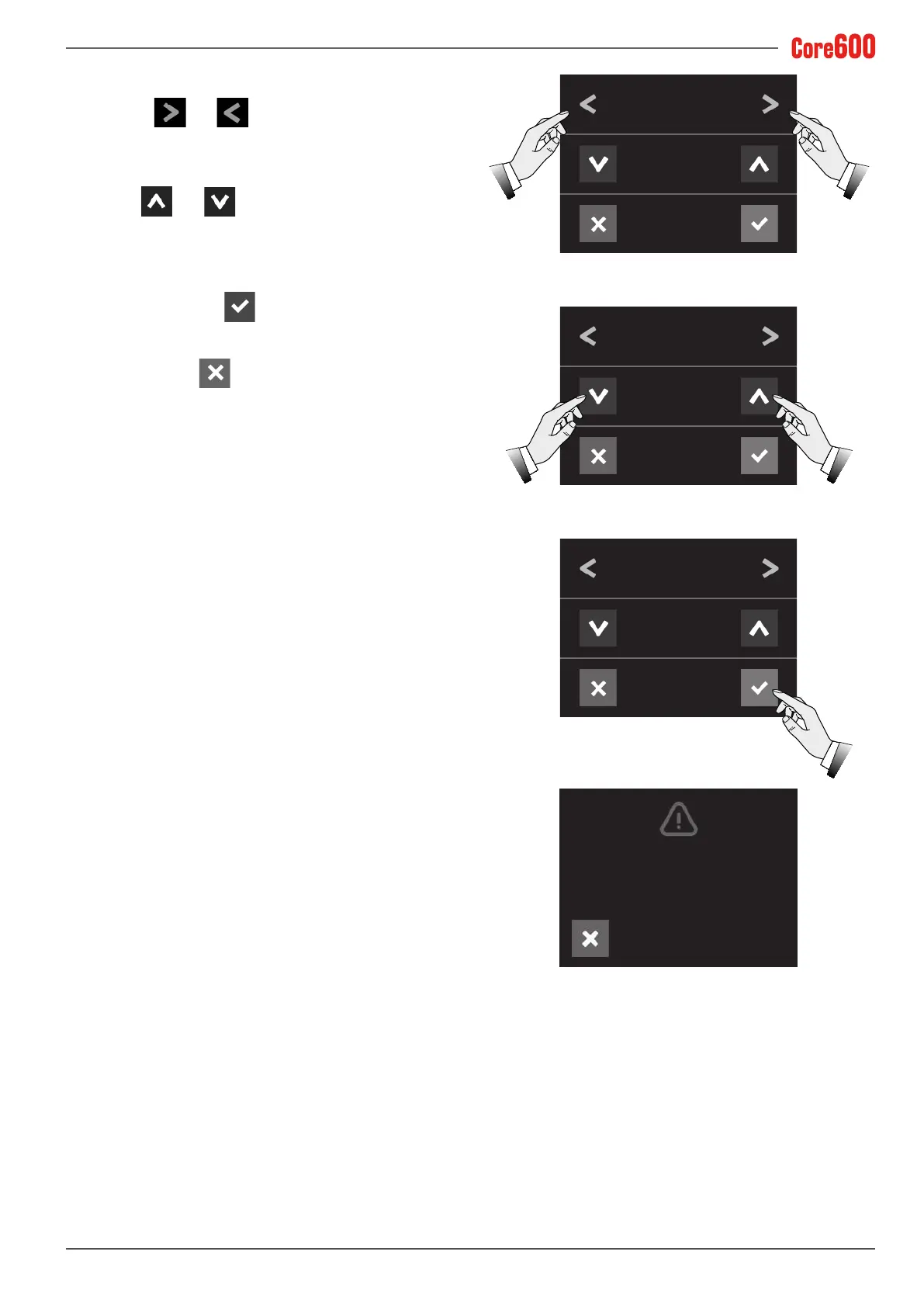
• Select the and arrows until the words "MAINTE-
NANCE CYCLES" appear on the display;
• Use the and arrows to set the number of cycles
(x 1000) after which the display will prompt for mainte-
nance to be carried out;
• Toconrm,pressthe
button;
• To exit, press the
button.
To reset the “Maintenance warning" on the display,
follow the instructions in para. “8.1 MACHINE ALARMS”
on page 48.
MAINTENANCE CYCLES
(x 1000)
MAINTENANCE CYCLES
(x 1000)
MAINTENANCE CYCLES
(x 1000)
5
7
7
Maintenance warning
Tel. 00000000000









 To Next Page