TECHNICIANS' manual 59 of 104
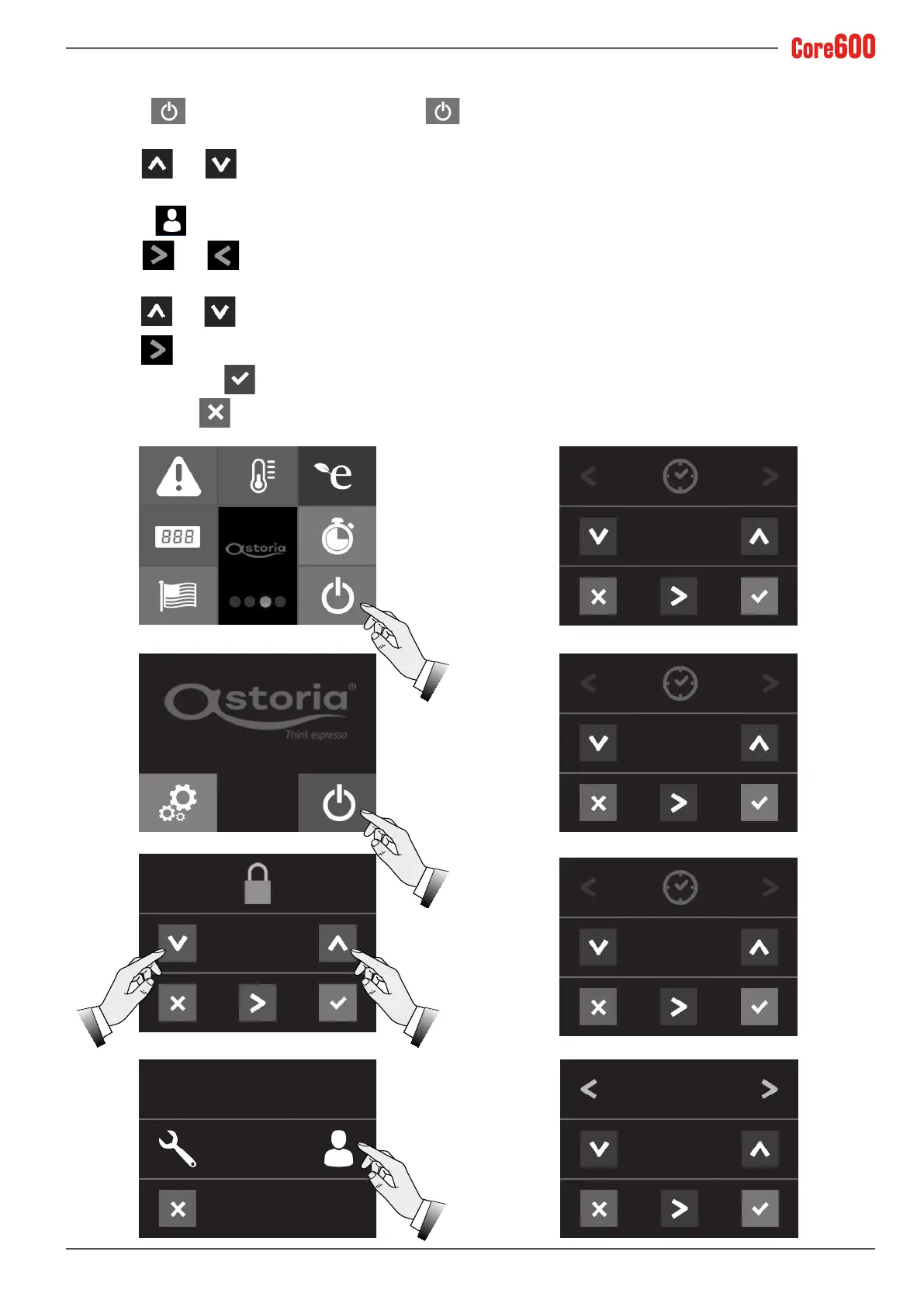
7.14.18 Time - Date - User Password
• Press the button and the same button again
from the menu screen.
• Use the
and arrows to set the access password
(6 6 6 6 6);
• Select the
icon;
• Use the
and arrows to change the: time, date,
day and password;
• Use the
and arrows to set the value;
• Use the
arrow to move the cursor to the value.
• Toconrm,pressthe
button;
• To exit, press the
button.
6 6 6 6 6
SETTINGS
10: 25
DEC 20 2016
TUESDAY
10: 25
CHANGE PASSWORD
3 3 3 3 3




 To Next Page