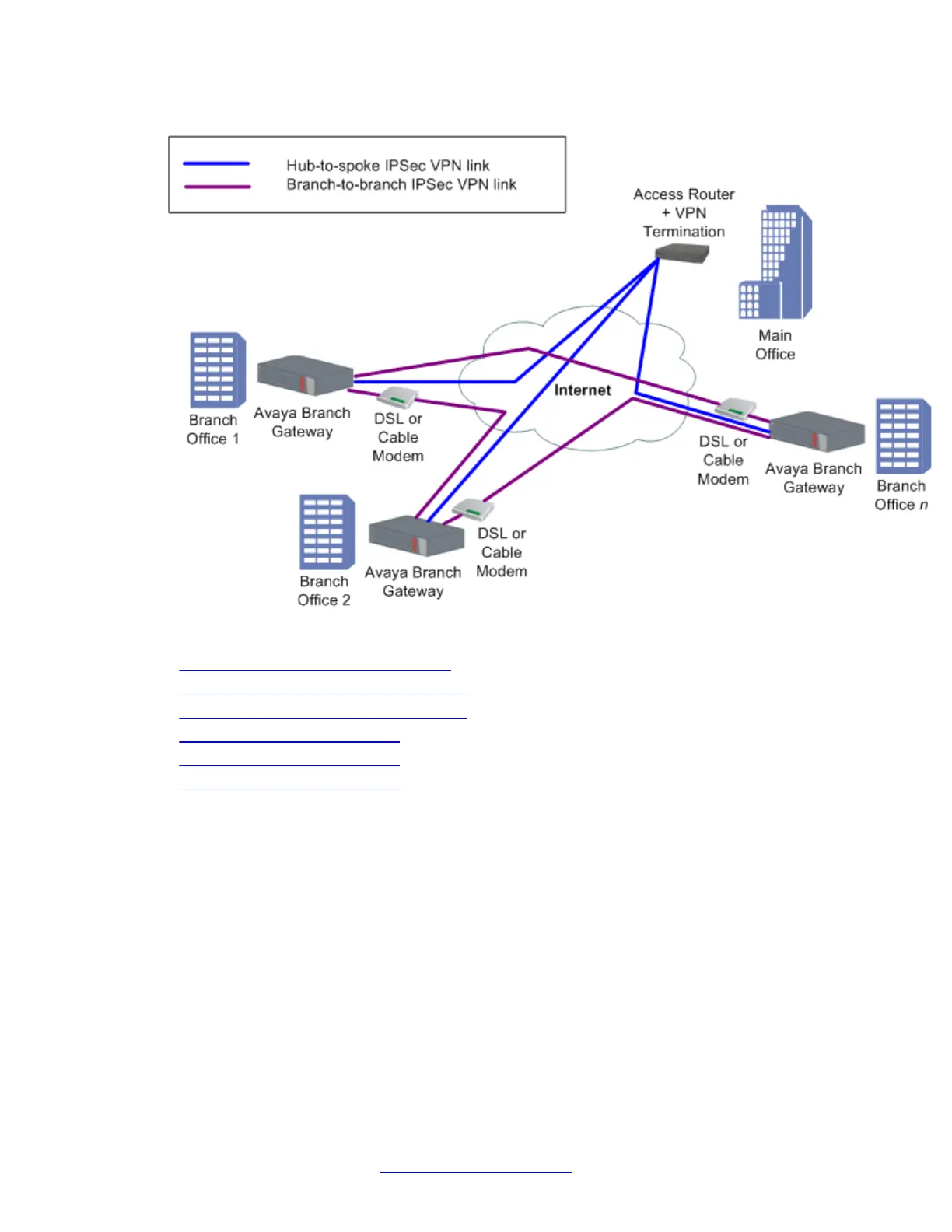
Full or partial mesh diagram
Related topics:
Configuring the mesh VPN topology on page 514
Mesh VPN topology – Branch Office 1 on page 515
Mesh VPN topology – Branch Office 2 on page 516
Mesh VPN topology example on page 517
Branch Office 1 configuration on page 517
Branch Office 2 configuration on page 520
Configuring the mesh VPN topology
Procedure
1. Configure Branch Office 1 as follows:
• The default gateway is the Internet interface
• VPN policy is configured on the Internet interface egress as follows:
- Traffic from the local subnets to the second spoke subnets -> encrypt,
using tunnel mode IPSec, with the remote peer being the second spoke
- Traffic from the local subnets to any IP address -> encrypt, using tunnel
mode IPSec, with the remote peer being the main office (VPN hub)
IPSec VPN
514 Administering Avaya G430 Branch Gateway October 2013
Comments? infodev@avaya.com



 To Next Page