IFD500 Series Pilot Guide
Map Subsystem 4-37
Most installations will ensure the traffic system is in Standby or
Ground mode on the ground and will automatically toggle to one of
the enroute altitude modes per the table below.
To change the display range on the traffic thumbnail, touch the area
showing the range rings, roughly the upper two-thirds of the
thumbnail.
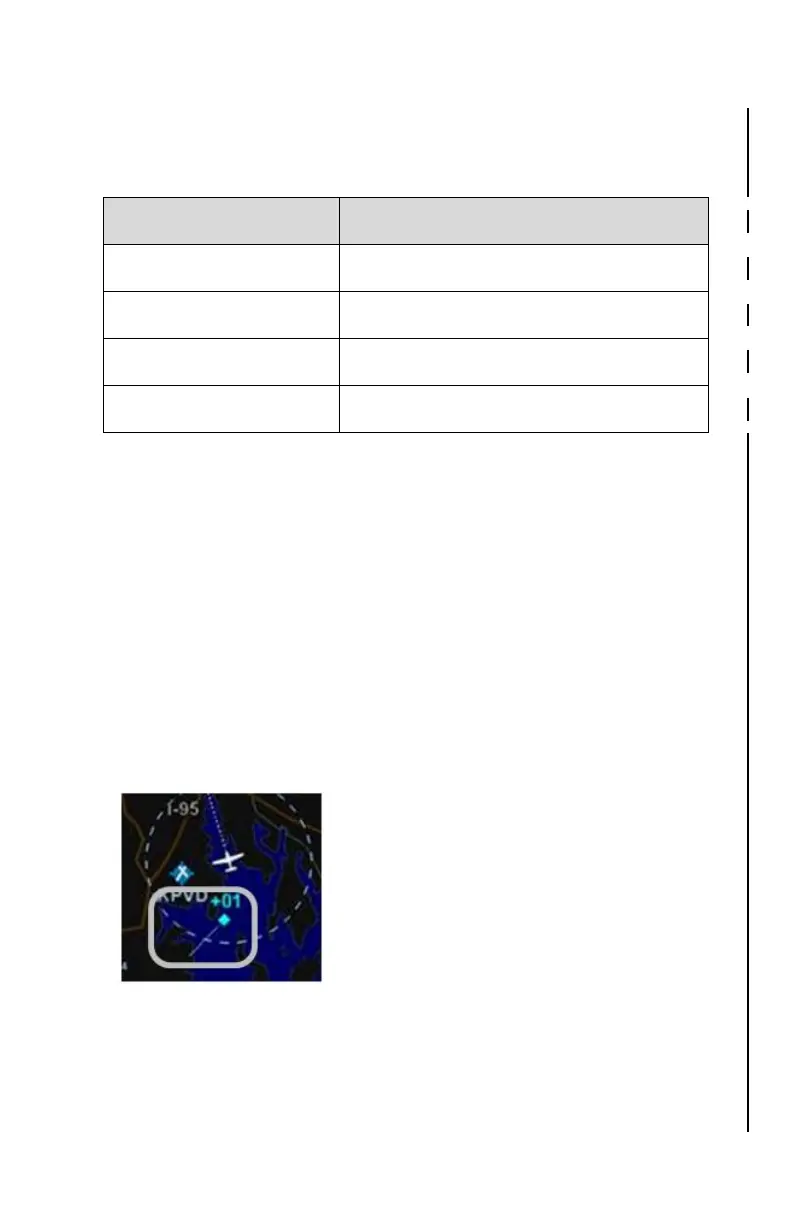
TIS-A Specific Information
TIS-A capable transponders are supported by the IFD including map
depictions of the TIS track lines. These track “barbs” are only
reported and indicated to 45° cardinal increments (e.g. 0°, 45°, 90°,
135°, etc.) and roughly point in the sensed traffic direction. TIS-A
track lines do not convey any speed information about the sensed
traffic.
TIS-A Track Pointer
Since TIS-A traffic data is re-radiated data from FAA ground stations,
there are a few additional possible states of the data beyond normal
operating state. The non-normal TIS-A status states will be
displayed in the traffic thumbnail and as CAS messages and include:



 To Next Page